Rating 4.3 out of 5 stars with 27 reviews
4.3- Screen Brightness (8)
- Build Quality (3)
- Image Retention (3)
Customer Images
The vast majority of our reviews come from verified purchases. Reviews from customers may include My Best Buy members, employees, and Tech Insider Network members (as tagged). Select reviewers may receive discounted products, promotional considerations or entries into drawings for honest, helpful reviews.
- Rated 5 out of 5 stars
Simply Stunning
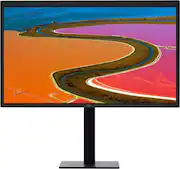
Some bona fides: I do design and video for a living for several large ad agencies. Display performance and accuracy are not just important to me, they're everything. With that said, if people say they don't see a difference with this monitor as I've seen in some of these reviews their machine other doesn't support it or they didn't hook it up right. Mine is hooked up to my 2018 MBP, I use the CalDigit Thunderbolt 3 dock so that is providing the power to my laptop, the monitor is hooked up to the dock Thunderbolt 3 pass-thru (more on why I have this in a minute). This display is, hands-down, flat out gorgeous and the most stunning display I've seen since the 30" Cinema Displays back in the day. Similar to that display, Apple is pulling a lot of technical stunts to get this to work properly so that's why it is essential you have a Mac that supports this display. If you don't, save your money and get a cheap display until you get a new Mac. Or get this display and wait for it to bloom with your new Mac. I have not done color adjustment with my X-rite yet because I want to see its normal, uncalibrated performance for a while. All testing of this monitor indicates it meets or exceeds most guidelines so I anticipate it likely will not need to be calibrated. I use this as my primary monitor with my MBP display as a secondary monitor. What you will see: stunning color and resolution, the resolution is crisp and remarkable, It's awesome having a photo or video at 4K resolution and still have your editing interface. This monitor throws some serious light, I turned it down a ton. The stand is heavy duty and has one of the highest extensions I've ever seen on a monitor (it won't be on there long as I have a dual VESA mount on the way). Is the frame plastic? Why yes, yes it is, just like every non-Apple monitor on the planet for the past 20 years. I do not consider this a build issue, I consider it keeping this monitor to $1,300. If this frame and stand were using aluminum there's no way it would be less than $1,500 I'm sure. This is an acceptable trade-off to me. It uses a glossy screen but glare is very well controlled, I like to let the sun in my office and I haven't had any issues. A (rather long) TB3 cable is included so that saves you $40, one wire to your Mac (or a dock like I use) and you are in business with power, audio, and video. The camera performance is awesome, I haven't used the built-in microphone yet. I was able to use a sliding camera cover, you just need to mount it vertically instead of horizontally as you would on a laptop so you aren't blocking the microphone holes. Sound performance isn't bad and there's actually a fair amount of bass. Obviously not up for any professional work but will play your tunes while you work just fine. CONNECTIONS - here is where the big caveats are if you are looking for this to be a true replacement for a Thunderbolt Display, the LG falls a bit short. While there are three additional Thunderbolt 3 ports on the back (one is your powered port to your laptop) and they are USB 3 speed, they're only good for 5 GB/s. I suspect the speed reduction is because of all the data one cable needs to carry to this monitor for video. For typical users, this is just fine. But, if you are a photo and video person like me that needs to push a lot of data to drives it's not so good. Also, those three TB3/USB-C ports are your only ports, that's it. If you are using a lot of standard USB devices this isn't' going to cut it, even with adapters. For this reason, I went with a dock where all my devices are hooked up to so the monitor is at end of the line with nothing hooked up to it. If you only have a few devices and aren't pushing a ton of data to drives this will probably be fine but still, this comes up short compared to the Thunderbolt Display and its plethora of ports to hook up all your things. So, in short, if you have a newer Mac and you're looking for a stunning display and don't mind also picking up a dock, you won't be disappointed, I highly recommend it.
Posted by DesignGuy
- Rated 3 out of 5 stars
Excellent addition to any Mac
I had purchased one of these for my iMac pro and liked it so much that I purchased a second one. The screen clarity is remarkable. One thing that I did notice is that the color temperature on the monitor is warmer than the iMac but can be calibrated if needed. I would have given this product a 5 Star review except, I ordered an open box because it was all that was left in stock. Everything came working besides the USB-C cable. When I called bestbuy customer service they were less then helpful. It was only until I was in customer service in my store for almost an hour that i finally got another cable. Not the same thunderbolt that it should have come with from the beginning, but it works.
Posted by Zach
- Rated 5 out of 5 stars
Great for Mac Mini
I purchased the LG Ultrafine 27" to go with a new Thunderbolt 3 Mac Mini. Connecting the LG to the Mac Mini added a high quality Facetime camera and speakers in addition to the beautiful 5k display. It also goes to sleep and wakes up with my Mac. If you have a 2018 Mac Mini, the 27" Ultrafine is the best monitor currently available.
Posted by ChristIsKing
- Rated 2 out of 5 stars
Price way too high, build quality lacking
This is the Apple-recommended monitor for the MacBook Pro. Great idea, one thunderbolt connection does everything. But for $1,400, the build quality is sub-Apple, connections are flimsy, frame seems cheap. The 5K display is too intense and yet did nothing to improve the images from the Mac.
Posted by Tomm
- Rated 4 out of 5 stars
The monitor is amazing -keep wireless routers away
The monitor is amazing. Very good with color and clarity of image. We had power off issues with a wireless router too close to the monitor. Removing the wireless device fixed the power off issues.
Posted by beowulf