Rating 4.4 out of 5 stars with 631 reviews
4.4- Ease of use (180)
- Touchpad (94)
- Keyboard Size (45)
- Compatibility (32)
- Battery Life (23)
- Price (9)
- TV Compatibility (3)
Customer Images
The vast majority of our reviews come from verified purchases. Reviews from customers may include My Best Buy members, employees, and Tech Insider Network members (as tagged). Select reviewers may receive discounted products, promotional considerations or entries into drawings for honest, helpful reviews.
- Rated 3 out of 5 stars
Not Compatible With Most TVs or Apps
There are a myriad of wireless keyboards & keyboard remotes on the market. What (I thought) set the Logitec K600 apart is that the company has taken the time to configure the keyboard specifically for each compatible device. Sadly, the K600 has an extremely short list of compatible devices and even if the keyboard is designed for your TV, it does not work across all apps (such as YouTube). ...As a matter of fact, the odds are overwhelmingly against most customers. If you do not own an LG OLED, Samsung, Sony Bravia, or Phillips TV don't bother buying. Even if you do own one of the brands mentioned, it still might not be compatible. *****CHECK COMPATIBILITY BEFORE YOU BUY***** https://www.logitech.com/en-us/promo/k600-tv/smart-tv-compatibility-checker.html The keyboard is easy to set up, is light, easy to manipulate in your hands, and is great for web browsing / navigation. But, because it is not compatible with all of the Apps on each TV, it is only useful a small minority of the time. Unless you do a lot of web-browsing on your Television, I simply can't recommend this keyboard. Frequently I would run into apps (such as YouTube) that would not accept text input - which is the whole point of the keyboard! This keyboard is best suited for those who have a computer hooked up to their main television (as it allows you to use the same keyboard as you switch back & forth between TV/Computer functions). But this customer type are few in number. And, the number of this small population who also has one of the compatible TVs is even smaller. Unfortunately this keyboard just won’t work for most people and when it is compatible, it only works a small fraction of the time text input is needed. Until this keyboard costs less and also works for more brands and across all apps – I simply cannot recommend it. Pros: + Battery life (2 x AAA) is listed at 12 months. + The wireless range is excellent (works at up to 49 feet from the USB receiver) + The USB Receiver fits in the battery compartment (so that it does not get lost in travel). + They keyboard is light enough to hold in one hand. + The track pad reads multi-touch gestures making directional navigation simple. + The track pad (sometimes) allows you to pinch to zoom + Includes directional keys (d-pad) that are easy to reach & work well + Keys type quietly but have a pleasant physical feel + The Keyboard can be paired to 3 devices and switching between devices is quick & simple + Set-up is quick, simple, and ensures keys work well for the specific TV model you have (if compatible) + Can be used to control Media (Pause/Play, Rewind/Fast Forward, etc) + Custom shortcuts can be set up for PC & Mac users Cons: - The keyboard is not compatible with most TV brands / models. - The keyboard does not allow text input within all apps. Specifically frustrating is that it does not currently allow you to type within YouTube. - Promotional materials state that turning the keyboard upside down locks the keypad (so that kids don't type and interrupt your viewing). This function does not work at all. - The keyboard is slick on the bottom and will slide around your lap unless it happens to be resting perfectly flat (not always convenient when you are on a couch watching TV). The rubber feet run horizontal and work well on a table, but not well on your lap. - The current price (across all stores / websites is too high. - Size: While it is a great size for a keyboard, it is quite large for a remote that frequently is not able to input text into Smart TV apps.
Posted by TheDuke
- Rated 5 out of 5 stars
Awesome
Bought this for my gf to use for her MacBook and she loves it!!! Saves buying a mouse.
Posted by devv
- Rated 5 out of 5 stars
Great keyboard for the money
Set up is very easy, nice features works great. If you are looking for Bluetooth keyboard get This one.
Posted by TJ1466
- Rated 4 out of 5 stars
Nice compact keyboard!
I like this keyboard because it can connect natively to a Samsung smart tv. It can also connect to two additional bluetooth enabled devices. I use it for my tv, iPad and desktop computer. The downside is that the keys are not backlit so you may need a little light in order to use it efficiently.
- Rated 4 out of 5 stars
Awesome For Select Smart TVs And My Mobile Phone
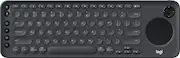
Was very curious about reviewing this complimentary Logitech TV K600 Wireless Keyboard because it enhances compatible Smart TVs, and, its possible use to replace Qwerty keyboard on my Smart Phone. After three weeks of daily use here is what I like about the K600: * Easy To Set-Up – I simply plugged-in the included dongle/receiver, to my compatible, USB 2.0, Smart TV port. Then, I followed the on-line instructions on my Smart TV to connect to my Wi-Fi home network. This K600 features dual connectivity so it can also be connected to your Smart TV, featuring Bluetooth, through low-energy BT connection. * Keyboard – Merges my TV remote with a dedicated keyboard designed to improve and expand the operations of my Smart TV. Lets me effortlessly move through menus, scroll through pages, and enter Internet Addys, texts, e-mails, or messages with speed as against just using the slow remote by itself. This is a full-sized keyboard, which features rounded, silent keys instead of the square-shaped, keys like a standard PC keyboard. They are very soothing to my fingers while I type. The keyboard is approximately 14 ½ inches long, by 4 ¾ wide, and ¾ inches thick. It weighs approximately 1 pound and two ounces, so it is pretty lightweight and thin too. Also, the keyboard has a built-in, tilted angle, approximately 15 degrees, which makes typing much more comfortable for me, even when the keyboard is on my lap. It has four rounded non-slip pads to keep the keyboard from sliding off my lap or any flat surface I put it on. * Keyboard Features – After I connected my keyboard to my home network, I also connected my Apple SE Smart phone to one of the BT, Switchable Keys at the top of the keyboard through Bluetooth. This allowed me to take advantage of using a full-sized keyboard instead of the super-small, IOS, Qwerty, on-board, touch-keyboard. WooHoo! My fingers are big and the SE screen is small – bad combination for any typing. So, I avoided sending text messages, e-mails, and, always used Siri when I could. Now, while I am at home this is no longer a problem. This keyboard has become my SE phone's best friend. You can BT pair up to three devices, PC, Tablet, or Phone, (IOS or Android, and assign them an Easy-Switch key, 1-3) and switch at any time just by depressing that key. There are four 'Media' keys to the left of this keyboard, which perform actions your remote does. And, six 'Media' keys at the the top right, which control volume, mute, increase/decrease, forward, backward, or stop videos. There are also two keys at the top of the keyboard to increase/decrease brightness. * Bluetooth Pairing For Multi-Device Control – I BT paired my I-Phone to this keyboard easily by depressing one of the three Switchable Keys (#1) for three seconds. The LED on the (#1) key blinks rapidly to indicate it’s in pairing mode. On my I-Phone I selected the K600 TV keyboard from the available BT list. My I-Phone received a six-digit code, which I entered to confirm the pairing. I then optimized the keyboard for my I-Phone by pressing FN + the number for my IOS device (#9). There are seven OS you can choose from. I can pair two other devices besides my mobile phone using the same scenario, but depressing different switchable keys (#2 & 3). * D Pad – Another navigation tool, which allows me to move my cursor quickly (Up, Down, Left, or Right) through choices at the main home screen menu or any other screen display. * Long Battery Life – Up to one year using only two AAA batteries (Included). * Features Of My Smart TV Enhanced – I can now receive and compose e-mails promptly using this K600 keyboard on my smart TV. I can browse the Internet quickly and smoothly, which was always too slow and unthinkable using my remote by itself. I can navigate through choices of movies, TV shows, and, or videos and do searches for programs or movies with speed and ease. * Precision Touchpad – Allows me to navigate freely and quickly through menus, Apps, pages, while browsing the Internet, and, or searching for movies or programs. I can configure this generously-sized touchpad for either left or right 'click' buttons. Definitely a must-have compared to clicking the remote to do the same thing. YooHoo!* Wish It Had: * Backlighting – It would be easier to operate this keyboard with some sort of illuminated keys at night. During the daytime the lights are dimmed down in my living room, and, or bedroom, which strains my eyes operating this keyboard. Even if it had an all white or black body with luminous letters – it would be superior to the all black body with white lettering and no illumination. * A comprehensive 'Users Manual', would have been nice, especially, since I had to spend so much time learning the various operations of this keyboard through trial and error. I would advise to go to the Logitech website for more detailed information under FAQ. I found that I use this keyboard as much sending texts, e-mails, and messages on my Smart Phone at home as I do using it on my Smart TV. This certainly is an added plus for me and pleasant surprise. I highly recommend the purchase of this Logitech TV K600 Wireless Keyboard if you really want to enhance and take advantage of the resources on your Smart TV, PC, and, or mobile phone. I would give this keyboard 5 stars if it had backlighting. I tend to use this keyboard in my living room and bedroom, where the lighting is mostly subdued, making this keyboard a challenge to operate. If you have a late model Fire-TV this is an outstanding accessory. But, please make sure your TV model is compatible with the K600 before you purchase it. It is FUN to use, much more comprehensive, then the TV's remote.
Posted by pauldar