Rating 4.7 out of 5 stars with 13125 reviews
4.7- Ease of use (3891)
- Size (2273)
- Battery Life (1347)
- Wireless (967)
- Price (889)
- Scroll Wheel (86)
- Lag (72)
- Tracking (31)
Customer Images
The vast majority of our reviews come from verified purchases. Reviews from customers may include My Best Buy members, employees, and Tech Insider Network members (as tagged). Select reviewers may receive discounted products, promotional considerations or entries into drawings for honest, helpful reviews.
- Rated 5 out of 5 stars
Great mouse to pair with a laptop
I have been carrying this thing around with me in my backpack for over a year now. I'm almost always careful to turn it off before stowing it next to my laptop power supply. I have yet to change the batteries yet. I use it occasionally throughout the week as a university student. It's comfortable, has great battery life, has back and forward buttons. It has a spot inside the battery compartment to store the USB dongle, but I just leave mine connected to my laptop. The only thing I don't like about this mouse is the orange marking on the dongle makes it stick out and is not very professional. I wish this marking was not there or it was a subdued gray or something. It's amazing for the price. I would definitely recommend this to a friend or purchase it again.
Posted by daniel
- Rated 5 out of 5 stars
Great Versatility in a Comfortable Mouse
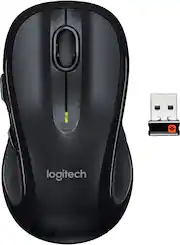
I purchased this Logitech Mouse because it had a very long battery life and offers a four directional control wheel for scrolling in all directions. I like the shut off switch on the bottom with green/red indicator for on/off. I also appreciate the space that exists under the bottom cover which houses the usb connectivity dongle. The mouse is wireless and comfortable to use for long periods of time.
This review is from Logitech - M510 Wireless Optical Ambidextrous Mouse - Wireless - Blue
Posted by JoeSalesGuy
- Rated 4 out of 5 stars
Overall a good mouse
I purchased the M510 to replace an M705 that the left button stopped working after 1 year of use. (I can hear it click but the left click would not do anything and Logitech is sending me a replacement. After 2 emails with the Logitech tech support performing some troubleshooting steps, Logitech will stand behind its warranty). I owned the M510 before and I was happy until after 4 years of use the left click button literally broke off and while it would still work, it left a sharp edge that made it uncomfortable for prolonged use, so now I use it with a laptop which I do not use very much. I prefer the M510 over the M705 as it is a bit heavier and feels sturdier. It feels very comfortable in my hand and I use it with my desktop for work and for some light gaming. The mouse is very responsive and you can use the Logitech Options software to manage the settings. You can also create custom settings for specific applications. I knocked off a star for quality, because of the broken left click button. The attached pictures will give you an idea of the size of the mouse and you will see the broken button. You will notice a slight difference in the look of the 2 mice as the logo on the older one is not there because it was a bit different and it has been worn out. Despite the broken button, I recommend this mouse
Posted by John
- Rated 5 out of 5 stars
10 out of 10 would buy again!
Very sleek and comfortable mouse, have had it for years and never had to change the battery. It’s a heavier mouse which I actually like so If you like light mouse’s you might not like it but overall I’d say it’s pretty solid.
Posted by BraydenW
- Rated 5 out of 5 stars
I like the somewhat larger size and 2-year battery
I wanted a wireless mouse with effective range from the USB "dongle", and I dislike the tiny "meece" available. The Logitech M510 has a good feel and the 2-year battery life is a big plus.
Posted by GerryGoBlue