Logitech - MX Ink Mixed-Reality (MR) Stylus Wireless Pen Controller for Meta Quest 2, Meta Quest 3, Meta Quest 3S - Graphite
About this product
MX Ink is a crafted control device with perfected pressure sensitivity and organic form. This is a tool you do not need to learn. Dive into your creations, in 3D and 2D, with frictionless ease. Pair and control leveraging Meta Horizon app and Meta Settings. MX Ink was designed to be intuitive and give a masterfully fine-tuned and immersive experience.
Features
Master your vision
Experience high-precision creations and operations in Mixed Reality (MR) with the familiar feel of a pen; say goodbye to learning curves, save time, and stay seamlessly in your workflow
Designed for Meta Quest
MX Ink MR Stylus is designed and built to effortlessly connect with your Meta Quest and work alongside your Meta Touch Controllers; transition smoothly from 2D to 3D, then back again without disrupting your workflow
High-precision control with a familiar feel
Enjoy high-precision creativity and control with a pressure-sensitive tip (1 replacement fine tip/ 1 wide tip included) and main button of this stylus; sketch, grab, move, and manipulate fluidly in Mixed Reality (MR)
Pair and control leveraging Meta Horizon app and Meta Settings
Deep integration in Meta Settings lets you tailor your control, pressure curves, activation forces; select right or left-handed control, and configure button mapping
Intuitive and fluid
High-accuracy 6DoF with balanced button feel, pressure, tactility, and haptics achieves seamless spatial tracking; a must for MR applications
Easy charging
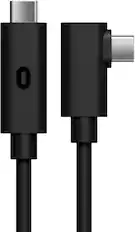
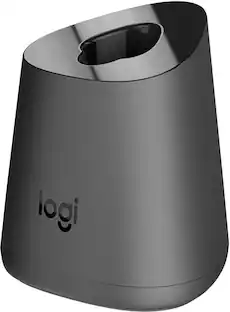
Recharge the wireless MX Ink stylus with a USB-C cable (not included) or via the pogo pins on the back of MX Ink using the MX Inkwell Charging Dock (available in MX Ink Combo or sold separately)
Long battery life
Last up to 7 hours in a typical workflow; battery life varies significantly based on headset and applications; parameters based on Meta Quest 3 usage estimates*
Specifications
- Display TypeNot ApplicableResolution (Per Eye)1832 x 1920Refresh Rate120HzLens DesignFresnelInternal Memory0 gigabytesMovement TrackingHand
Reviews
Rating 5 out of 5 stars with 2 reviews
The vast majority of our reviews come from verified purchases. Reviews from customers may include My Best Buy members, employees, and Tech Insider Network members (as tagged). Select reviewers may receive discounted products, promotional considerations or entries into drawings for honest, helpful reviews.


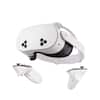
Compare similar products

MX Ink is a crafted control device with perfected pressure sensitivity and organic form. This is a tool you do not need to learn. Dive into your creations, in 3D and 2D, with frictionless ease. Pair and control leveraging Meta Horizon app and Meta Settings. MX Ink was designed to be intuitive and give a masterfully fine-tuned and immersive experience.
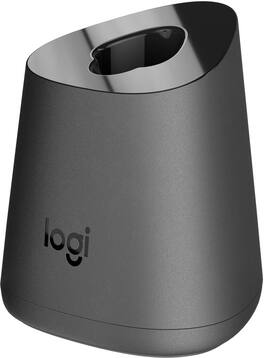
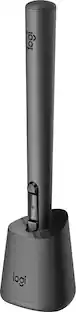
MX Inkwell helps you ensure your MX Ink Mixed-Reality Stylus is ready to work whenever you are.

MX Ink is a crafted control device with perfected pressure sensitivity and organic form - a tool you do not need to learn. Dive into your creations, in 3D and 2D, with frictionless ease. Pair and control leveraging Meta Horizon app and Meta Settings. Simple and elegant charging with the MX Inkwell Charging Dock. MX Ink was designed to be intuitive and give a masterfully fine-tuned and immersive experience.
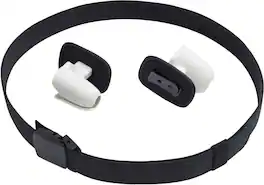
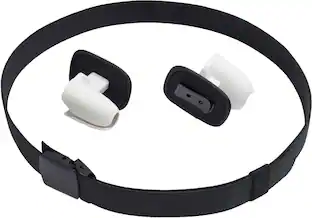
Keep your Meta Quest 3 controllers at the ready to jump into your favorite VR games with the PowerA Hip Clip for Meta Quest 3. Officially licensed for Meta Quest 3, the Hip Clip provides a convenient way to store each controller that keeps them out of the way when you’re not using them, but instantly accessible when it’s time to jump back into action. The clips on the belt securely hold the controller while standing, seated, or walking and can also be removed and placed on your own belt of preference. The belt size is adjustable up to 45 inches allowing you to find the optimal fit. 2-Year Limited Warranty.
| Pros for Logitech - MX Ink Mixed-Reality (MR) Stylus Wireless Pen Controller for Meta Quest 2, Meta Quest 3, Meta Quest 3S - Graphite | |||
|---|---|---|---|
| There were no pros for this product— | There were no pros for this product— | Battery Life, Ease of Use, Pressure Sensitivity, Weight, Precision | Controller Storage |
| Cons for Logitech - MX Ink Mixed-Reality (MR) Stylus Wireless Pen Controller for Meta Quest 2, Meta Quest 3, Meta Quest 3S - Graphite | |||
| There were no cons for this product— | There were no cons for this product— | Connectivity | There were no cons for this product— |
Specs
Customers often buy these together
Gaming Controller Accessories
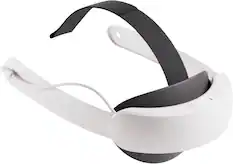

VR Headsets
Video Game Console and Controller Cases
More to consider
 Clearance$39.99The price was $49.99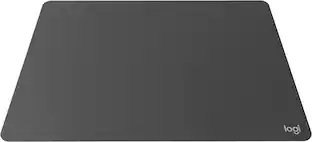
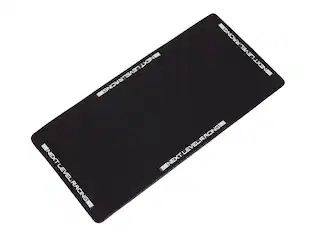
Logitech - MX Mat for MX Ink Mixed Reality (MR) Stylus for Meta Quest 2, Meta Quest 3, Meta Quest 3S
Clearance$39.99The price was $49.99
Level up your game Sponsored
Discover related products


Keep exploring
 $1,488.23The price was $1,721.75
 $585.99The price was $599.99
 $1,644.99The price was $1,649.00
 $2,194.85The price was $2,399.00
 $1,488.23The price was $1,599.00