Rating 4.5 out of 5 stars with 4727 reviews
4.5- Wireless (622)
- Price (549)
- Easy to use (432)
- Works well (136)
- Durable (65)
- Caps lock indicator (63)
- Mouse (33)
- Indicator light (28)
- Basic (12)
- Loud keys (12)
Customer Images
The vast majority of our reviews come from verified purchases. Reviews from customers may include My Best Buy members, employees, and Tech Insider Network members (as tagged). Select reviewers may receive discounted products, promotional considerations or entries into drawings for honest, helpful reviews.
- Rated 4 out of 5 stars
Wirlesss Keyboard and Mouse
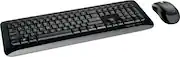
Good product for price. Quality and performance are nice. No bells and whistles just basic wireless keyboard and mouse. Battery usage is minimal and very little lag observed between connecting device and peripheral inputs. Overall though, my requirements were fairly basic and this met my needs. Would recommend if you're on a budget.
Posted by WirelessKeyboardmouse
- Rated 4 out of 5 stars
Solid keyboard with some minor issues.
Over all this is a very nice keyboard with a few issues. First there are no lights to indicate if Caps Lock or Num Lock are on. The shiny surface around the edges of the keyboard attract smudges and also reflect lights a lot (especially of my keyboard light on my monitor. It types nicely with a solid sound and it has worked well with my KVM switch once I hooked it up through USB port and not through the dedicated keyboard USB port. When connected through the dedicated keyboard port it only saw the keyboard and not the mouse. The support feet in the back or solid and keep the keyboard raised with out any wobbling
Posted by RonW
- Rated 3 out of 5 stars
Basic - But For The Most Part Good
It's just your basic wireless keyboard which works fine for me. For consistent reliability, make sure that the keyboard is in close proximity to the receiver with no obstructions. Otherwise, the communication between the two is intermittent. If you want a wider range of functionality without issues, you'll probably pay more.
Posted by BestBuyer
- Rated 5 out of 5 stars
Great keyboard, very east tu use.
This keyboard works perfectly for Windows/Mac. Used it on both. 2. It also works well with my Samsung SmartTV. U can say goodbye to the 'Typing with Remote using 4-way Scroll key' 3. Range is pretty descent. I used it across my living room at about 15ft, did not Face any lag. 4. Has options to 'Turn on' and 'Choose Left or Right' alignment for keys. 5. Had to refer the user guide for functions such as 'Screen Print' but was not difficult to manage once you know the combinations. Overall a nice light-weight universal wireless keyboard which you can buy at a reasonable price.
Posted by BRADY
- Rated 5 out of 5 stars
Really Good For the Price
At the time I purchased this, I was typing a lot and started to get hand fatigue on my laptops keyboard. The activation pressure and point of this keyboard is so much easier on my hand. The fact that the keys, while they are still pretty low profile are still pronounced enough for me to accurately differentiate each key is so valuable. Honestly I have been fat fingering keys a whole lot less with this keyboard. I am very happy with it. It is not on the manual, but if you have a Mac, the windows key serves as your command key.
Posted by AmaM