Labor Day Appliances SaleEnds 9/16. Limited quantities. No rainchecks.Shop now

Skip to contentGo to Product Search
Main Content

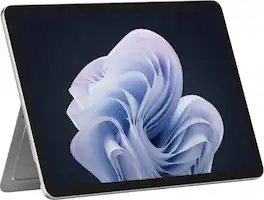
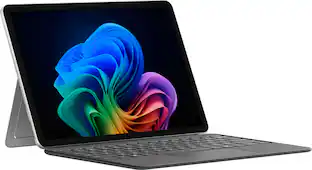
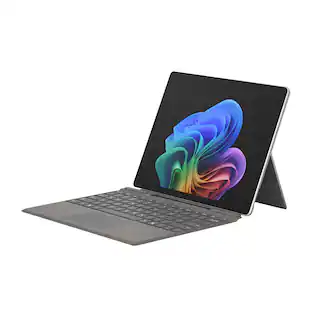
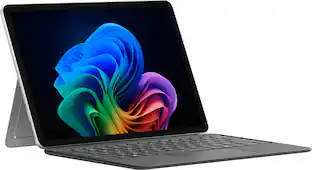
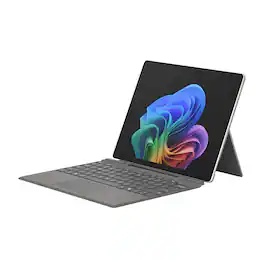
Microsoft - Surface Pro - 12" Touchscreen - Snapdragon X Plus (8 Core) - 8GB Memory - 256GB UFS - Device Only - Platinum

Model: EP2-82140
SKU: 6678905
Sold byBest Buy

About this product

Get the flexibility you want and the speed you need with Surface Pro 12-inch, the most versatile Surface. Use it as a tablet. Express yourself with touch, voice, and Surface Slim Pen [3]. Or click in Surface Pro 12-inch Keyboard for a full laptop experience [3]. And you can wear your style on your laptop with a choice of colors and finishes. When you have all this, plus advanced AI capabilities in one ultra-thin and light device, the power to go beyond what you thought possible is yours.

See it in-store: Roseville has a demo model on display.

Highlights

Features
  • Brilliant Display

    Immersive Brilliance or Incredible image quality – The 13" PixelSense™ Flow touchscreen offers a vibrant and immersive viewing experience.

  • All-day Energy

    Up to 23 hours of battery life [1] for local video playback for uninterrupted streaming.

  • Power up

    Built with the latest Qualcomm Snapdragon X Plus (8 Core) processors, Surface Pro delivers powerful performance and AI accelerated power.

  • Turbocharged NPU

    Surface Pro features the Qualcomm Hexagon NPU that delivers up to 45 TOPS designed to accelerate AI experiences

  • Express your style

    Surface Pro comes in three new colors – Violet, Ocean, and Platinum [2, 3].

  • Everyday Productivity

    Everyday Productivity PCs make it easy to work across ​ multiple apps, pick up where you left off with files synced ​across devices, and jump back into projects quickly while ​handling multiple tasks with ease.

  • The ports you need

    Charge on-the-go, transfer data fast, or create the ultimate desktop set up with two USB-C 3.2 ports.[4]

  • Always charged and ready

    Store and charge Surface Slim Pen [2] directly in the new pen storage area on the back of Surface Pro.

  • Designed to be a laptop or a tablet with the ports you need

    The iconic built in 165-degree fluid kickstand delivers flexibility at any angle. When paired with Surface Pro 12" Keyboard, Surface Pro turns into a full thin and light Windows laptop with a comfortable typing and touchpad experience. Charge on-the-go, transfer data fast, or create the ultimate desktop set up with two USB-C 3.2 ports [3].

  • You are the security

    Windows Hello is a faster, more personal, more secure way to get instant access to your devices using only your fingerprint – there's no password to remember.

See all features
Specifications
  • Screen Size
    12 inches
    Screen Resolution
    2196 x 1464
    Processor Model
    Qualcomm Snapdragon X Plus
    Total Storage Capacity
    256 gigabytes
    Operating System
    Windows 11 Home
Sponsored

Reviews

Rating 4.9 out of 5 stars with 9 reviews

5 star rating. 8 reviews4 star rating. 1 review
100% would recommend to a friend

Customer Images

The vast majority of our reviews come from verified purchases. Reviews from customers may include My Best Buy members, employees, and Tech Insider Network members (as tagged). Select reviewers may receive discounted products, promotional considerations or entries into drawings for honest, helpful reviews.

  • Rated 5 out of 5 stars

    Premium device for a premium price

    PROS: * The device feels well-made and has a premium quality. * It’s lightweight and comfortable to use. * The screen colors are vivid and really stand out. * The battery life is excellent. * I really like that there’s now a spot on the back of the Pro to store the slim pen. SO-SO: * The price is $850 for this version and $1800 for the top specs. For these prices, I wish the keyboard and pen were included, since they really complete the device. * Screen glare might be a problem for some people in very bright places. CONS: * There’s no power brick included, which really bothers me. For a premium device, I expect a proper way to charge it. You do get a USB-C cable, but most people already have plenty of those. Microsoft has long placed great emphasis on its Surface Pro range and is expected to continue this year with a major promotional campaign for its premium product. The 2026 lineup hasn’t changed much from last year’s versions, but the device itself is still a premium-built, capable tablet/laptop combo. The one big addition is a magnetic spot to store the pen directly on the back of the Pro, rather than on the optional keyboard. I like this addition, as you can use it now without the keyboard and have a place to store it when you only have the tablet. This year, I picked the 12-inch model as an alternative to my 13-inch Surface Pro from last year. I use the 13-inch a lot at home, but I wanted to see how the 12-inch would be for travel. The one-inch difference is actually noticeable when you hold the new one. It’s very light and thin, but still feels solid and well-made. All Surface Pros are built with premium quality, no matter which specs you choose. They look and feel high-end. The magnetic keyboard and pen, which are not included, are also well made. Altogether, this makes the Surface Pro my favorite device to use at home and when I travel. My new version has lower specs than my 2025 device, so I was a bit concerned about having less RAM. This one has 8GB instead of 16GB and uses the Snapdragon X Plus (8-core), while my older one had a 12-core X. I expected to notice a drop in performance right away, but so far, I only see a difference when editing high-resolution photos. For tasks like Office, streaming, or browsing a few tabs, it works well. Since it costs half as much as the highest-spec version, that’s a good sign. If you want to replace your work laptop or creative device, I’d be cautious, but for entertainment, this is a capable machine that should keep you happy. The screen has a 2196x1464 QHD resolution and looks fantastic. There’s no word on whether it’s OLED, but I don’t find myself wishing for it or thinking it could be better. It’s excellent, and I’m usually very picky about OLED screens on my other devices. The only minor downside is the glare in bright rooms. Some people might find that annoying, but it doesn’t bother me since I don’t like the look of matte screens. The battery life is impressive too. Microsoft claims 23 hours of continuous streaming, but in my experience, using it often off and on throughout the day, I didn’t need to plug it in until the following day. That’s well over 24 hours if you’re not using it heavily. For $850, which is the price of the lowest-spec version, you’d expect a power brick to be included, but unfortunately, it’s not. It’s frustrating, especially since you need a more powerful charger for this device than the one you use for your phone.

    Posted by Bryan

  • Rated 5 out of 5 stars

    My new favorite PC

    The Microsoft Pro with Snapdragon processor is a game changer because it gives me the mobility of a tablet with the functionality of a PC. I've used tablets for years, and I finally found an option that fits. You get access to AI software such as Copilot and Concepts already installed. The AI helps you get through multiple tasks very easily. It's like having a tablet and touchscreen PC. The Snapdragon processor is fast and handles multiple tasks at once. It comes with Windows 11 Home and is packed with a lot of different utilities, which adds to its overall usefulness depending on what you need from it. For someone who has used a mobile phone for years with a stylus, I really do enjoy the pen that you can get with the keyboard. It stores magnetically on the back of the Surface tablet; it's a small accessory that's packed with a lot of use. With one click, it opens the note and drawing apps you set. One click opens Notepad, or you can set it to open many other compatible apps. The battery boasts 16 hours of use time, and that's very nice. I love the lightweight build because it makes the Surface Pro very mobile, which supports the main appeal of the device. You get a charging cable, but I was surprised that you don't get a charging brick. But that's pretty much the standard these days, so it's worth noting rather than treating it as a major issue. This is now my favorite PC because it fits my needs. Check it out. You will not be disappointed.

    Posted by ConcordCool30

  • Rated 5 out of 5 stars

    Awesome portable setup with add on keyboard/pen

    Phenomenal powerhouse for on the go use. First as it comes packaged it’s a tablet forward laptop as it does not include a pen (wish this was included.) The system is perfectly designed for those add ons though as the keyboard snaps directly into place and then pen has a firm fixture on the back of the tablet where it stays attached and charges. From a tablet perspective, the Windows 11 ecosystem makes it much easier to live in that world and the touchscreen experience is stellar. The magnifying glass at the bottom toolbar will give you a quick way to access the camera or other aspects, but more so it’s nice to have full control over screen size and such versus a normal tablet display. Adding in the keyboard and pen really unlocks the use case albeit being able to remove them quickly to just use the tablet is a benefit in my view. Once I attached the separately purchased keyboard, I was able to operate exactly like I was at my home computer. The key spacing worked well in its condensed form and the pen really shines with or without the keyboard. My preferred use was in tablet form for my day to day, with the attached pen. The back support to prop up the system works well as seen in previous surfaces. Long term battery life kept me going through two days without worrying about charging through meetings and meetings other standard uses.

    Posted by Rivae

  • Rated 4 out of 5 stars

    Soild Windows tablet with minimal storage/RAM

    The 12” Surface Pro is not at the same level as the 13” Pro, but it's not a current gen “Surface Go”. The 8 core Snapdragon X Plus is a very potent multimedia chip, but it's more hampered by the small 8GB of ram. The value of this device is a bit lacking other than in its ultra portability. You do not get a keyboard or the fancy pen without paying extra. If you’re looking for a solid performing crazy portable device, and do not need more than 8GB of ram or 256GB of storage the 12” Surface Pro may fit the bill. From a tablet standpoint, Windows is not the best OS. The over feel and fit/finish of this 12” surface is top notch. Microsoft has completely dialed in the kickstand, its so solid and smooth. The screen is surprisingly good, the 2196x1464 resolution looks incredibly sharp. There isn’t an application that I have used that really bogged the CPU down, but that is mostly because you will run out of RAM before you’ll really tax the CPU. Luckily the SSD, even though it is using more of a smartphone tech vs normal laptop tech, is quite quick and responsive. (it pulled peaks of 3.8GB/s reads and 3.2GB/s writes in crystal disk mark) Overall, this 12” Surface Pro isn’t a bad device, it's just unfortunately being a bit watered down by the current RAMmageddon crisis. On paper it seems like it would just be ok, but the CPU really is quite quick, and if you’re not running anything heavy that makes Windows run out of ram, I’d be willing to guess it will be a great ultraportable device for most average users!

    Posted by GlennT

  • Rated 5 out of 5 stars

    Portable and Powerful

    The Microsoft Surface Pro with the 12-inch touchscreen and Snapdragon X Plus processor is a surprisingly capable device for its size. The chassis is extremely lightweight, almost to the point where the bare tablet feels slippery, but attaching the optional keyboard immediately improves grip and stability. Microsoft’s choice to exclude a charger is unusual, with their explanation about reducing electronic waste, though the included USB‑C to USB‑C cable works fine with any standard PD charger. Setup wasn’t flawless — the system stalled during the initial update, rebooted, and took a few minutes to recover — but once it finished, the device behaved normally. After that, the Snapdragon X Plus shows its strength. Boot times are quick, app launches are snappy, and multitasking feels smooth for an 8‑core ARM processor. It’s not meant to replace a high‑end workstation, but for travel, meetings, and mobile creative work, the performance is more than adequate. Battery life is also impressive, consistently lasting two to three days depending on workload and screen brightness. The 12-inch display is one of the standout components. Despite the smaller footprint, the panel is bright, color‑rich, and sharp enough that creative tasks and video playback feel comfortable. Background images almost appear three‑dimensional due to the contrast and saturation. The dual front-facing cameras support Windows Hello facial recognition, and although I’m usually cautious with biometric login, the speed and reliability make it hard to ignore. Opening the cover and having the device instantly authenticate feels seamless. The kickstand continues to be one of the Surface line’s best engineering features. It adjusts smoothly across a wide range of angles and remains stable on different surfaces. It has a small indent to make opening it easier. The keyboard is backlit with 3 different brightness levels and has a slightly curved key profile that feels comfortable for extended typing. Dual microphones pick up voice clearly, and the magnetic pen charging station is a genuinely useful upgrade — it keeps the stylus secure and eliminates the constant “Where did I put the pen?” problem. AI tools on the device are interesting but still evolving. As an artist, I wish there were more creative‑focused options, but the sticker creator and AI photo search were surprisingly fun. Rendering times were around a minute or two, and I did encounter one freeze, but refreshing resolved it and subsequent runs were faster. The system‑wide search is excellent. It can identify objects in photos even when the file name doesn’t contain the keyword. Searching “bird toy” returned not only files with that phrase but also images of bird toys that had no related text metadata. That level of semantic search will be extremely useful for locating older photos and documents. Handwriting‑to‑text took some practice, especially in OneNote, but accuracy improved with use. I still wish Microsoft Journal supported ink‑to‑text, because the app’s layout and feel would benefit from it. Overall, the Surface Pro delivers a strong combination of portability, display quality, and performance. It’s ideal for travel, meetings, hotel work sessions, and creative tasks on the go. It doesn’t try to be a desktop replacement — instead it's a powerful, lightweight companion.

    Posted by PracticalSandy

Compare similar products

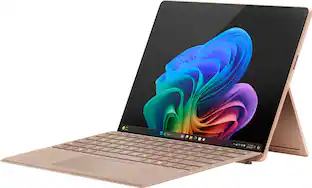
Microsoft - Surface Pro - 12" Touchscreen - Snapdragon X Plus (8 Core) - 8GB Memory - 256GB UFS - Device Only - Platinum
4.9(9)

Get the flexibility you want and the speed you need with Surface Pro 12-inch, the most versatile Surface. Use it as a tablet. Express yourself with touch, voice, and Surface Slim Pen [3]. Or click in Surface Pro 12-inch Keyboard for a full laptop experience [3]. And you can wear your style on your laptop with a choice of colors and finishes. When you have all this, plus advanced AI capabilities in one ultra-thin and light device, the power to go beyond what you thought possible is yours.
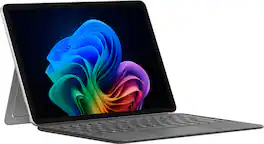
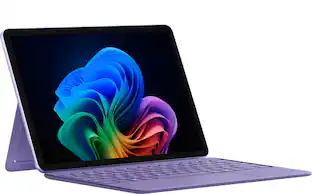
Microsoft - Surface Pro - Copilot+ PC - 12" Touchscreen - Snapdragon X Plus - 16GB Memory - 256GB UFS - Device Only - Platinum

Use the new Surface Pro 12”, a Copilot+ PC, as a powerful tablet with an intuitive touchscreen, touch, voice, and Surface Slim Pen [3] to bring ideas to life, or attach the Surface Pro 12” Keyboard for a full Windows laptop experience [3]. With built‑in AI features, seamless integration across the Windows ecosystem, and an ultra‑thin, lightweight design, Surface Pro gives you the freedom and versatility designed for creativity, efficiency and mobility to go beyond what you thought possible.
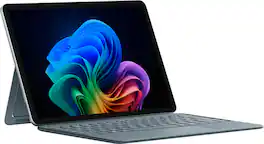
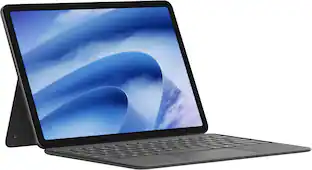
Microsoft - Surface Pro - 13" Touchscreen - Snapdragon X2 Plus (10 Core) 2026 - 16GB Memory - 256GB SSD - Device Only - Platinum

The new Surface Pro reimagined — a more powerful and flexible laptop that empowers your creativity and productivity with performance designed for seamless multitasking, intuitive touchscreen, and built‑in AI assistance through Copilot. Whether you're a student or a professional, using the Windows ecosystem helps you work more efficiently across your apps and devices, with all‑day battery life [3].

Microsoft - Surface Pro - Copilot+ PC - 12" Touchscreen - Snapdragon X Plus - 16GB Memory - 512GB UFS - Device Only - Ocean

Use the new Surface Pro 12”, a Copilot+ PC, as a powerful tablet with an intuitive touchscreen, touch, voice, and Surface Slim Pen [3] to bring ideas to life, or attach the Surface Pro 12” Keyboard for a full Windows laptop experience [3]. With built‑in AI features, seamless integration across the Windows ecosystem, and an ultra‑thin, lightweight design, Surface Pro gives you the freedom and versatility designed for creativity, efficiency and mobility to go beyond what you thought possible.
Pros for Microsoft - Surface Pro - 12" Touchscreen - Snapdragon X Plus (8 Core) - 8GB Memory - 256GB UFS - Device Only - Platinum
There were no pros for this productOverall Performance, Portability, Battery Life, Processor Speed, DesignThere were no pros for this productOverall Performance, Portability, Battery Life, Processor Speed, Design
Cons for Microsoft - Surface Pro - 12" Touchscreen - Snapdragon X Plus (8 Core) - 8GB Memory - 256GB UFS - Device Only - Platinum
There were no cons for this productCompatibility, Port Selection, Screen Glare, AccessoriesThere were no cons for this productCompatibility, Port Selection, Screen Glare, Accessories

Specs

Questions & Answers
Ask a question
No content

Customers often buy these together

Sponsored

Finance Options

My Best Buy® Credit Card
Choose a benefit:Or
Buy Now, Pay Later
Lease to own

Special Offers

Top Offers
Included with Purchase

Finance Options

My Best Buy® Credit Card
Choose a benefit:Or
Buy Now, Pay Later
Lease to own

Special Offers

Top Offers
Included with Purchase