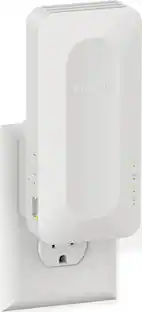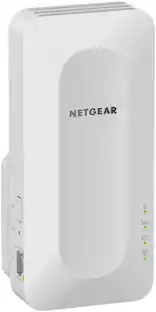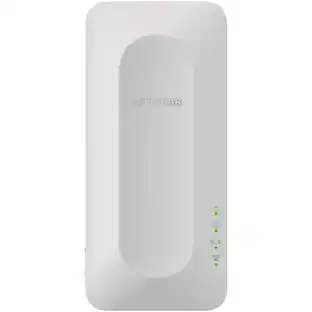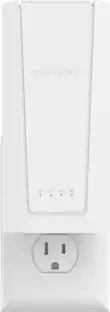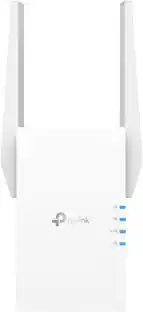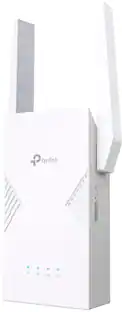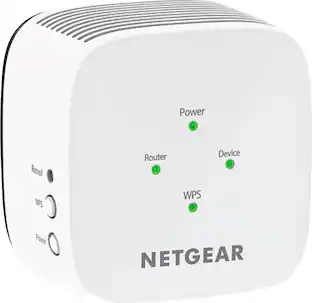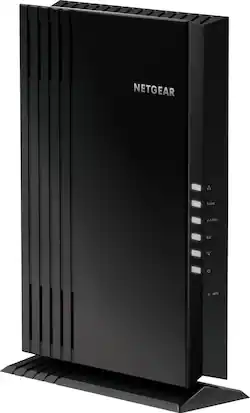
NETGEAR - EAX20 AX1800 Wi-Fi 6 Mesh Desktop Range Extender and Signal Booster - Black
- Key Specs
- Wi-Fi Speed: 1.8 gigabits per second (The maximum rate at which data is transferred between a network device and wireless router.)
- Wireless Standard: AC, AX, N (The wireless networking protocol used by the device. Each iteration of the protocol is based on the 802.11 standard developed by the Institute of Electrical and Electronics Engineers (IEEE) Standards Association. Denoted by letters following 802.11 (802.11a, 802.11ac, etc.), each version, published in alphabetical order, encompasses all previous versions.)
- Wi-Fi Range: 1500 square feet (The device will provide a Wi-Fi connection to this approximate area.)
- Form Factor: Freestanding (The size, arrangement, and physical configuration of the product.)
- Band Technology: Dual (Refers to the number of frequency bands used to wirelessly transmit an internet signal. For example, dual-band devices may use one 2.4 and one 5 GHz band, while tri-band devices may use one 2.4 and two 5 GHz bands. Multiple bands also provide more flexibility for designating connected devices to specific band use.)
- Frequency Band: 2.4 GHz, 5.0 GHz (Bands may be grouped into categories such as low- and high-band VHF (Very High Frequency), low- and high-band UHF (Ultra High Frequency), or certain frequency channels (measured in MHz or GHz). Generally, higher frequencies transmit information faster but have shorter range than lower frequencies.)
- Antenna Type: Internal
- Number of Antennas: 2
- Number of LAN Ports: 4 (Number of devices able to be connected to the Local Area Network (LAN). LAN ports allow wired connections to other networking devices (wireless access points, range extenders, etc.) in order to share the internet connection received through a WAN port.)
- Wireless Networking Standard: Wi-Fi 6 (The wireless networking standard used by the device. Each iteration of the standard developed by the Wi-Fi Alliance corresponds to an existing IEEE 802.11 protocol; for example, standard 802.11ac (or AC) is termed Wi-Fi 5. Refers specifically to the standard the device is designed to use, but ultimately determines product interoperability and backward compatibility including previous versions.)
- General
- Brand: NETGEAR
- Model Number: EAX20-100NAS
- Product Name: EAX20 AX1800 Wi-Fi 6 Mesh Desktop Range Extender and Signal Booster
- Color: Black
- Network
- Wi-Fi Range: 1500 square feet (The device will provide a Wi-Fi connection to this approximate area.)
- Wired Speed: 1000.0 megabits per second (The maximum rate at which data is transferred between a network device and router using an Ethernet cable.)
- Wireless Networking Standard: Wi-Fi 6 (The wireless networking standard used by the device. Each iteration of the standard developed by the Wi-Fi Alliance corresponds to an existing IEEE 802.11 protocol; for example, standard 802.11ac (or AC) is termed Wi-Fi 5. Refers specifically to the standard the device is designed to use, but ultimately determines product interoperability and backward compatibility including previous versions.)
- Connection Type: Wired, Wireless
- Features
- App Compatible: true (The product can be connected to a program or software application on a mobile device, which then receives collected data from the product.)
- App Name: Nighthawk app
- Ports
- Number Of USB Port(s): 1 (The total number of USB ports including all generations and versions.)
- Compatibility
- System Requirements: 2.4 and/or 5GHz 802.11 a/b/g/n/ac/ax WiFi router or gateway; Microsoft Internet Explorer 8.0, Firefox 20 or Safari 5.1 or Google Chrome 25.0 browsers or high (The software that a product must have for it to be able to integrate with another product.)
- Security
- Security Features: 802.11i, 128-bit AES encryption with PSK
- Dimensions
- Product Height: 9.5 inches (The out of box height of the item. Height is measured as the vertical distance from the bottom of the item to the top as it would be primarily used or placed.)
- Product Length: 2.5 inches (The out of box length of the item. Length is measured as the longest dimension of the item.)
- Product Width: 6.7 inches (The out of box width of the item. Width is measured as the horizontal distance from one side of the item to the other as it would be primarily used or placed.)
- Product Weight: 1.1 pounds (The out of box weight of the item.)
- Warranty
- Warranty - Parts: 1 year
- Warranty - Labor: 90 Days
- Other
- UPC: 606449145335
The NETGEAR 4-stream Wi-Fi 6 mesh extender EAX20 is built for the future of Wi-Fi to create a powerful mesh Wi-Fi network for increased coverage to every corner of your home. Experience the power of the latest-generation Wi-Fi 6 (802.11ax) for dramatically faster Wi-Fi to your smartphones, tablets, computers and so many more devices. Even more capacity plus backward compatibility with your current- and previous-generation routers and devices (Wi-Fi 5, Wi-Fi 4, and earlier-generation Wi-Fi standards) means that you'll enjoy ultrafast Wi-Fi in the farthest corners of your home today and for all your future tech purchases for years to come.
- Latest-generation Wi-Fi 6 (802.11ax) standard: This Nighthawk mesh extender works with your existing Wi-Fi to create a powerful whole-home mesh Wi-Fi.
- Increased Wi-Fi coverage for your smart home: AX1800 Wi-Fi with combined speeds up to 1.8 Gbps (1.2+0.6 Gbps) extends Gigabit speeds throughout your home.
- 4-stream Wi-Fi: More streams provide more available bandwidth and less congestion for all the devices on your Wi-Fi network.
- Mesh Wi-Fi system: Creates a powerful mesh network with a wider range to cover every corner of your home even where your router's Wi-Fi cannot reach. Get better coverage for your outdoor wireless security cameras or your garage.
- Works with your existing Wi-Fi router: Compatible with previous-generation Wi-Fi routers (Wi-Fi 5, Wi-Fi 4). Maximum performance with Nighthawk Wi-Fi 6 routers. Easily creates a whole-home mesh Wi-Fi system with your existing router.
- Greater capacity for more devices: Orthogonal frequency-division multiple access (OFDMA) substantially improves the network capacity and efficiency.
- Facilitates efficient data transmission for more devices: Simultaneously, enables Gigabit Wi-Fi speeds for compatible mobile devices and laptops.¹ Up to 2 times faster than standard 2x2 AC Wi-Fi with 80MHz.
- Smart Roaming²: Automatically connects your mobile devices to the best available Wi-Fi for perfect streaming as you move around your house.
- One Wi-Fi name: Extend coverage of your home's Wi-Fi with the same Wi-Fi name and security password.
- Four Gigabit Ethernet ports: Enjoy Gigabit speeds for excellent gaming and streaming performance to your wired devices.
- Multi-user MIMO (MU-MIMO): Enables simultaneous streaming to multiple devices and improves capacity for wireless connections.
- Smart connect: Intelligently selects the optimal Wi-Fi band for every device.
- Works with existing Wi-Fi devices: Supports current Wi-Fi devices and is backward compatible with Wi-Fi 5 (802.11ac), Wi-Fi 4 (802.11n), and earlier-generation Wi-Fi standards.
- Quad-core processor: Boosts performance for better 4K streaming and lag-free gaming.
- High-performance antennas: Two high-performance internal antennas allow for extended Wi-Fi coverage.
- USB ports: One USB 3.0 port.
- Push-button setup: Plug it in, and with a push of a button, your Nighthawk mesh Wi-Fi is set up in minutes.
- Nighthawk app: Set up the extender, and optimize your mesh Wi-Fi network with the Nighthawk app.
Whats Included
- NETGEAR EAX20 AX1800 Wi-Fi 6 Mesh Desktop Range Extender and Signal Booster
- Power adapter
- Quick start guide
Product Manuals
Q: what is the distance will it cover from the wireless network
A: This device probably has the best range of any consumer grade Wi-Fi access point/router I have ever used. But, this question cannot really be answered because it depends on so many variables ( whether it is 2.5GHz or 5GHz; whether there is contention for the same bandwidth with other Wi-Fi or consumer electronics; whether the signal is line-of-sight or will have to go through walls, floors and ceilings, etc.; the quality and capabilities of the wireless adapters used to connect to the Wi-Fi, etc.; way too many factors to list. ) But, what I can tell is this... 1) Standing halfway between my AT&T U-Verse Gateway and this Netgear EAX20-100NAS device, with line-of-sight to both devices, this Netgear device has about 12dB higher signal strength on the 2.4GHz spectrum than the AT&T Gateway. 2) Standing on the sidewalk in front of my neighbors house, this Netgear device still has about 5dB better signal strength than my neighbor's Wi-Fi dervice from Comcast. 3) I can see 7 other Wi-Fi's networks from my house, and they appear to all be set to auto select their channels. All 7 of them have chosen to select channels that compete with each other, and not one of them has chosen to overlap with this Netgear. That says alot about the signal strength of this device!
A: Yes. I ran about 150 feet of cat6 from my comcast router, underground, out back to my detached garage. Then I hooked this unit up with that car6. It’s awesome. I have 600 download speed in my home and with this unit I have 600 download speed in my detached garage as well. Before buying this extender I thought I was doing great with my old extender. With my old extender, I was only getting a 40 download speed in my detached garage. Plus, the set up of this unit is so simple. Download the app on your phone and it does all the work for you!!
Q: Does the Extender have to be directly link to the Router?
A: By directly link to router if you mean cabled to router-no. My base router has WiFi and I have the extender downstairs in my kitchen-linked by WiFi to base router just fine.
A: Make sure that you go to the setup website for the entender and make sure that your extender is connected to WiFi that has a signal of 50% or more. Disconnect the extender and Connect to your regular network and test speeds at Speedtest.net. If your WiFi network is giving you faster WiFi without the extender, it means the extender is not setup correctly. They should have very similar speed as it’s the exact same WiFi from your provider but extender signal.
Q: Thinking about buying this - can you please do a easy step to step process on installation? Thanks
A: I configured the extender by using a laptop, this gives me greater access to the extenders configuration functions. Be sure to be close the router you want to connect to: 1) Connect the extender using Cat6 able to a laptop with a Cat port 2) turn on the extender and allow it to power up, once it does, windows should detect it and automatically connect to it. 3) open a web browser, user Firefox/Mozilla or Internet explorer....do not use Chrome 4) Type in either: a) www.mywifiext.net b) 192.168.1.250 5) you'll have options to set up the Extender manually as an extender or Media. Chose extender function 6) follow the prompts and it will guide you thru the steps. Alternative method, but not as good. Download the app ontu your iPhone or android device and configure the extender thru the app. Once your done, CORRECTLY configuring the extender. Move it the location where you want it and power it up and you should have a very strong wifi signal.
Q: Can this extender be placed horizontally instead of vertically as shown?
A: Yes. The base of the extender can be removed using a T-10 hex driver. After removal you can mount it horizontally if you want. I hope this helps.
Q: will this extender work with FIOS home router model G3100? thank you.
A: its an extender it will work with anything that puts out a wi-fi signal.
Q: Will this work with CenturyLink C3000Z modem router?
A: It should work with any existing WiFi router.
People also viewed
 $99.99The price was $191.99