Everything for Back to School — and then someShop now

Skip to contentGo to Product Search
Main Content

Norton - Small Business Premium (10 Device) Cybersecurity with Antivirus + 24/7 Business Tech Support + 500GB PC Cloud Backup - Android, Apple iOS, Mac OS, Windows [Digital]

Model: SYC940800V051
SKU: 6617349
Sold byBest Buy

Customers are saying

Customers love the Small Business Premium cybersecurity product for its range of features. The VPN is easy to set up, and the cloud backup provides a generous 500GB of storage. Users also appreciate that the software doesn't significantly impact system performance and the driver updater works well.

Generated by AI based on customer reviews.
Features
  • 1-Year pre-paid subscription

    A payment method must be stored in your Norton account to activate* You won’t be charged again until the prepaid term ends. For new Norton subscriptions only at an introductory price.*

  • Auto-renewal

    Never have a service disruption since this subscription auto-renews annually. If you do not wish to renew, you can cancel in your Norton account anytime.

  • Powerful business-grade cybersecurity

    Don’t lose your business data to criminals. Help protect your devices with always-on antivirus and firewall, plus backup files to our secure cloud.

  • 24/7 IT support

    Norton Business Tech Support experts are on call 24/7, ready to assist with common IT issues, virus removal, and product guidance. IT support available in English only.

  • Protect your business against fraud

    Spot potential fraud with alerts of suspicious financial transactions and malicious activity on your social media accounts.

  • Work safer from anywhere

    Reduce your employees’ exposure to online security risks with powerful cybersecurity for Windows PCs, Mac, and mobile devices.

  • Improve business productivity

    Support productivity with well-maintained Windows PCs. Improve speed and stability through cleaning, software updates, and PC optimization.

  • General disclaimers and disclosures

    No one can prevent all cybercrime or identity theft.

  • *Payment method required for pre-paid subscription. You are purchasing a recurring subscription which will automatically renew after the first year. To activate, you must enroll online and provide your billing information.

  • The price paid today is valid for the first year of subscription, and will automatically renew and charge your stored payment method. Applicable renewal price found at Norton.com/pricing.

  • The price is subject to change, but we will always send you a notification email in advance. You may cancel the automatic renewal by logging in to your account, or contacting Norton.

  • Coverage may include product, service and/or protection updates and features that may be added, modified or removed, subject to the applicable License and Services Agreement found on Norton.com/legal.

  • Data collection, storage and use for subscription management and renewal purposes subject to the Global Privacy Statement at Norton.com/privacy.

  • **Defaults to monitor your email address only. Log in to your Norton account to enter more info for monitoring. If you are a current LifeLock member, you must review and manage those settings in your LifeLock portal.

  • Not all features are available on all devices or platforms. Cloud Backup, Software Updater, Utilities Ultimate and Driver Updater only available for Windows.

See all features
Specifications
  • Number of Devices
    10
    Operating System Compatibility
    Android, Apple iOS, Mac OS, Windows
    Software Format
    Digital
    Subscription Period
    1 Month
Sponsored

Reviews

Rating 4.7 out of 5 stars with 26 reviews

96% would recommend to a friend
Customers are sayingCustomers love the Small Business Premium cybersecurity product for its range of features. The VPN is easy to set up, and the cloud backup provides a generous 500GB of storage. Users also appreciate that the software doesn't significantly impact system performance and the driver updater works well.
This summary was generated by AI based on customer reviews.
  • VPN (9)
  • Cloud Backup (7)
  • System Performance (6)
  • Driver Updater (3)

Customer Images

The vast majority of our reviews come from verified purchases. Reviews from customers may include My Best Buy members, employees, and Tech Insider Network members (as tagged). Select reviewers may receive discounted products, promotional considerations or entries into drawings for honest, helpful reviews.

  • Rated 5 out of 5 stars

    The perfect collection of Internet Security Apps.

    I was a user of the Norton applications when they first came out for PCs. Norton was the trailblazer for Internet Security and maintaining your PCs overall health and optimization. But, I ventured on as other companies and their offerings came onto the scene at a better price point. However, I wanted to give Norton another try, when I saw that they had released a premium version of their key Apps for Small Businesses. I have been using this in my Small Business for the past 8 days and overall I have been very pleased (actually extremely pleased). Norton Small Business Premium meets all of my expectations without sacrificing PC performance or involving a complicated setup process. I will break my review down of Norton Small Business Premium below: 1) Installation and Setup: The activation, installation, and setup was a breeze. All that was required was to setup an account on my.norton.com and add (activate) my Key Code to my account. Once that was complete, I could download each of the applications (Norton 360, Norton Utilities Ultimate, and Norton VPN) onto each of the Desktop and Laptops within my small home business. I could also install Norton 360 and Norton VPN on our Android devices from the Google Play Store. They all installed perfectly fine and have been running smoothly in the background for the past 8 days. I currently have Norton Small Business running on 1 Desktop (Windows 11 Pro), 3 Laptops (Windows 11 Pro), and 1 Samsung Phone (Android One UI 7.0, Android 15). 2) Norton 360 (Antivirus and Internet Security): Norton 360 runs a "Smart Scan" upon installation. It checks for Viruses and Malware on your PC, it checks the security of your Network, and other issues. Then it sets up an automatic Smart Scan to be run weekly, which can be changed. The real-time Antivirus monitoring has performed wonderfully and I haven't noticed any degradation in the PCs performance or battery life. It also did not flag any "false positives" as virus or malware over the past week. Norton 360 also includes; Cloud Backup (backs-up a devices files to the cloud), Software Updater (checks installed software and drivers for available updates), File Cleanup (removes junk files from a device), Startup Manager (improves startup time by removing processes loaded at startup), SafeCam (protects your devices webcam and microphone from unintended remote access). All of these additional functions also performed well and quickly. 3) Norton Utilities Ultimate: Norton Utilities Ultimate scans your PC and Windows System Files. It locates System Junk (leftover installation files, etc.), Browser Data (Web history), Broken Registry Keys, Broken Shortcuts, and Windows Processes (processes running in the background), and Disk Optimization (Disk/File Fragmentation). Norton Utilities is very comprehensive and identifies potential areas to optimize your PCs performance. You then can decide which, if anything, you want to have Norton Utilities clean up. There is some risk with this, so I only have it clean up the obvious junk files. This works very well at cleaning up the leftover junk files and helps maintain my PCs performance. 4) Norton VPN: I really like that Norton VPN allows me to auto-connect when I take my laptop or phone outside of my home office. It identifies risky networks and automatically turns on Norton VPN. I can select which networks to trust. This is great for when I or others I work with travel. Norton VPN has all of the normal VPN functions that I expect, including Ad Blocking, etc. It works perfectly fine for my organization and they have a lot of networks that I can connect to. However, if I travelled more internationally, this may not be sufficient, and there are some features that are still in beta (Double VPN and IP Rotation). 5) Norton Identity (Dark Web Monitoring): For me, this is a free bonus, but doesn't seem very practical for many small businesses. If you have a single owner or family business, this would be useful. But, you can only enter information for a single person to monitor. Also, this only monitors the Dark Web and alerts you to any breaches of your information. It doesn't provide any insurance to help with clean-up of your finances. It did find a recent breach of my information before my personal Identity Theft Insurance detected it. Summary and Recommendation: I really like Norton Small Business Premium for my home based business and for my family. When it comes time to renew, I will certainly consider this again and would highly recommend this to anyone. I really like the user interface and how seamless everything works together. More importantly, all of the Apps run quickly without affecting system performance and the Norton Utilities clean-up didn't adversely affect my Windows installation and normal functions. My only dislike regarding Norton Small Business, is that I wish it would allow me (an IT person) to install and setup each of the Apps on my company's PCs (or family's) and lock the users out from making any changes. In a small business, I want my IT person to define the setup and not let the user disable the antivirus, etc. At $209.99 for 10 devices, the cost seems high. But, when I look at the cost per device, to me $21.00 is very reasonable. In my case I currently have 7 devices between desktops, laptops, and phones and I feel the cost is justifiable. I also feel this would work out perfectly for a family.

    Posted by TheRoots

  • Rated 4 out of 5 stars

    Comprehensive security and privacy subscription

    Norton Small Business Premium is a comprehensive security and privacy software package that allows you to protect up to ten devices—Windows PC and Mac; Android and iPhone/iPad. The Small Business Premium license includes 500 Gb of Cloud Storage—for Windows only. You can purchase and activate the software on the Norton website, or enter a subscription key code on the site if you already purchased a plan. The subscription renews annually. SETUP You will need to sign up for a Norton account to use the software suite. If you have another security suite running, deactivate it before installing Norton software. Once registered for Norton Small Business Premium, it takes 20-30 minutes to configure this comprehensive suite of tools. On a Windows PC or Mac, download and install the software. You can sent invitations to other devices to download and install separate Norton apps, for example on an iPhone or Android phone, or another computer. You then configure the Norton desktop or other device app(s) for browser security, Safe Web, Automatic WiFi Scanning. Norton requests full disk access (allow this in your security settings) for disk scans, backup, etc. I installed the software on a MacBook Pro running Sonoma and on an iPhone with the latest iPhoneOS. There are three separate apps for the iPhone. PROS - Powerful Suite of apps you can monitor from a central, online dashboard. - Secure VPN works without the need to log in; you can turn on/off Secure VPN. - Virus Scan. - Dark Web Notifications if your password(s) compromised. - Safe Web features. - WiFi Scanning. - Ability to identify items to monitor, such as up to 5 email accounts; your address; Mother's Maiden name; Credit Cards, Bank Accounts, and more… - Protect up to 10 devices. - 500 Gb of Cloud Backup for WINDOWS ONLY. - Includes Norton Password Manager that syncs across your devices. - Password Manager allows you to generate and save passwords, and autofills on websites (optional feature). - Company has been in business since 1982. CONS - NO CLOUD BACKUP for MacOS - You can run only one VPN at a time; if you have an existing VPN you are required to use, then turn off this feature in Norton. - Password Manager generates only passwords of the number of characters you specify; it cannot generate passphrase or User names. - Pricey, especially without Cloud Backup for MacOS, and if you cannot take advantage of Norton VPN. While this is a comprehensive, powerful set of apps, the lack of 500 Gb of Cloud Backup for MacOS computers can be a deal-breaker for small businesses than run the Apple hardware stack. The standard iCloud backup is 5 Gb, with additional capacity available for a fee. Apple does not offer a 500 Gb plan.

    Posted by iconoclast

  • Rated 5 out of 5 stars

    Must have for Small Business (family) Security

    Norton Small Business Premium Up to 10 employees, 2 devices per user Device protection (antivirus, anti-malware) 24/7 business tech support Dark web monitoring VPN 500 GB cloud backup Secure browser Encrypted vault for passwords and credit cards Social Media monitoring Financial transaction monitoring for linked company bank accounts Driver/software updater Windows PC cleaner Introduction ======================== Norton started the PC protection trend decades ago and they're still going strong even as many competitors emerged, including Microsoft's own native security product that's built into Windows 10 and 11. Norton Small Business Premium helps protect up to 10 employees and their devices by including a suite of useful software products and utilities to help small businesses that often struggle with IT and security. Setup and Features ======================== Every dollar counts when you're running a small business, and though I've been in IT for 25+ years, I know many business owners aren't focused on IT and security. They're focused on running their business! Norton Small Business Premium can protect their employees and devices and allow them to call in for support whenever they need it. The main features are (Up to 10 employees, 2 devices per user): -Device protection (antivirus, anti-malware) -24/7 business tech support -Dark web monitoring -VPN -500 GB cloud backup -Secure browser -Encrypted vault for passwords and credit cards -Social Media monitoring -Financial transaction monitoring for linked company bank accounts -Driver/software updater -Windows PC cleaner That's a pretty good bundle for 1 year, especially for companies that don't have their own IT staff nor expertise. I've listed them above in order of importance (in my opinion) for a non-tech-savvy small business. Installation is easy! Just browse to their subscription website after receiving an email, paste in the code, and download the software installer. Throughout the software installation, you'll be guided to install all the components or just the ones you want. For example, you could leave off the secure browser if you don't need it. After installation you can also add more devices by sending an email or SMS to the mobile device that you'd like to protect. In my case, it was easy to send an SMS to my Android phone to kick off the installation process. Another nice point is that you can easily manage many of your subscription features, connected devices, and more from the Norton website after logging in. Overall Usage ======================== For the most part, Norton's protection suite doesn't get in the way. The very first time you run it, you may see warnings about being a public or private network, or a recommendation to install the VPN client if you haven't already. Once you're up and running for a few days, it's pretty unobtrusive and (hopefully) it's just doing its job, keeping you protected from viruses, malware, and more. In the past, antivirus utilities could take up a lot of system resources (CPU, RAM) and slow down things, but I was happy to see that Task Manager showed very low utilization while Norton was running. VPN is very useful these days, especially for mobile workforces. If you or your team are out and about at coffee shops or hotels and using public wi-fi, a VPN will help protect their device and the data stored/transmitted. Not only that, if you're traveling internationally, you can change your VPN location to appear to be in the USA if you need to stream your favorite shows. There's a "no log" policy like other privacy-focused VPN providers and I didn't notice a performance difference between my primary VPN and Norton's. Dark web monitoring can search for your information (based on your email or phone number) on the dark web where credentials are sold for criminal purposes. Knowing that your information has been leaked out there can be useful so you can change passwords, logins, or examine your devices for compromise. Secure browser is a locked-down browser to help keep your data secure while doing sensitive things like banking. Of course, there's a password manager to help store and use the complex passwords that are required these days. If you're still sharing passwords between different online accounts, it's time to change that! 500GB of backup may not sound like a lot for some of you with giant media libraries, but if we're talking about backing up the main documents and important files, it should be plenty for a few PCs in a small business. Automated backup is something all small businesses need. Lastly, there are some PC utilities that can help keep your drivers and applications updated by scanning your installed applications and devices and seeing what might have updates. This is an important process that should be automated because most people aren't going to check each application manually for updates. Updates may add features, but typically also add security patches for newly discovered vulnerabilities. Yes, many PC manufacturers include a driver update utility, but Norton's application updater can check your other installed applications as well. Conclusion ======================== Norton has been a trusted name in computing protection for decades. For a small business that's not focused on IT and security, 1 year of trusted protection to keep their devices, information, and network activity safe is worth it at this price. Even if you're an IT expert, do you really want to be the IT department for your friends and family?

    Posted by Kaizoku

  • Rated 5 out of 5 stars

    Comprehensive Anti-Virus Protection Software

    After my computer was hacked 20+ years ago and I was left with a “Black screen” and blank data drive, I have always had a virus protection program on all my devices that interact with the internet in any way. In today's world, it is even more critical to have a virus protection program on your devices, and it is imperative to have anti-virus software if you are interacting through your devices in a business environment. There are many ways to be tricked, scammed, stolen from, or just plain hacked through internet interactions. The Norton Small Business Premium, designed for PCs, Macs, and mobile devices, offers comprehensive protection to safeguard you from many malicious actions circulating on the internet. It will work with Windows, MacOS, and Android devices; the only required specifications are to use the following operating systems. If using a Windows computer, specifications require that the operating system be Windows 11, 10, 8/8.1, or 7 with Service Pak 1 or later. For macOS, the most recent iOS system or two previous versions are required, and Android 10 or later is required for Android devices. To counter the rise in phishing schemes, unauthorized banking transactions, identity theft, stolen passwords, dark web extortion, etc., Norton’s Anti-virus software features that make it Premium begin with Device Security. With real-time antivirus protection, a Firewall helps block cybercriminals from accessing your network. The virus protection is continuously updated to counter the increasing malware that criminals sneak onto your devices to sabotage your identity. The software updates constantly to patch security issues that arise daily. The anti-virus program includes a Password Manager that helps to store credit card numbers and personal information in an encrypted vault more securely. It also has a feature to monitor Social Media so that criminals cannot steal your or your business profiles and post damaging false information designed to cause harm or destroy your reputation. The anti-virus software also offers Private Browsing and a secure VPN with bank-grade encryption, making it safer and easier to access websites on the go, while traveling, in coffee shops, conference arenas, etc. A 500 PC Cloud Backup secures your data in case of ransomware attacks, PC theft, or hard drive failures. This software also offers Utility features that clean out junk, remove unnecessary and unused apps and data, which all help to keep your PC running smoothly. To do this and to erase security vulnerabilities in drivers, it also offers Driver Updates that are guaranteed to be from malware-free websites. The program also monitors the Dark Web by automatically scanning hidden sites and notifying you if your data is discovered in any of these places. Norton offers something that most other cybersecurity anti-virus companies do not: 24/7 network business tech support and remote IT support for business devices, including network printers. The software subscription includes five support tickets per year. This is an online subscription, and the program is downloaded and installed on your main computer. The program lets you add up to ten seats (there is a subscription for five seats), and each of these seats can be controlled from the main dashboard. They can be assigned from the primary PC where the product key was entered to activate the software program and can be turned on and off. Seats are added by accessing the main dashboard and emailing the invitation to download and install the program on individual PCs. The only problem I had with downloading and installing the program was that it insisted I use the LifeLock password. Norton now owns LifeLock, and it would not let me move forward without connecting it to my LifeLock/Norton account. Once I moved past that, it downloaded quickly and installed even quicker. Initially, the program will scan your entire PC to ensure that the system is clean, which offers peace of mind, especially when dealing with your and other people’s (clients') financial livelihoods. I would recommend this anti-virus program; it is very comprehensive and seems to cover countering most, or all, of cybercriminals' tactics. It is a little costly compared to similar programs that offer the same assurances. I read where other users encountered unnecessary notifications pop-ups, but I have not experienced any of that action. It is a good, solid anti-virus PC protection software program. Still, I need to work with it in various computer interactions for over a week to thoroughly compare it with other top-rated Anti-Virus programs I have used.

    Posted by SwigglesMilam

  • Rated 5 out of 5 stars

    Good comprehensive package; great value for all

    This is hard to beat in terms of value. You get coverage for up to 10 devices-Windows, Mac, Android, iOS-so you can protect your laptops, desktops, and phones and tablets all under one roof. Setup is pretty straightforward, and the user interface is clean and intuitive, even if you’re not a tech pro. This is essentially Norton360 but for businesses and with a fleshed out devices management panel. One of the things I really like is the connection through sign in with Google or Apple, which always feels like an extra layer of security for me. I actually trust these companies with the gatekey more than me because if they screw it up, they’ll lose more than I will. A real draw here is the business-grade security suite. You get always-on antivirus and local firewall protection. I think their solution of anti-ransomware is prudent, but most of us already have a cloud backup today. I prefer Windows Defender or MalwareBytes approach because prevention of taking over my system from the system is a solid way to protect. The package also includes a VPN for secure browsing, dark web monitoring for up to five contacts, and a driver updater to keep your PCs running smoothly. These and other tools make for a pretty complete package if you didn’t have some of these services already. We intend to use some of the licenses for my wife’s business so we’re glad there’s also 24/7 business tech support. Having someone to call when things go sideways is a big plus, and not something you get with most consumer antivirus. So when I’m out of town and something goes wrong, she’ll have someone to call as part of the package. Performance-wise, Norton’s protection seems to be fairly lightweight. It runs in the background and doesn’t seem to bog down your system vs Windows Defender, though full scans can slow things a bit if you also have a rotating rust drive plugged in. The VPN is handy for travel or remote work, but it can slow your internet speeds a little vs something like Nord or PIA. Another thing to watch for is the auto-renewal that loves to turn on by default. It seemed easy to bypass that while I was setting up, but I was paying attention to every page. The multi-device management is easy, and you can see and control which devices are protected from your Norton dashboard. This is a primary reason why you want to use this package. If you have multiple devices, this single dashboard will help you get your security checked off. Norton Small Business Premium ends up being a get-everything-at once-solution for anyone who needs reliable cybersecurity and also doesn’t have a dedicated VPN, Utilities suite, Cloud Services, Dark Web Identity Protection, password management... I mean, the package is a gorilla with everything in it. If you need more than what the package offers of any of those other services, there are routes to go, but this package gets all of them in at once. Pretty much a RECOMMEND from me.

    Posted by wizozzie

Compare similar products

Norton - Small Business Premium (10 Device) Cybersecurity with Antivirus + 24/7 Business Tech Support + 500GB PC Cloud Backup - Android, Apple iOS, Mac OS, Windows [Digital]
4.7(26)

Norton Small Business Premium 10 Device helps you secure your business devices and data with Device Security and prevent critical files loss with PC Cloud Backup. With a wide set of intuitive tools, including a VPN and PC Software Updater, you can better protect your business from online risks and keep your PCs healthy and performing at their best.

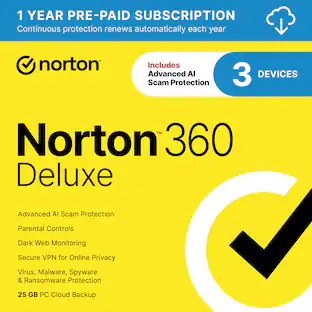
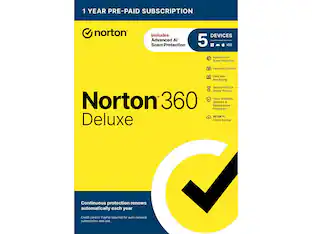
Norton - 360 Deluxe (5 Device) Antivirus Internet Security + Scam Protection + VPN + Dark Web Monitoring (1 Year Subscription) - Android, Apple iOS, Mac OS, Windows [Digital]

Norton 360 Deluxe for 5 devices is the all-in-one choice to help keep yourself and your loved ones safe from hidden scams, phishing, malware, and viruses, plus a VPN to help keep internet browsing private, as well as cloud backup for Windows PCs to keep your files safer, and parental controls. With our Advanced AI scam protection you can stop wondering if a message or email is suspicious.

Norton - 360 Premium (10 Device) Antivirus Internet Security + Scam Protection + VPN + Dark Web Monitoring (1 Year Subscription) - Android, Apple iOS, Mac OS, Windows [Digital]

Norton 360 Premium for 10 devices is the all-in-one choice to help keep yourself and your loved ones safe from hidden scams, phishing, malware, and viruses, plus a VPN to help keep internet browsing private, as well as cloud backup for Windows PCs to keep your files safer, and parental controls. With our Advanced AI scam protection you can stop wondering if a message or email is suspicious.

Norton - 360 Deluxe 3 Device with LifeLock Identity Advisor + Internet Security + Scam Protection + VPN (1 Year subscription) - Android, Apple iOS, Mac OS, Windows [Digital]

Norton 360 Deluxe for 3 devices is the all-in-one choice to help keep yourself and your loved ones safe from hidden scams, phishing, malware, and viruses, plus a VPN to help keep internet browsing private, as well as cloud backup for Windows PCs to keep your files safer, and parental controls. With our Advanced AI scam protection you can stop wondering if a message or email is suspicious. Help protect your private and financial information when you post, bank, and shop online. LifeLock Identity Advisor offers US-based Identity Restoration Specialists to help you each step of the way, should you discover you’re a victim of identity theft.

Pros for Norton - Small Business Premium (10 Device) Cybersecurity with Antivirus + 24/7 Business Tech Support + 500GB PC Cloud Backup - Android, Apple iOS, Mac OS, Windows [Digital]
VPN, Cloud Backup, System Performance, Driver UpdaterProtection, Ease of use, Price, VPN, PerformanceProtection, Price, Ease of use, Overall Performance, VPNEase of use, Overall Performance, VPN, Security, Antivirus
Cons for Norton - Small Business Premium (10 Device) Cybersecurity with Antivirus + 24/7 Business Tech Support + 500GB PC Cloud Backup - Android, Apple iOS, Mac OS, Windows [Digital]
There were no cons for this productDownload, Pop-ups, Notifications, Automatic RenewalPop-ups, Notifications, Download, Auto RenewalDownload, Intrusiveness

Specs

Questions & Answers
  • What is the annual renewal price after the prepaid year?

    Thanks for your question! For the most up-to-date renewal pricing and plan details, you can always check norton.com/pricing.

    Answered by Norton & LifeLock Product Expert
    Norton & LifeLock Product Expert response
  • Does this software come with IT support?

    Yes, it includes 24/7 IT support from Norton Business Tech Support experts.

    This question and answer was generated by AI based on customer and product data.
  • How long is the pre-paid subscription for?

    This Norton Small Business Premium comes with a 1-Year pre-paid subscription.

    This question and answer was generated by AI based on customer and product data.
  • What does Norton Small Business Premium help protect against?

    It helps protect your business devices and data with Device Security and prevents critical files loss with PC Cloud Backup.

    This question and answer was generated by AI based on customer and product data.
  • How many devices does the Norton Small Business Premium support?

    It supports up to 10 devices.

    This question and answer was generated by AI based on customer and product data.

Ask a question
No content
Sponsored

Finance Options

My Best Buy® Credit Card
Choose a benefit:Or

Finance Options

My Best Buy® Credit Card
Choose a benefit:Or