Winter SaleEnds 1/19. Limited quantities. No rainchecks.Shop now

Main Content

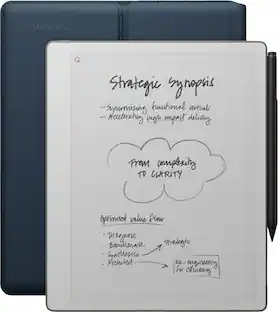
reMarkable - Paper Pro Move - 7.3" Paper Tablet with Marker Plus and Mosaic Weave Book Folio - Basalt

Model: RM91A-1001NW
SKU: 6640396
$569.00
or
$47.42/mo.
suggested payments with12-Month Financing
Show me how
Finance OptionsView your offers
Special OffersOn related products
Availability
Fulfillment Options
Pickup at
Act fast - Only 3 left at your store!
Sold by Best Buy
Specifications
  • Screen Size
    7.3 inches
    Active Area
    7.2
    Processor Model
    1.7 GHz Dual Core Cortex-A55
    Total Storage Capacity
    64 gigabytes
    Battery Chemistry
    Lithium-ion
  • Key Specs
    • Screen Size: 7.3 inches (Size of the screen, measured diagonally from corner to corner.)
    • Active Area: 7.2 (The size of the screen area that a user interacts with, either by stylus and/or touch (if supported).)
    • Processor Model: 1.7 GHz Dual Core Cortex-A55 (Your computer's processor is like its brain. Working in combination with system memory, the power of the processor determines the complexity of software you can run, how many programs you can have open at the same time, and how fast those programs will run. Most computers feature an AMD, Intel or Snapdragon processor.)
    • Total Storage Capacity: 64 gigabytes
    • Battery Chemistry: Lithium-ion
  • General
    • Brand: reMarkable
    • Model Number: RM91A-1001NW
    • Product Name: Paper Pro Move - 7.3" Paper Tablet with Marker Plus and Mosaic Weave Book Folio
    • Color: Basalt
    • Year of Release: 2025
  • Display
    • Screen Type: E Ink
    • Screen Size: 7.3 inches (Size of the screen, measured diagonally from corner to corner.)
    • Active Area: 7.2 (The size of the screen area that a user interacts with, either by stylus and/or touch (if supported).)
    • Aspect Ratio: 16:9 (The measurement of the width of a screen compared to the height of a screen, expressed as a ratio.)
  • Processor
    • Processor Model: 1.7 GHz Dual Core Cortex-A55 (Your computer's processor is like its brain. Working in combination with system memory, the power of the processor determines the complexity of software you can run, how many programs you can have open at the same time, and how fast those programs will run. Most computers feature an AMD, Intel or Snapdragon processor.)
  • Storage
    • Total Storage Capacity: 64 gigabytes
  • Memory
    • System Memory (RAM): 2 gigabytes (Random-access memory (RAM) is a computing device's short-term data storage, which allows active information to be accessed quickly. The size and type of RAM determines how efficiently the device can handle large amounts of information at one time. For example, gaming or video editing requires more RAM for optimal performance.)
  • Compatibility
    • System Requirements: Wifi (The software that a product must have for it to be able to integrate with another product.)
  • Power
    • Charging Interface(s): USB-C (The connection for transmitting power to charge the device.)
    • Battery Capacity: 2334 milliampere hours (The amount of energy stored in the battery.)
    • Battery Chemistry: Lithium-ion
  • Dimensions
    • Product Height: 7.7 inches (The out of box height of the item. Height is measured as the vertical distance from the bottom of the item to the top as it would be primarily used or placed.)
    • Product Width: 4.4 inches (The out of box width of the item. Width is measured as the horizontal distance from one side of the item to the other as it would be primarily used or placed.)
    • Product Depth: 0.26 inches (The out of box depth of the item. Depth is measured as the distance from the front of the item to the back as it would be primarily used or placed.)
    • Product Weight: 8.16 ounces (The out of box weight of the item.)
  • Included
    • Stylus Included: true
  • Warranty
    • Warranty - Parts: 1 year limited
    • Warranty - Labor: 1 year limited
  • Other
    • UPC: 7090045251232

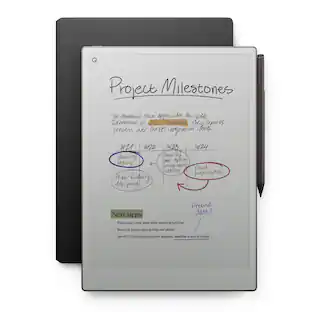
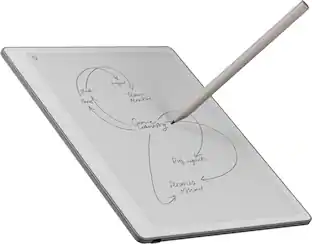
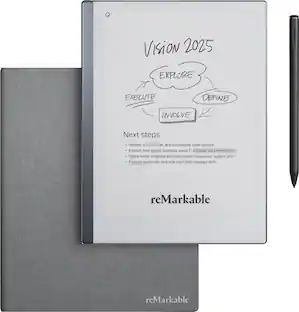
reMarkable Paper Pro Move: the paper tablet designed for work that happens anytime, anywhere, and with anyone. Be there in the moment while you capture your thoughts on the paper-like color display. With an ultraportable design, protective Book Folio, and two weeks of battery life, it goes wherever work takes you.

  • A better way to meet face to face: No wall of laptops or notifications that interrupt your flow. reMarkable Paper Pro Move is distraction-free by design, so you can take notes and focus on who is in front of you.
  • 7.3” Canvas Color display: Enjoy the satisfaction of handwriting on a display that looks, feels, and even sounds like paper. The built-in reading light subtly illuminates the display without causing eye strain.
  • Paper with digital powers: Convert your handwriting to typed text, and share your work with a tap. Your notes are synced to the cloud, ready in the mobile and desktop apps* when you need them.
  • Travel light, think bigger: Carry all your ideas in a digital notebook that’s smaller than a paperback. reMarkable Paper Pro Move slips into your bag or jacket pocket, ready to capture inspiration whenever it strikes.
  • All your thoughts, organized: Search to find anything on reMarkable Paper Pro Move — even handwritten notes*. Tags and folders keep your notes and documents organized, so your work is always at your fingertips.
  • Designed for work on the go: Say goodbye to crumpled, coffee-stained notebook pages. With a design in anodized aluminum and textured glass, reMarkable Paper Pro Move always looks professional.
  • Two weeks of battery life: reMarkable Paper Pro Move lasts up to 2 weeks on a single charge. If you need to recharge, go from 0 to 90% in less than 45 minutes.
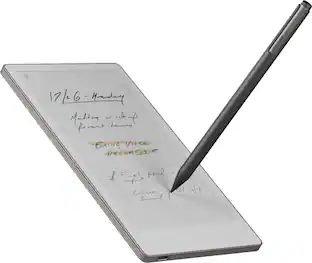
  • Marker Plus: Take notes, sketch, and annotate with a premium digital pen designed to deliver realistic friction and natural writing feel. Attaches magnetically to your paper tablet, and features a built-in eraser.
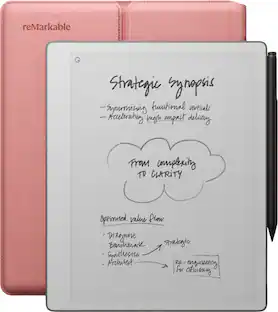
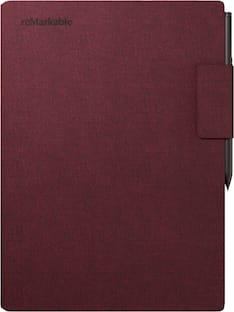
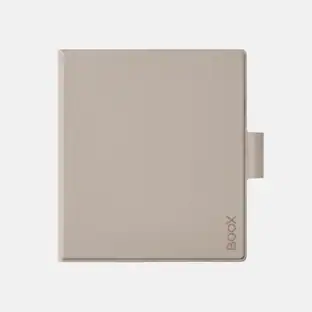
  • Book Folio: Keep your paper tablet and Marker Plus safe in style. With the magnetic Marker strap, you never have to worry about losing track of your digital pen.
  • Display: Canvas Color display (based on E Ink Gallery™ 3); 7.3” (16:9 aspect ratio); 1696 x 954 resolution (264 pixels per inch); Palm rejection; Adjustable reading light
  • Processor: 1.7 GHz Dual Core Cortex-A55
  • Storage and RAM: 2 GB LPDDR4x RAM; 64 GB internal storage
  • Battery: Built-in rechargeable (Li-ion) battery; USB-C charging; 2,334 mAh
  • Connectivity: Wi-Fi 2.4 GHz and 5 GHz; USB-C port; Auto wake/sleep; Sensors detect when a folio is open or closed
  • A better way to meet face to face: No wall of laptops or notifications that interrupt your flow. reMarkable Paper Pro Move is distraction-free by design, so you can take notes and focus on who is in front of you.
  • 7.3” Canvas Color display: Enjoy the satisfaction of handwriting on a display that looks, feels, and even sounds like paper. The built-in reading light subtly illuminates the display without causing eye strain.
  • Paper with digital powers: Convert your handwriting to typed text, and share your work with a tap. Your notes are synced to the cloud, ready in the mobile and desktop apps* when you need them.
  • Travel light, think bigger: Carry all your ideas in a digital notebook that’s smaller than a paperback. reMarkable Paper Pro Move slips into your bag or jacket pocket, ready to capture inspiration whenever it strikes.
  • All your thoughts, organized: Search to find anything on reMarkable Paper Pro Move — even handwritten notes*. Tags and folders keep your notes and documents organized, so your work is always at your fingertips.
  • Designed for work on the go: Say goodbye to crumpled, coffee-stained notebook pages. With a design in anodized aluminum and textured glass, reMarkable Paper Pro Move always looks professional.
  • Two weeks of battery life: reMarkable Paper Pro Move lasts up to 2 weeks on a single charge. If you need to recharge, go from 0 to 90% in less than 45 minutes.
  • Marker Plus: Take notes, sketch, and annotate with a premium digital pen designed to deliver realistic friction and natural writing feel. Attaches magnetically to your paper tablet, and features a built-in eraser.
  • Book Folio: Keep your paper tablet and Marker Plus safe in style. With the magnetic Marker strap, you never have to worry about losing track of your digital pen.
  • Display: Canvas Color display (based on E Ink Gallery™ 3); 7.3” (16:9 aspect ratio); 1696 x 954 resolution (264 pixels per inch); Palm rejection; Adjustable reading light
  • Processor: 1.7 GHz Dual Core Cortex-A55
  • Storage and RAM: 2 GB LPDDR4x RAM; 64 GB internal storage
  • Battery: Built-in rechargeable (Li-ion) battery; USB-C charging; 2,334 mAh
  • Connectivity: Wi-Fi 2.4 GHz and 5 GHz; USB-C port; Auto wake/sleep; Sensors detect when a folio is open or closed
Whats Included
  • reMarkable Paper Pro Move - 7.3" paper tablet
  • Marker Plus
  • (6) Spare Marker tips for Marker Plus
  • USB-C cable
  • Book Folio - Mosaic weave - Basalt
  • reMarkable Paper Pro Move - 7.3" paper tablet
  • Marker Plus
  • (6) Spare Marker tips for Marker Plus
  • USB-C cable
  • Book Folio - Mosaic weave - Basalt
Disclaimers
  • *New reMarkable users get a 50-day free trial, then $2.99/mo. Cancel anytime.
  • *New reMarkable users get a 50-day free trial, then $2.99/mo. Cancel anytime.

Q: Can you take notes and file when you have no wifi?

A: Hi there! Yes, absolutely. reMarkable devices are designed to be used even without Wi-Fi. You can take notes, write, read, and organize files completely offline. The internet connection is needed when you want to sync your files to the cloud, but you can also transfer files to a computer using a USB cable. You can refer here for more details: https://support.remarkable.com/s/article/importing-and-exporting-files

Q: Can I use with? Apple? Microsoft? Products, Is it only linked to cloud accounts? Does the pen.marker need to be charged? Does it charge with the magnet? How do I recharge the products? Thnx

A: Hi Ron! Thanks for your questions. You can use with Apple and Microsoft through our Desktop and Mobile Apps. You can sync through the cloud but also use a USB cable to transfer files. Your marker needs to be attached to the device to be charged, and you can use the USB cable that comes with the product to charge your device.

Q: color screen?

A: Yes, there are a couple colors options you can use with each of the writing implements found on the tablet such as marker, fine liner, pencil, mechanical, pencil, ballpoint, pen, highlighter, shader, fountain, pen, and paintbrush. The colors include black, gray, white, blue, cyan, magenta, red, yellow, and green.

Sponsored

Compare similar products

reMarkable - Paper Pro Move - 7.3" Paper Tablet with Marker Plus and Mosaic Weave Book Folio - Basalt
4.3(37)

reMarkable Paper Pro Move: the paper tablet designed for work that happens anytime, anywhere, and with anyone. Be there in the moment while you capture your thoughts on the paper-like color display. With an ultraportable design, protective Book Folio, and two weeks of battery life, it goes wherever work takes you.

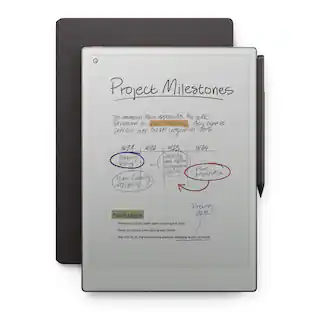
reMarkable - Paper Pro Move - 7.3" Paper Tablet with Marker Plus and Premium Leather Book Folio - Black
4.1(13)

reMarkable Paper Pro Move: the paper tablet designed for work that happens anytime, anywhere, and with anyone. Be there in the moment while you capture your thoughts on the paper-like color display. With an ultraportable design, protective Book Folio, and two weeks of battery life, it goes wherever work takes you.

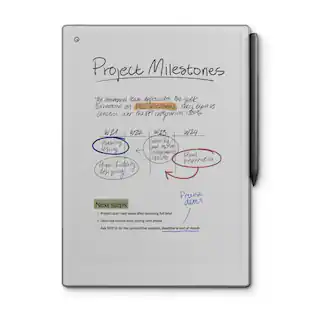
reMarkable - Paper Pro Move - 7.3" Paper Tablet with Marker Plus - Silver
4.4(46)

reMarkable Paper Pro Move: the paper tablet designed for work that happens anytime, anywhere, and with anyone. Be there in the moment while you capture your thoughts on the paper-like color display. With an ultraportable design and two weeks of battery life, it goes wherever work takes you.

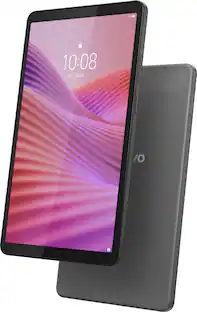
Lenovo - Idea Tab - 11" 2.5K Tablet - 8GB RAM - 128GB UFS - with Tab Pen and Folio Case - Luna Grey
4.8(81)

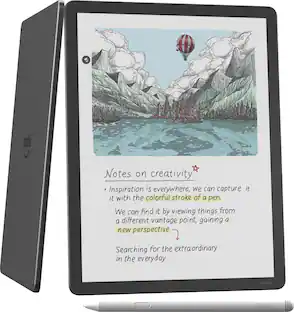
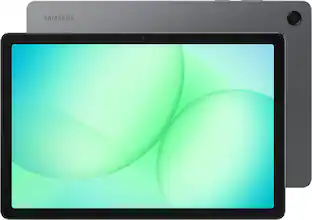
Make studying smoother and staying on track easier with the Lenovo Idea Tab, your AI-powered study buddy. The 11” 2.5K display with a 90Hz refresh rate and quad Dolby Atmos speakers deliver clear visuals and rich sound for focused learning, lectures and fun. Need help on the spot? Instantly search or translate information on your screen with Circle to Search with Google, all without switching apps, enhanced by the Lenovo Tab Pen with 40% improved latency for smoother, more natural writing. Open the Notepad app and use Lenovo AI Notes to keep writing when you’re stuck, rephrase messy notes, or quickly summarize long content. Powered by the MediaTek D6300 with up to 70% more power*, multitasking feels smooth and effortless. Add the Pogo-pin Folio Keyboard (sold seperately) for easy typing, and count on all-day battery life to keep up wherever your day takes you.

Pros for reMarkable - Paper Pro Move - 7.3" Paper Tablet with Marker Plus and Mosaic Weave Book Folio - Basalt
Portability, Overall PerformancePortabilityPortabilityThere were no pros for this product
Cons for reMarkable - Paper Pro Move - 7.3" Paper Tablet with Marker Plus and Mosaic Weave Book Folio - Basalt
There were no cons for this productThere were no cons for this productBattery LifeThere were no cons for this product

Specs

Reviews

Customers are saying

Customers often highlight the Paper Pro Move's portability, with many appreciating its small size. The overall performance is also praised, with users noting the writing experience is superb.

This summary was generated by AI based on customer reviews.

Customer Images

The vast majority of our reviews come from verified purchases. Reviews from customers may include My Best Buy members, employees, and Tech Insider Network members (as tagged). Select reviewers may receive discounted products, promotional considerations or entries into drawings for honest, helpful reviews.

  • Rated 5 out of 5 stars

    Excellent and Convenient Device - I love it.

    This was the perfect addition to my "Remarkable" universe. As an owner of a Remarkable 2 and Paper Pro, I found the "Move" to be an excellent and convenient addition. Its size makes it easy to carry, and the notes taken while using the Move transfer nicely (formatting-wise) to the other devices. If you already own a Remarkable, the Move is a very nice addition. If you don't own a Remarkable, the Move is the perfect choice to introduce you to the product line. It works great on its own and is also a very nice addition for those already using a Remarkable.

    Posted by Culpabilis

  • Rated 4 out of 5 stars

    My everyday tablet!

    I love the portability of this product and basically take it with me everywhere. There did happen to be a two day period where the tablet froze for nearly 48 hours. It only turned back on after about 24 consecutive hours of ininterrupted charging, Hopefully that was the only problem and from here on out I’ll just make sure I avoid depleting the battery completely before recharging it. I do feel better knowing that the tablet has a one year warranty through reMarkable which extends even further for their connect subscribers.

    Posted by Nabouz

  • Rated 5 out of 5 stars

    Tech product of the year

    Best piece of tech I own. Lowest latency pen makes for the smoothest writing experience. The portable unique 16:9 size fits perfectly in my hand for one handed writing. Easy to use. Easy to navigate. Have been using this for note taking on the go, journaling, to-do lists and just organizing my thoughts. Have previously owned reMarkable 2 and Kindle Scribe. This is in a category all its own. Some may balk at the steep price but this is product is well worth it! Highly recommended.

    Posted by JustAFanofGreatTech

No content
Sponsored

Similar products from outside of Best Buy

sponsored
product image

reMarkable - Paper Pro Move - 7.3" Paper Tablet with Marker Plus and Mosaic Weave Book Folio - Basalt

Rating 4.3 out of 5 stars with 37 reviews

$569.00

Finance Options

My Best Buy® Credit Card
Choose a benefit:
$47.42/mo.suggested payments with 12-Month Financing
Or
10% back in rewardson your first day of purchases when approved for the My Best Buy® Credit Card.
Buy Now, Pay Later
8 payments starting at $71.12
Lease to own
Apply today with no credit needed and enjoy flexible payment options.

Special Offers

Top Offers
Save $10 on controller w/ select devices
Included with Purchase
Free 6 months of security software