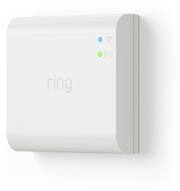
The Ring Bridge unlocks smart controls for Ring lights. It lets Ring lights, doorbells and cameras talk to each other and work better together in the Ring App, so you can receive mobile notifications whenever motion is detected and adjust settings with your phone or tablet. With the Ring Bridge you can also group together Ring Smart Lights and connect them to Ring doorbells and cameras. If one Ring Bridge-enabled device detects motion, it can turn on lights, activate cameras and more. It also lets you connect Ring Smart Lights to Alexa-enabled devices to turn on lights and adjust settings at the sound of your voice. *One Ring Bridge supported per household. Supports approximately 50 Ring Smart Lighting devices, including Motion Sensors (dependent on usage and other factors).
A: No. The smart light bridge is only necessary if you want to connect the Ring camera to Ring lights. For instance, if you want Ring lights to turn on when the Ring camera is activated, then you’ll need the bridge. I use it in my driveway when any camera or light is activated, then all the adjacent camera and lights turn on too. This provides the camera with light from all angles and reduces unwanted shadows in the video image. Hope this helps.
Q: What is the purpose of this Ring Bridge? Is it to boost the Signal?
A: The ring bridge connects your lights together it makes it possible to connect your lights to activate when your ring doorbell senses motion and other devices can be programmed to the lights as well. One of the other things that it does is it connects all your devices so imagine if you have a bunch of different ring devices each one of those is sending a signal back and forth and can slow your wifi down. This device connects all devices together so that only the bridge is sending signals back and forth and doesnt put lag on your internet.
A: There are no additional charges. It works with your local WiFi.
A: Hello Lynn, That is a great question! The new Ring Alarm Pro has a built-in Ring Smart Lighting Bridge so there is not a need to purchase a separate Ring Bridge. Ring Alarm Pro gives you a Ring Alarm for trusted physical security, and an eero Wi-Fi 6 router for fast wifi and network security in a single system. Unlike traditional home security systems, Ring Alarm Pro also offers optional layers of backup protection to help stay connected in case the power or internet goes out. By combining Alarm Pro with a Ring Protect Pro plan, you have more protection, and more ways to secure your home. For more details, please visit: ring.com/alarm-pro For any additional installation questions or set up concerns, please feel free to reach out on our community forum at https://community.ring.com/. You can also visit our help site, https://support.ring.com/hc/en-us, for tips & tricks, videos and help articles for all our Ring products. Thank you, Antonio from Ring
A: For the hardwired sensor light you don’t need the bridge. You may need a WiFi extender depending on your WiFi signal strength.
Q: Will this device connect to a WIFI-6?
A: Hi Rick. Thanks for asking. The Ring Smart Lighting Bridge is compatible with 802.11 b/g/n wifi connections at 2.4 GHz. It requires a minimum upload speed of 1 Mbps, but 2 Mbps is recommended for optimal performance. We invite you to reach out to our Community if any additional information is needed regarding your question. The Ring Community is our first peer-to-peer community forum, giving our customers the ability to help one another by sharing their feedback and experiences with each other. All the best, Nicole from Ring.
Q: Can I use a ring bridge to my hardwire sensors?
A: Hi JV. Thanks for reaching out. The Ring Bridge is the central hub that integrates Ring Smart Lights, Motion Sensors, and Transformers into your Ring system. The Bridge connects to the Ring app using your home wifi network and connects to other Ring Smart Lighting products using a proprietary long-range communication protocol. We invite you to reach out to our community if any additional information is needed regarding your question. The Ring Community is our first peer-to-peer community forum, giving our customers the ability to help one another by sharing their feedback and experiences with each other. All the best, Nicole from Ring.