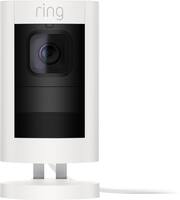
Rating 4.7 out of 5 stars with 580 reviews
4.7- Camera Quality (255)
- Ease of use (127)
- Installation (32)
- Motion Detection (18)
- Night Vision (16)
- Battery Life (10)
- WiFi Connectivity (3)
Customer Images
The vast majority of our reviews come from verified purchases. Reviews from customers may include My Best Buy members, employees, and Tech Insider Network members (as tagged). Select reviewers may receive discounted products, promotional considerations or entries into drawings for honest, helpful reviews.
- Rated 4 out of 5 stars
It's cool!!
The stick up cam has excellent viewing properties automatic night vision it's backed up by the cloud it was super simple to install super simple to link to the service the only thing that's the issue is they tell you that it has a backup when the power goes out will that's half true because when the power goes out your router goes out when your router goes out no service now with the alarm it keeps over to a cellular service so it's still backed up the keypad whatever sensors you have and all that but the stick up cam it doesn't work until your internet is back on.
Posted by Antcrss92
- Rated 5 out of 5 stars
Great System
So far so good...have two outdoor ones plus this one, and all of them work flawlessly...Ring has definitely gotten one of the best systems out there. And it is cheaper than all the other ones.
Posted by CCUTI
- Rated 5 out of 5 stars
Working out well
We just wanted simple cameras to use for monitoring our place with basic internet when we’re not home. Working well. We saw a black bear walk through our driveway yesterday and were alerted quickly after motion sensed.
Posted by AkAzCo
- Rated 5 out of 5 stars
Lost WiFi first night
Lost first night WiFi connection and couldn’t get it back. After calling Ring I am getting it replaced through warranty. Great service for their product. The other camera is working good. Just wish they weren’t fisheye cameras and get better pictures from further away. Basically they are for up close monitoring.
Posted by Rick
- Rated 5 out of 5 stars
This is the way to go!
I exchanged the battery version of these for the wired version. I purchased a small network switch with PoE and wired these using solely CAT5E cables. They work great! They have great field of view and a pretty clear picture. The night vision works much better on these than the battery version as well. The live view feed turns on much better via ethernet vs WiFi as well. If you have a Ring Alarm, Doorbell, or Alexa devices, this is the way to go! I love the integration into the Ring app and alarm system. With Alexa, I was also able to enable my backyard lights to turn on (via smart light switch) when my backyard cam detects motion. These are easy to mount and easy to set up. I just ordered another one of these, my 4th, so I will have every angle of property covered. They've withstood heavy rain and wind outdoors as well. I think the only issue I've had is the two-way feature doesn't work well. Not sure if it's the speakers on the camera, or the app doesn't pick up my voice very well, but the person at the camera cannot hear me speaking unless I'm pretty much yelling at the top of my voice. Not that big of a deal, since I don't use this feature much other than to mess with my wife. Siren works fine if I needed to use that.
Posted by Alex