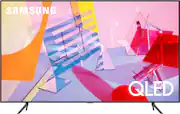
Rating 4.6 out of 5 stars with 1434 reviews
4.6- Picture Quality (860)
- Ease of use (173)
- Color (82)
- Smart TV (53)
- Setup (32)
- Remote Control (47)
- Refresh Rate (11)
- Viewing Angle (8)
- Internet Connectivity (7)
- Interface (6)
Customer Images
The vast majority of our reviews come from verified purchases. Reviews from customers may include My Best Buy members, employees, and Tech Insider Network members (as tagged). Select reviewers may receive discounted products, promotional considerations or entries into drawings for honest, helpful reviews.
- Rated 5 out of 5 stars
Beautiful picture, Simple, practical
This TV is for my home office, and it is working great so far, I love it’s vivid colors in all 4 modes( Standard, Dynamic, Natural, and Movie) specially when mixed with Warm color tone. The ambient mode is a great feature that turns my TV to an art work. Sound is By far better than my Living room Sony Bravia. People talk about android vs Tizen, I believe your TV has a different purpose comparing with your phone, a minimalistic operating system will keep your device fast and smooth. I don’t need to download stupid apps on my TV, as long as I have access to HBO now, prime, Hulu, bunch of samsung TV channels, Netflix, Apple TV, Apple Air casting, and youtube I am happy specially when I don’t have to pay for an added device like Apple TV which I am using with my living room tv. Having control to my TV contents through amazon Alexa, and google assistants adds value. I can change the source and have access to other apps without loosing the video I am watching. And before I forget, blacks are super black on this tv, with an outstanding contrast and color volume for this price. I am satisfied with my purchase, and probably buy another Samsung TV for my living room. The picture shows low light ambient scene is a dark room. And a picture in standard mode. Pictures are taken with Iphone 11 pro.
Posted by Nick
- Rated 5 out of 5 stars
Couldn’t have asked for better
If you are looking for a 43 inch TV and don’t necessarily have a budget, this TV is the way to go. Recently, I had to replace my old 43 inch because my cat had knocked it off the entertainment center, and this is the TV that I replaced it with. I didn’t have a budget so I went for the best TV I could find and I do not regret my decision. The screen is perfect for a bedroom and the amount of pixels for the eye from an appropriate viewing distance is immaculate. Very smooth refresh rate. However, I still have not tried this TV for video games because I have my own gaming monitor. The Samsung smart TV interface takes some getting used to if you are used to a different platform such as Roku or amazon(as I was), but it is a very short getting used to, and will not disappoint after a few days of learning the process. I’ve only had this TV for 5 days now and I am beginning to be happy that my cat destroyed my old one because this is the best TV I own, and I have a 75 inch tv in my living room that the Samsung 43 inch tv will always win in comparison to a near one thousand dollar tv. The quality of this TV is so good, but there’s also ways to improve your viewing experience. I purchased LED back strip lights for the TV and it makes the tv pop out and seem way better than it is. This TV will never let you down.
Posted by cjisley31
- Rated 4 out of 5 stars
Great for PC gaming / Mid-class TV viewing
This TV is a great mid-range selection and worked wonderfully as a monitor for my PC gaming setup. It's only putting out 60Hz but that was ok, as I was gaming in 4k, my RTX2060 can only handle so much in regards to 4K gaming
Posted by MichaelV
- Rated 5 out of 5 stars
Only Thing it Didn't Do Was Take Itself Out of Box
The only thing this TV didn't do was take itself out of the box! Very impressive across the board. If you don't already have the Smartlink app, get it. It makes it even easier. Vibrant color, excellent sound, very sleek look, pop-in legs and nice trimline remote. The tap feature is super smart! Enjoy your Samsung. I sure am.
Posted by givenchygurl
- Rated 5 out of 5 stars
Blown Away
This tv is a great upgrade. Hooked it up today and wow I am impressed. Lots of free apps. Black level is very black and the brightness is just right. Didn't have to tweak anything. Perfect right out of the box. Would highly recommend.
Posted by Hondalove4life