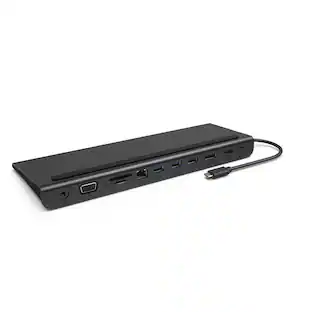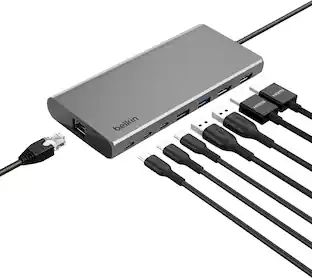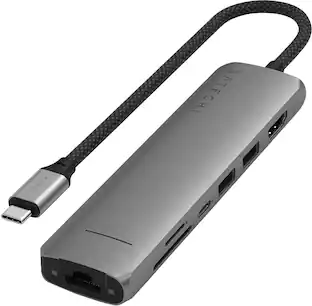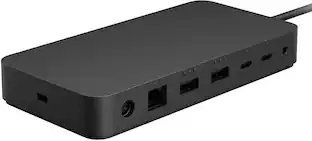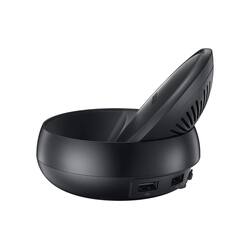
Samsung - EEMG950 Dex Docking Station
SKU: 11359839
Reviews coming soon
This item is no longer available in new condition. See similar items below
- Key Specs
- Maximum Number of Displays Supported: 2
- Number of DisplayPort Outputs (Total): 0
- General
- Brand: Samsung
- Product Name: EEMG950 Dex Docking Station
- Display
- Maximum Number of Displays Supported: 2
- Ports
- Display Connector(s): 1 x Thunderbolt, 1 x HDMI (The number and type of connectors used to connect to an external display.)
- Number of DisplayPort Outputs (Total): 0
- Number of HDMI Ports (Total): 1
- Number of VGA Ports: 0 (VGA (Video Graphics Adapter or Video Graphics Array) is a display standard that transmits via analog signals. This type of interface is typically used to connect a computer to a display device such as a monitor, projector, or TV.)
- USB Ports: 1 x USB-C, 2 x USB-A 2.0 (The number and type of USB ports the product has.)
- Power
- Powered: true
- Compatibility
- Brand Compatibility: Samsung
- Model Compatibility: Convert your Galaxy Note8, Galaxy S8/S8+ smartphone into a desktop computer
- Dimensions
- Product Height: 3.64 inches (The out of box height of the item. Height is measured as the vertical distance from the bottom of the item to the top as it would be primarily used or placed.)
- Product Length: 3.64 inches (The out of box length of the item. Length is measured as the longest dimension of the item.)
- Product Width: 3.64 inches (The out of box width of the item. Width is measured as the horizontal distance from one side of the item to the other as it would be primarily used or placed.)
- Product Weight: 0.23 ounces (The out of box weight of the item.)
- Warranty
- Warranty - Parts: The warranty is through us for 90 days.
- Warranty - Labor: The warranty is through us for 90 days.
- Other
- UPC: 026511355279
The Samsung DeX Station enables you to turn your Galaxy Note8, Galaxy S8 or Galaxy S8+ into a true desktop PC experience. By docking the Galaxy Note8, Galaxy S8 or Galaxy S8+ into the DeX Station, your phone will launch a special DeX mode on the connected external monitor and applications can be opened in multiple separate windows. Connect a mouse, keyboard, and Ethernet cable for added productivity.
- Open apps on a bigger screen: Open apps on a bigger screen
- All the ports you need: All the ports you need
- Remotely access your home desktop: Remotely access your home desktop
- Keep your phone charged and cool: Keep your phone charged and cool
Whats Included
- Samsung EEMG950 Dex Docking Station, Black, Wall Charger, USB Cable, Quick Start Guide.
People also viewed
 $40.68The price was $53.99
Anker - 6-in-1 USB C Hub with 1Gbps Ethernet, USB C to 4K HDMI Multiport Adapter, 65W Power Delivery
$29.98The price was $39.99 $79.99The price was $129.99
 $59.99The price was $89.99







Today's top picks
- $79.99The price was $129.99
- $59.99The price was $89.99