Rating 4.8 out of 5 stars with 182 reviews
4.8- Screen (41)
- Speed (33)
- Battery Life (24)
- Performance (18)
- Storage (11)
- Price (3)
Customer Images
The vast majority of our reviews come from verified purchases. Reviews from customers may include My Best Buy members, employees, and Tech Insider Network members (as tagged). Select reviewers may receive discounted products, promotional considerations or entries into drawings for honest, helpful reviews.
- Rated 5 out of 5 stars
Samsung S tablets are phenomenal!!
Now that I've owned the 11in Samsung S9 Tablet in beige for 4 months I finally feel comfortable writing about it. My household has the S7, S8, and the S9 (all 11in screens and all come with the S pen). The S9 is superior when it comes to battery life and graphics. The S8 is very close to the S9 and is only edged out by battery life and storage availability. I say that but I've only used 40 GB out of 256 GB, I use it daily and have games, my son's pdfs and PowerPoints for school (he's homebound so lots of document files), every stream app you can think of (there's 11 ), a couple of financial apps (4), a couple music apps (4), every Samsung app available because my washer, dryer, ear buds, and tv can hook to my tablet (6). Oh and let's not forget the pics, videos, and screenshots (the kids mainly). I haven't had any issues at all, no lagging, no glitches, and no delays. It has worked flawlessly since day one. I'm very happy with my purchase and have told anyone that will listen about the Samsung S9 tablet and how it reigns superior!! Accessories I bought: Zagg Invisible shield advance tempered glass screen protector and the Samsung book cover keyboard slim case (pic included of the case open and closed). I'm happy with the protection I purchased as well.
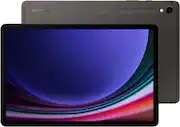
This review is from Samsung - Galaxy Tab S9 - 11" 256GB - Wi-Fi - with S-Pen - Beige
Posted by KtBayB205
- Rated 5 out of 5 stars
Tab S9+ Honest Review
I absolutely love the Tab S9+ its a truly phenomenal tablet with a fantastic display and ever long lasting battery life! This tablet is perfect for those who are artists or like me a student that tracks notes. So I highly recommend this tablet to those looking in the market!
Posted by YolandaC
- Rated 5 out of 5 stars
Excellent screen
Excellent screen and it’s super fast. I previously had the simpler 'FE' models, and this one is much faster and better overall. I also love that I can expand the memory with a MicroSD card. The screen is amazing for watching movies—the blacks are so deep. I’m very happy and highly recommend it
Posted by NikolaiP
- Rated 5 out of 5 stars
S9 Samsung tablet 11"
This tablet is a perfect size, weight & storage for daily usage. It does everything I need.
Posted by wildkat811
- Rated 5 out of 5 stars
Top notch tablet!
This is my third Samsung tablet, an upgrade from the S6. It's a beast for what I use it for (multipurpose). It's an excellent performer and very quick for my needs!
Posted by RubberToe