60th Anniversary SaleEnds Sunday. Exclusions, terms and conditions apply.Shop now

Skip to contentGo to Product Search
Main Content

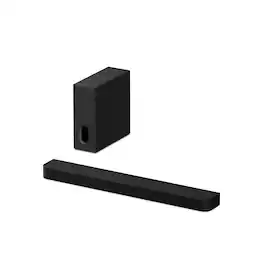
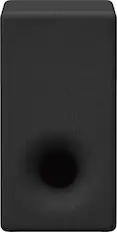
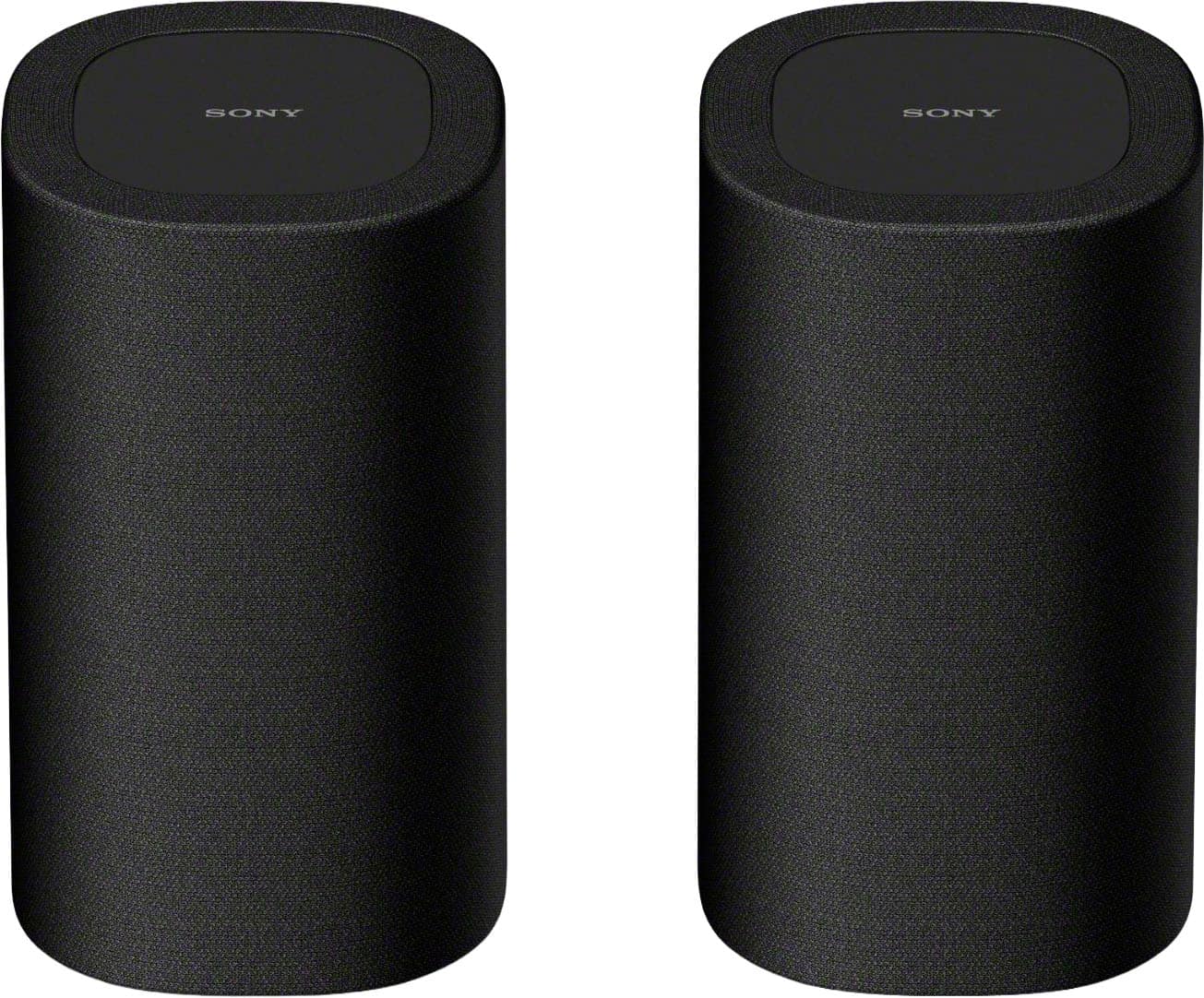
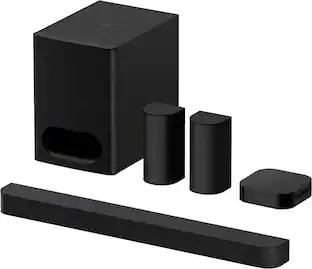
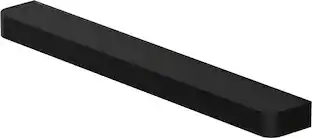
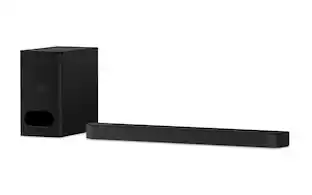
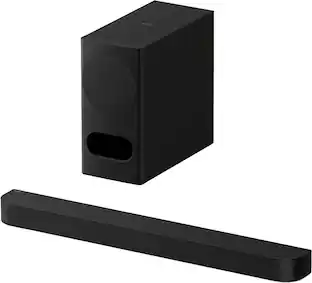
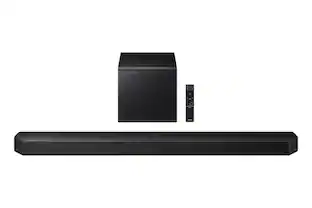
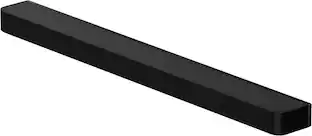
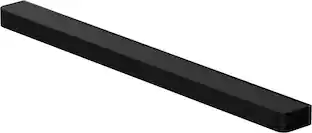
Sony - BRAVIA Theater Bar 7 + Sub 7, Dolby Atmos/DTS:X compatible - Black

Model: HTAP710
SKU: 6673693
Sold byBest Buy

Customers are saying

Customers recognize the exceptional sound quality of this product as a standout feature. Users have expressed high satisfaction with the build quality, noting that the soundbar is crafted with great care.

Generated by AI based on customer reviews.
Features
  • Ultimate surround sound with 360 Spatial Sound Mapping

    360 Spatial Sound Mapping technology creates 5 phantom speakers in front of you and reflects sound off the ceiling and walls, enabling cinema-style surround sound from a single soundbar.

  • Make everywhere the best seat

    Sound Field Optimization ensures optimal performance based on your room’s acoustics.

  • Sound straight from cinema

    Supports Dolby Atmos and DTS:X for a truly premium experience.

  • Wireless Bluetooth streaming

    Stream music from smartphones and compatible devices.

  • Immersive sound from 9 speaker units

    Up-firing, side-firing, and center speakers create expansive surround sound.

  • Give your favorite music a boost

    DSEE Ultimate restores compressed digital music for richer listening.

  • Do it all with BRAVIA Connect app

    Control setup and sound settings from your smartphone.

  • Crystal clear voice. Precise dialogue

    Voice Zoom 3 powered by AI enhances voices when paired with compatible BRAVIA TVs.

  • Effortless control with select BRAVIA TVs

    Sound settings appear directly in the BRAVIA Quick Settings menu.

  • Deep bass

    Separated Notch Edge improves vertical amplitude symmetry, enabling more controlled diaphragm movement for deeper, clearer bass.

  • Room-filling bass. Dual subwoofer playback

    Connect two subwoofers for stronger, more balanced low end.

See all features
Specifications
  • Brand
    Sony
    Model Number
    HTAP710
    Product Name
    BRAVIA Theater Bar 7 + Sub 7, Dolby Atmos/DTS:X compatible
    Color
    Black
    Number of Channels
    9
    Surround Sound Supported
    Dolby Atmos, DTS:X
Sponsored

Reviews

Rating 4.4 out of 5 stars with 21 reviews

86% would recommend to a friend
Customers are sayingCustomers recognize the exceptional sound quality of this product as a standout feature. Users have expressed high satisfaction with the build quality, noting that the soundbar is crafted with great care.
This summary was generated by AI based on customer reviews.
  • Sound Quality (11)
  • Setup Ease (3)

Customer Images

The vast majority of our reviews come from verified purchases. Reviews from customers may include My Best Buy members, employees, and Tech Insider Network members (as tagged). Select reviewers may receive discounted products, promotional considerations or entries into drawings for honest, helpful reviews.

  • Rated 5 out of 5 stars

    Worth the $1k for QUALITY!!!

    Just installed Sony Bravia Bar7 & Sub7, installed Rocketfish hdmi cable inside wall, with Rocketfish surge protector, connected to 77” Sony A80L in our master bedroom. Sounds like a dream & worth every penny, shaking the 10’ ceilings in our home! Love it!

    Posted by matte

  • Rated 5 out of 5 stars

    Sony never disappoints!

    Great soundbar regardless of price. Fits perfectly on my TV stand beneath my 77" Sony Bravia TV. I don't know what magic Sony uses to create its Dolby surround & Atmos effect, but it's pretty sweet! I don't even have the optional rear surround speakers, but I still feel like the sound envelops me from every direction. And that small sub packs a punch! The fact I saved $700 on a Best Buy bundle (soundbar + sub) is icing on the cake.

    Posted by Hubster911

  • Rated 4 out of 5 stars

    Great Sound at High Volumes; Needs App EQ Options

    BACKGROUND: I currently own and have in use six competing brands of soundbars from entry level, mid-range level, to very high-end level. This Sony Bravia Theater Bar 7 with Sub 7 will be a seventh with the goal being to replace a mid-level soundbar in our family room on a HDTV (Sony XBR55X850D) with this high-end model. I recognize my Sony TV is from 2017 and does not support eARC HDMI, only ARC HDMI. Therefore, some soundbar features may not function as currently designed. BOTTOM LINE: The Sony Bravia Theater Bar-7 + Sub-7 is an excellent choice in a medium to large sized room when used with ATMOS media at higher listening levels. And it can provide more than sufficient volume without noticeable distortion. Plus, the actors’ dialogue can be clearer and understandable when using the Voice Mode. The Sub-7 may not blow some away, but for our family room use, it is an adequately size subwoofer option with more than acceptable low bass response. The three CONS of this system encountered are: Lower volume levels lack treble and clarity sounding muffled that I could not dial out. A somewhat lengthy setup procedure that was marred by repeated lockups during firmware updates. And the Bravia Connect Application that does not include any EQ Options or even a basic Treble cut/boost control. RATING: After using the Sony Bravia Theater Bar-7 + Sub-7 for the past week, I believed it earned itself a solid 4-Star Rating. Excellent sound output projecting in multiple directions with Dolby Atmos media, especially with the volume slightly cranked up. WOULD I RECOMMEND: That depends… To me, this system is currently designed and voiced to be pushed at higher volumes where it sounds excellent. In a dedicated theater room, I would certainly recommend others to give it a try. But if you are looking for a system that can also sound great at normal or lower listening levels in a living or family room, then look elsewhere and save yourself the extra financial outlay. TL;DR CONNECTIVITY: I would consider the Bar-7 a “high-end” audio option with advanced technology features in a Soundbar + Sub format. And I am discovering most 2026 vendors no longer support multiple source inputs as were provided in the past. Therefore, the Bar-7 with a single eARC/HDMI output, and a singe HDMI input appears to be in line with today’s soundbars connectivity options. Switching source options provided include TV, HDMI, & BT. There is no optical. APPLICATION - NO: As with all of my soundbar setups, I will initially demo for one day without installing the vendor’s application. Goal being to confirm audio functionality with only the supplied remote. And yes, the Bar-7 appears to function just fine on its own without an APP. REMOTE: Buttons for Power, Input, Volume, Mute, plus a Bass plus-minus control. And the three Audio Modes Options (Night, Sound Field, & Voice) can be selected with the supplied remote. I will mention the remote is very small and no doubt be lost in our couch cushions at some future point in time. APPLICATION - YES: Day two, downloaded the Sony BRAVIA Control App to my Pixel-10 Android phone. To use this app, Sony requires you to create an online account and provide personal information for login credentials. Yeah, I know, another online account… But using the application does provide features and options beyond those available through the remote. Of significant importance is the ability to update the firmware. Other settings are the Sound Field Optimization procedure that will perform a calibration fine-tuning this system to your room acoustical environment. Plus, you can adjust the Height of the Sound Field (Lower, Default, Higher). There are other categories of configuration allowing changes to numerous options and features of this system specific to the user’s requirements. Finally, there is an online Help Manual. EQ OPTIONS: What is missing from the Bravia Control Application are Equalization (EQ) Options as a quick way to adjust the audio output depending upon the media being sourced, or when used at reduced volumes. All of my other soundbars include some EQ Options/Effects that I find extremally beneficial. And I believe by Sony not including them limits the Soundbar’s overall usefulness. Some examples of EQ Options are: Standard, Movie, Sports, News, Music, Game, Custom, etc. Note that there is a Bass EQ adjustment option, but no Treble EQ option that I found very odd. Overall, it’s very disappointing for a high-end soundbar in this price range to intentionally omit EQ options. SETUP: Installing the Sony Bravia Application will initiate the setup process. First creating an account with login credentials and connecting to your WiFi network. The APP will require pairing with the system. A firmware update is also in the mix too. And adding additional wireless surround speakers and/or the Bar-7 Subwoofer. I must mention that during the application installation process, the subwoofer became un-paired with soundbar. Don’t know what happed, but it would not re-connect just by power off/on or using the Sub “Pair” button. Anyway, using the application to setup the soundbar, the APP found the soundbar and the firmware was successfully updated. Then the APP stepped thru the procedure to add the sub. OK, it found the Bar-7 Sub and re-paired with the soundbar. Great! But here is where it went downhill. The APP then tried to update what I assume was the Bar-7 Subwoofer firmware and it would not complete failing with “Failed to connect to Soundbar. Setup has been Canceled. Check that Soundbar is turned on and retry the setup”. Repeated attempts to restart the Setup Procedure continually failed once it got to that point. Using all of my “Félix the Cat Bag of Tricks”, I eventually found deleting the Application Cache was the ticket. Finally got the Setup to complete and update the Sub-7 firmware. Bottom line, the setting up of this Sony soundbar is not for the faint of heart and may require outside support assistance. What should have been a 10-minute job took around 2-hours. And I like to believe I know what I’m doing having setup over a dozen soundbars over the years for myself, friends, and family members. The Bar-7 didn’t beat me, but it certainly put up a fight. MODES: There are three modes: Night, Sound Field, and Voice that can be used individually, or collectively. I found using the Sound Field with Voice modes for movies provided the most immersive soundstage in my family room setup with understandable dialogue. Also, I set the Bass Level to +3 and I do use the Advance Auto Volume feature. The Night Mode comes into play for just watching TV News type shows. SOUNDSTAGE: As expected, the overall soundstage is better than average with Dolby Atmos media. And I found cranking the volume up a tad beyond my normally listing levels really pushes the Bar-7 system to excel and earn its MSRP. But what I didn’t expect was at reduced listening levels for general TV are well, just OK lacking clarity and fails to compete with two of my mid-range soundbar systems. As mentioned before, a few EQ Options would go a long way with perfecting a good system into a great system. SUB-7: The included subwoofer is quite a step up versus no sub. One caveat is this system can produce IMAX Enhanced audio if the soundbar is paired with rear speakers and the Sub-8 or Sub-9 subwoofer, but not the Sub-7. Anyway, I have placed the Sub-7 behind our corner table and it sounds just find bouncing bass off the corner walls. CONTROLS & LIGHTS: There is only one control on the Bar-7 Soundbar. It is a small power On/Off switch somewhat hidden on the right-hand side rear corner that can also be used for a master reset. And the only indication of operation, are two very small LED lights on the front lower right-hand side. One White-Light that will light up whenever a function is selected or changed. The other is a Multicolored-Light to indicate different options or operations being performed. With the APP, you can change the intensity of the lights from Dark, Light, or just turn Off. Note you must reference the manual for what the different colors, with varying flashing patterns, actual mean. This renders the lights as basically an On/Off indicator. I would prefer an actual LED multi-lettered scrolling screen that displays what function this system is truly performing, versus digging thru a 77-page online or PDF manual to differentiate what a “flashing blue light” versus a “flashing light blue light” means (answers on page 10 & 11). By hey, that’s me. NO SOUND ISSUE: OK, the Bar-7 failed to produce sound on day-three. Happened once one morning when my wife said she just was changing TV channels. Soundbar was working fine, then would not produce any audio. Failed with all three inputs: TV, HDMI, and BT. Tried powering off/on with the side power button, but that did not help. To resolve I had to unplug the soundbar, wait a few seconds, then re-apply power, for sound to be restored. PACKAGING: Finally, I must mention the L-Shaped packaging is over designed to prevent even the most aggressive or clumsy delivery personnel from damaging the contents. The packaging alone weighs in at a hefty 17 pounds and is constructed of heavy-duty cardboard. Internally are additional cardboard block spaces to both absorb shock and assist with the removal of the contents (Soundbar, Sub, Mounting Bracks, HDMI and Power Cables). And there is zero Styrofoam; thank you. I normally do not spend review time describing “a shipping box”, but in this case I will acknowledge Sony is definitely going the extra mile with both preventing possible shipping damage along with a good-earth recycling mindset. Great Job!

    Posted by Buddy

  • Rated 3 out of 5 stars

    Pretty solid

    I’d say that the sound quality is really solid but idk if it’s worth the price tbh. I do like it and my partner loves it especially because it sounds a lot better than a lot of soundbars specifically when listening to music. I do think after a couple weeks with it I’m going to return it and spend the extra money on the Sonos arc ultra

    Posted by TOLUA

  • Rated 4 out of 5 stars

    Cinematic Sound Made Simple

    I want to get this out of the way: this soundbar is expensive. You can find other, cheaper products out there that might, to most people, sound the same. But for those that care about having the best sound possible, this is one of, if the not the best, soundbar picks out there. IN THE BOX Sony does a great job of giving you everything you need for setting up your soundbar. Inside the box you’ll obviously find the soundbar and the subwoofer. There are power cables for each. You’ll also get an HDMI cord (which you don’t see much anymore), and wall mounting brackets. SETUP Keep in mind that the instructions state that the soundbar should be placed somewhat close to the soundbar. Because both units require power, you will need to ensure there’s a plug nearby for both (might not be an issue for most, but I could see it causing some issues for others). You will need to download the Bravia Connect app to help with setup. There are QR codes in the packaging to find it if you don’t already have it. You’ll need to create a Sony account. I personally ran into issues during setup. The app kept getting hung up when checking for updates for wireless speakers (I didn’t have wireless speakers, which you could purchase separately). Granted, the sound was working just fine despite the issues; I just couldn’t finish calibrating the sound. Eventually however, after multiple attempts, I was able to get through it, and able to to calibrate the sound. The part of the setup I did like - beyond those issues - was that it plays sound and uses your phones microphone to estimate the distance of the speakers. Doing so allows the app to properly calibrate the sound to give you the best experience possible.This is how you optimize the 360 spatial sound. One other thing to keep in mind, and it’s very important, your TV must have ARC HDMI. Most TVs, even 10 year old+ TVs, but the HDMI must connect to that port in your TV. That allows your remote to control the sound. And there is one HDMI input. That would allow you to run say a PS5 into the soundbar. Of course, you should be able to connect that same HDMI port into another one in your TV to get the same sound experience. The point is, don’t expect the soundbar to replace a receiver that has multiple HDMI ports for all your devices. Again, for most people’s setup where you might use a soundbar, this is more than adequate. THE SOUND EXPERIENCE The soundbar has 9 drivers in it. The drivers fire sound upwards and to the sides. So it creates the Dolby Atmos experience by literally bouncing soundwaves off the wall. It does a wonderful job of recreating the sound experience you would typically expect out of a traditional home receiver and 7 plus speaker setup. Now, would it best a true Dolby experience with 7 plus speakers? Probably not, but for most people, and especially for setups that prohibit such a complicated setup, you will be impressed. I was watching soccer and was extremely impressed with the clarity, especially dialogue. Crowds from the sound felt like they were coming from behind me. Watching movies with gunfire and explosions was also impressive as it felt like the sounds were surrounding me. It truly blows the speakers built into your TV out of the water. I highly recommend getting any soundbar to better the viewing performance of your TV, and I really recommend this Sony soundbar if it’s within your budget. CONCLUSION This soundbar is expensive, but you're getting a relatively simple and straightforward setup, with true Dolby Atmos surround sound that enhances everything you’re watching on your TV.

    Posted by callmeageeth

From the Manufacturer

Compare similar products

Sony - BRAVIA Theater Bar 7 + Sub 7, Dolby Atmos/DTS:X compatible - Black
4.4(21)

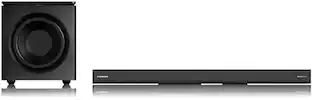
Immersive surround sound. Enhanced bass. The BRAVIA Bar 7 + Sub 7 combines 9 speaker units, 360 Spatial Sound Mapping, and a slim subwoofer to create cinematic surround sound and deeper, more precise bass in a space-saving design.
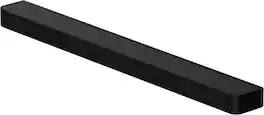
Sony - BRAVIA Theater Bar 9 with 13 speakers, Dolby Atmos/DTS: X - Black

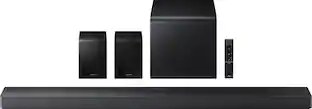
Introducing BRAVIA Theater Bar 9, our top-of-the-line soundbar that takes surround sound technology to new heights. Featuring 13 speakers and 360 Spatial Sound Mapping, hear the room filled with truly immersive theater-like surround sound perfectly optimized to your space. And unlock sound with even greater impact with optional wireless subwoofer and rear speakers.
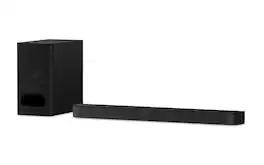
Sony - BRAVIA Theater System 6, 5.1ch with subwoofer, Dolby Atmos/DTS:X compatible - Black

Turn up the energy with BRAVIA Theater System 6 all-in-one 5.1ch system. Featuring 10 total speakers, including a subwoofer and rear speakers, and with support for Dolby Atmos and DTS:X, movies will explode with powerful, immersive surround sound. Ready to entertain? Energize your next party with room-filling multi-stereo sound.

Sony - BRAVIA Theater Bar 6, 3.1.2ch subwoofer, Dolby Atmos/DTS:X compatible - Black

Discover 3.1.2ch spatial sound with the BRAVIA Theater Bar 6. Up-firing speakers, a dedicated center channel speaker, and support for Dolby Atmos and DTS:X will surround you with expansive sound and clear dialogue. The included subwoofer adds deep, powerful bass, letting you feel the rumble in every scene.

Pros for Sony - BRAVIA Theater Bar 7 + Sub 7, Dolby Atmos/DTS:X compatible - Black
Sound QualitySound Quality, Design, Setup, Ease of use, ConnectivitySound Quality, Setup Ease, BassSound Quality, Setup Ease, Design, Bass
Cons for Sony - BRAVIA Theater Bar 7 + Sub 7, Dolby Atmos/DTS:X compatible - Black
Setup EaseBass, HDMI Ports, Volume, Display, PriceConnectivity, Speaker PlacementConnectivity, Remote Control

Specs

Questions & Answers
  • Which SONY optional "Rear Surround Sound Speaker" models will function properly with this soundbar?

    Hi Buddy, Thanks for the question! Happy to help out. To get that full surround sound experience with your HT-A7100 soundbar, you can use any of these four Sony rear speaker models: BRAVIA Theatre Rear 8 (SA-RS8), BRAVIA Theatre Rear 9 (SA-RS9), SA-RS3S, or SA-RS5. Find more information here: https://www.sony.com/electronics/support/articles/00345716 We sincerely appreciate you considering a Sony product! Warm regards, Estefany

    Answered by SonyListens
    SonyListens response
  • how many channels?

    Hi there, The Sony BRAVIA Theater Bar 7 functions as a standalone 5.0.2 channel system, which provides five horizontal channels and two dedicated up-firing channels for height effects right out of the box. If you integrate a subwoofer like the BRAVIA Theater Sub 7, your system immediately upgrades to a 5.1.2 channel configuration. This addition provides a dedicated channel for low-frequency effects, allowing the soundbar to focus its power on the mid and high ranges for significantly better dialogue and detail. If you decide to expand your setup further with compatible rear speakers, the channel count increases again to create an even more immersive environment. Integrating the BRAVIA Theater Rear 8 or Rear 9 speakers transforms your system into a 7.1.4 channel setup. This is because those specific rear speakers include their own up-firing drivers, adding more physical sources for both surround and overhead sound. We find that this modular approach allows your system to scale from a high-performance bar into a full-scale cinema experience depending on the configuration you choose. Thank you for considering Sony! Best regards, Dominick

    Answered by SonyListens
    SonyListens response
  • Can this sound bar be mounted to the bottom of a Sony 65” Bravia 7II?

    Hi GaryS, Thank you for your question! Yes, the Sony BRAVIA Theater Bar 7 can be mounted to the bottom of your 65” BRAVIA 7 II. For step-by-step instructions on how to properly mount the bar speaker under your television, please refer to this official Sony guide: https://helpguide.sony.net/ht/2099/v1/en/contents/012_Mounting_the_Bar_Speaker_on_a_Wall_2099.html Thank you for considering Sony! Regards, Dominick

    Answered by SonyListens
    SonyListens response
  • Are any cables included with the soundbar?

    Yes, an AC power cable is included with the soundbar.

    This question and answer was generated by AI based on customer and product data.
  • Does this soundbar enhance voices?

    Yes, this soundbar enhances voices with Voice Zoom 3 powered by AI when paired with compatible BRAVIA TVs.

    This question and answer was generated by AI based on customer and product data.

Ask a question
No content
Sponsored

Finance Options

My Best Buy® Credit Card
Choose a benefit:Or
Buy Now, Pay Later
Lease to own

Finance Options

My Best Buy® Credit Card
Choose a benefit:Or
Buy Now, Pay Later
Lease to own