Appreciation EventEnds Sunday. Limited quantities. No rainchecks.Shop now

Skip to contentGo to Product Search
Main Content

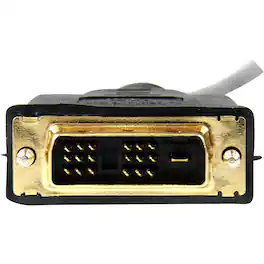
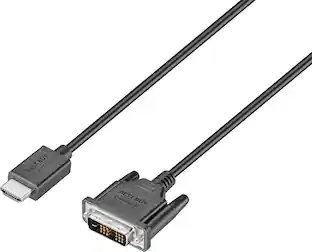
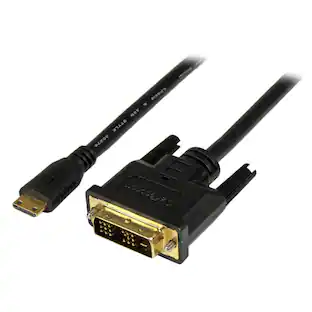
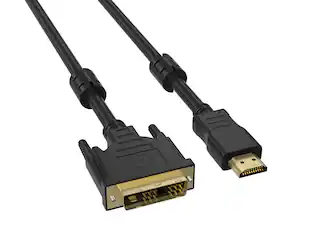
StarTech.com - 6' HDMI to DVI-D Video Cable - Black

Model: HDMIDVIMM6
SKU: 12254609
Sold & shipped by
EP Holdings Inc - Mega Retail Store

About this product

Connect your laptop or streaming device to your TV with this versatile StarTech HDMI-to-DVI-D cable. It has molded connectors to reduce strain, and it's 6 feet long to provide you with more configuration options. This StarTech HMDI-to-DVI-D cable takes the place of other cables to declutter your home theater setup.

Features
  • 19 pin HDMI Type A connector

    Promotes reliable signal transfer.

  • 6' length

    Offers flexible placement options.

See all features
Specifications
  • Cable Length
    6 feet
    HDMI Cable Type
    High Speed HDMI Cable
    Connector Type (End 1)
    HDMI Type A
    Gender (End 1)
    Male
    Connector Type (End 2)
    DVI-D
    Gender (End 2)
    Male
Sponsored

Reviews

Rating 4.6 out of 5 stars with 138 reviews

94% would recommend to a friend

The vast majority of our reviews come from verified purchases. Reviews from customers may include My Best Buy members, employees, and Tech Insider Network members (as tagged). Select reviewers may receive discounted products, promotional considerations or entries into drawings for honest, helpful reviews.

  • Rated 5 out of 5 stars

    Connects dvi out to hdmi in

    "I found it!" you think, unearthing that old PC in your garage. To your amazement, it turns on, the hard drive whirs promisingly, your trusty vga cable is ready to go... at least, til you realize you dont have a monitor that takes vga anymore. "Curse my slavish adherence to tech updates", you grouse to yourself, as you look at the back panel. Yes, there's a discrete graphics card there; no, it doesnt have hdmi out. Because, back then, hdmi wasnt really around and dvi was, in our innocent minds, even better because it wasnt burdened with audio throughput or something like that. What do you do, dear reader? What do you do? You buy this cable, that's what you do. Tear open its packaging, connect your PC to a monitor, and use it to find out that although your PC turns on and your hard drive whirs, something got corrupted and your trip down memory lane comes to a sad end. That's just what you do.

    This review is from StarTech.com - 6' HDMI to DVI-D Video Cable - Black

    Posted by Reuben

  • Rated 5 out of 5 stars

    Connected computer to old monitor

    I bought the cord to connect my computer with a second monitor so I could have dual screens. However, both monitors are old, so a lot of their ports are outdated. The monitors have are VGA and DVI-D, whereas my computer has VGA and HDMI. After connecting the first monitor with a VGA cable, I was looking for another cable to connect my computer's HDMI port with either VGA or DVI-D. After comparing prices, the HDMI to DVI-D cord was far more affordable and has worked out great, so far. I love having the capability to have dual screens and make the most of these old monitors.

    This review is from StarTech.com - 6' HDMI to DVI-D Video Cable - Black

    Posted by ChiTown4

  • Rated 5 out of 5 stars

    Back Door Access

    This cable works like a charm. Apparently I have an "older" computer (2 years old!!) and it still had only the VGA connection and an outdated HDI connection, in back. This cable took care of the issue. Works great and didn't cost the farm in the process.

    This review is from StarTech.com - 6' HDMI to DVI-D Video Cable - Black

    Posted by skeeto

  • Rated 5 out of 5 stars

    It works!

    I needed to connect our newer laptop to an older monitor, and no problems. Clean picture and no lag. The monitor does not have sound, so no issues there to resolve.

    This review is from StarTech.com - 6' HDMI to DVI-D Video Cable - Black

    Posted by TheRokuGuy

  • Rated 5 out of 5 stars

    exactly what I needed

    With working from home being the new normal, I needed another screen to make work a little easier. Had an extra monitor sitting around upstairs but I didn't have the right cord as my laptop only allows for an HDMI adapter. This cord did exactly what I needed it to do and Best Buy was able to get it to me faster than originally promised.

    This review is from StarTech.com - 6' HDMI to DVI-D Video Cable - Black

    Posted by mbrown3913

Compare similar products

StarTech.com - 6' HDMI to DVI-D Video Cable - Black

Connect your laptop or streaming device to your TV with this versatile StarTech HDMI-to-DVI-D cable. It has molded connectors to reduce strain, and it's 6 feet long to provide you with more configuration options. This StarTech HMDI-to-DVI-D cable takes the place of other cables to declutter your home theater setup.

HQRP - 6-Pack PCI-e PCIE Power Cable for GPU or Bitcoin Mining, 6 Pin Male to 8 Pin (6+2) Male, PCI Express Extension Cable

This 6-pack PCI Express power extension cable set provides a reliable 6-pin male to 8-pin (6+2) male connection, delivering stable power from a standard 6-pin PCIe output on a PSU or breakout board to an 8-pin GPU or miner input. Each cable is 20 in (50 cm) long with 18 AWG conductors to support clean routing in PC builds and open-air mining rigs while helping maintain consistent power delivery during demanding use such as gaming, rendering, and GPU compute. Compatible with graphics cards using 6-pin or 8-pin power from ASUS / ASRock / Radeon / Sapphire / Gigabyte and GPU platforms from ATI / NVidia, and designed to power GPUs used in Ethercoin / Litecoin rigs as well as miners compatible with Antminer R4 / Antminer S7 / Antminer S9 / Avalon A6 / SP2x. Compatible with PSU breakout boards used with HP server power supplies 750 W / 1200 W / 1400 W / 1500 W and part numbers DPS-1200FB / HSTNS-PD11 / HSTNS-PL1 / HSTNS-PL11 / HSTNS-PL18 / 438202-002 / 441830-001 / HSTNS-PL33 / 684529-001 / 684530-201 / 704604-001 / 684532-B21 / 5117778-001 / 506821-001 / DPS-800GB / DPS-1200QB / PS-2751-5Q / PS-2751-LF-1F / HSTSN-PL12 / DPS-700LB / PS-2112-5L / DPS-750RB, supporting a practical wiring solution for Ethereum, Bitcoins, Ripple, Litecoin, and Z-coins mining setups. Disclaimer: This is not an Original Equipment Manufacturer (OEM) product, HQRP branded product is a replacement. All brand names and logos are registered trademarks of their respective owners. Any use of the brand names or model designations for this product are made solely for purposes of demonstrating compatibility.

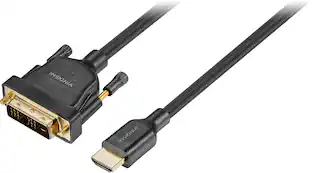
Insignia™ - 6' DVI-D to HDMI Cable - Black

The Insignia 6' DVI-D to HDMI Cable lets you mirror or extend your screen by connecting the cable from your computer’s HDMI port to a monitor, TV or projector with a DVI-D or DVI-I port. A 6 ft. length gives you flexible placement options. In addition, it supports resolutions of up to 1920 × 1200, granting quality images that will leave you impressed. Gold-plated connectors with PVC molding make this cable corrosion resistant and give it long-lasting use.

CORSAIR - 2' Elite Premium Individually Sleeved, 2x 8-Pin to PCIe 12V-2x6 600W Cable, Type 4 - Black
5.0(2)

Upgrade your system’s cabling with CORSAIR Elite Premium Individually Sleeved 12V-2x6 Cables, built with flexible paracord sleeves for a clean, refined look. Two-tone connectors make it easy to confirm proper insertion into the graphics card power socket, just push until the gray is no longer visible. Available in black, white, or black/white, they can match your system’s style or add a bold accent. Each cable includes pre-installed, low-profile combs to keep routing neat and organized. With wide compatibility and trusted CORSAIR quality, these cables deliver both high performance and the finishing touch your build deserves.

Pros for StarTech.com - 6' HDMI to DVI-D Video Cable - Black
There were no pros for this productThere were no pros for this productQuality, HDMI, Compatibility, Ease of use, ConnectionThere were no pros for this product

Specs

Questions & Answers
  • Comments show it works with HDMI output on the computer, and DVI input on the monitor. What about the other way around? My computer is DVI output, and my TV is HDMI input. The description says HDMI to HDMI, which is cleary wrong.

    It works both ways, but to help you better understand. I hooked up mine with ease. PC = DVI to 4KTV = HDMI.. :0)

    Answered by SmartShopper
  • How does this feed the audio without the rca junctions?

    This item does not convert audio.

    Answered by Video
  • Graphics card port shows 24 pin connection, but the DVI-D plug only has 18. Is this the right cable for GeForce GTX 1050 ti graphics card?

    Probably- DVI-D has a lot of extra pins that don't get used in my experience. We are using this cable to go from a DVI-D to an HDMI monitor; I'm not sure if it will transmit audio as we are not using it for that.

    Answered by Avery
  • Can I connect my TV to My CPU with this HDMI to DVI-D Video cable to use as Big screen Monitor to do my Excel sheet

    Yes you can, just make sure to setup a resolution supported by your TV

    Answered by ulinx31
  • I want to connect my Dell monitor to my MacBook Pro. The cord coming out of my Dell looks like this- 19 pin. Is there an adaptor to connect this 19 pin to my USB-C?

    The 19 pin hdmi cable needs a standard dvi connection rather than USB. This cable will meet your needs.

    Answered by CatahoulaKay
Ask a question
No content
Sponsored

Similar products from outside of Best Buy

sponsored
Ask BlueAI