Rating 4.4 out of 5 stars with 67 reviews
4.4- Speed (16)
- Ease of use (14)
- Range (8)
- Parental Controls (5)
- Price (5)
Customer Images
The vast majority of our reviews come from verified purchases. Reviews from customers may include My Best Buy members, employees, and Tech Insider Network members (as tagged). Select reviewers may receive discounted products, promotional considerations or entries into drawings for honest, helpful reviews.
- Rated 5 out of 5 stars
Quality Router At An Affordable price
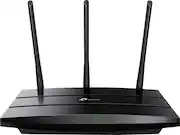
Archer C59 AC1350 Wireless Dual Band Router Version 2 *My Test Setup Desktop PC Windows 10 Pro AC1900 Wireless Dual Band PCI Express Adapter (Archer T9E) *Setting Up Setting up the router for the first time is quite simple to do. Once you have everything properly connected, you’ll be online in less than 5 minutes. And when you’re ready to dig into the router’s more advanced settings to customize it to your liking, you’ll have plenty of options to dig into. You can set parental controls for certain users, as well as set up a Wi-Fi guest network for your guests, which keeps them off of your main network. Also, the router’s web management page is very nicely done, too. All the different settings are laid out perfectly and easy to navigate. *Ethernet & Wireless Performance After getting the Archer C59 router set up and running, I ran several speed tests while connected to the router over Ethernet, and Wi-Fi. Listed below is the current Internet plan I am subscribed to, and those speed test results. My Internet Plan: Download 75 Mbps / Upload 10 Mbps Ethernet Speed Test: Download 90.45 Mbps / Upload 12.15 Mbps Wi-Fi 2.4 GHz Speed Test: Download 89.22 Mbps / Upload 12.05 Mbps Wi-Fi 5 GHz Speed Test: Download 90.43 Mbps / Upload 12.18 Mbps Those are great test results! And the router was able to easily handle multiple devices connected at once, streaming HD content and surfing without any issues. I also have a very large backyard area, and the router provides excellent coverage around my entire home. I can stream HD videos and music without any issues at all. I had 3 mobile devices all doing just that, and they all streamed perfectly, whether inside or out around the yard. For the best wireless coverage, be sure to place the modem in an open area of your home free of obstruction. Do not place the modem in an enclosure, under a desk, or block the vent-holes. Best of luck setting your network up.
Posted by TechOnDeck
- Rated 5 out of 5 stars
Great Range and Easy to Set Up
This router was quite easy to set up. I was up and running in about 15 minutes. I have security cameras that are about 150 feet from the router and they have no issues picking up the wireless signal. I was quite impressed with the range. I have Spectrum internet at 300 Mbps and the speed I am getting though the wifi is over 100 Mbps.
Posted by stirfry
- Rated 5 out of 5 stars
Nice and speedy
Needed an inexpensive wireless access point as the ISP supplied router didn't have enough bandwidth to support everyone. With the 2nd 5G radio things are nice and speedy.
Posted by Goodandfitsmyneeds
- Rated 5 out of 5 stars
Easy to use
Very easy to set up and no issues so far after almost 2 years of use.
Posted by GrayBae
- Rated 5 out of 5 stars
Extender
It is a nice addition to get the Wifi range extended.
Posted by Sidhu