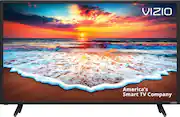
Rating 4.5 out of 5 stars with 2236 reviews
4.5- Picture Quality (1160)
- Ease of use (338)
- Smart TV (154)
- Price (105)
- Size (62)
- Remote Control (33)
- Volume (9)
- SmartCast (8)
- User Interface (6)
Customer Images
The vast majority of our reviews come from verified purchases. Reviews from customers may include My Best Buy members, employees, and Tech Insider Network members (as tagged). Select reviewers may receive discounted products, promotional considerations or entries into drawings for honest, helpful reviews.
- Rated 5 out of 5 stars
Great tv with many features
Debated between this set and a Samsung model that was $90 more. The Vizio has Chromecast built in and the Samsung did not. Picture quality is great and I am very happy with my purchase.
Posted by Bigpoppapef
- Rated 4 out of 5 stars
Nearly perfect
The resolution, color, and black level are all great. I recommend using this TV in a dimly lit room, because it is prone to reflection. Overall, it suits our needs for a small 11‘ x 10‘ spare room.
Posted by ChrisTV
- Rated 5 out of 5 stars
Great use for a computer monitor
I bought this to use for a computer monitor. Looks great. Very great picture for being a tv/computer screen. It has two uses. A computer monitor and when you want to watch tv just switch it the the SmartCast. Would not recommend putting this one in the living room. Lol. This one belongs in the bedroom corner.
Posted by Timberwolf
- Rated 5 out of 5 stars
Great TV for my Bedroom!
I recently added Amazon Fire stick and a Mohu indoor antenna but, need a booster.
Posted by Cinders
- Rated 5 out of 5 stars
Great picture, good sound
I like the Picture quality a lot. Smooth movement. This is most important to me. Some TV project unnatural movement. Vizio is Very good. Well adjusted picture looks natural and classy. Sound is good, but not great. Not very loud. Some distortions on Very high volume. Will get better over time. Remote is okay. Menu is nice. Recommended.
Posted by Matthew