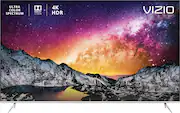
Rating 4.4 out of 5 stars with 1130 reviews
4.4- Picture Quality (707)
- Black Levels (103)
- HDR (80)
- Ease of use (59)
- Brightness (58)
- Screen (18)
- Remote Control (13)
- Viewing Angle (12)
- Reliability (11)
- Software (9)
Customer Images
The vast majority of our reviews come from verified purchases. Reviews from customers may include My Best Buy members, employees, and Tech Insider Network members (as tagged). Select reviewers may receive discounted products, promotional considerations or entries into drawings for honest, helpful reviews.
- Rated 5 out of 5 stars
VIZIO 65 IN TV
I GOT THIS TV AFTER READING SOME OF THE 600 & MORE REVIEWS ON HERE AND I,M GLAD I DID I ALWAYS BUY VIZIO,S AND THIS ONE IS THE BEST, THE GREAT QUALITY IS AWESOMENESS WRAP IN A TV, THE CLARITY, COLOR, THE EASE OF USE, I HAD THE GEEK SQUAD PUT IT UP FOR ME I DIDN,T WANT TO TAKE ANY CHANCES TO DO IT MYSELF. SO NOW I,M ON TO A SOUND BAR THAT,S MY NEXT ITEM TO BUY AND I,M ALSO GOING TO BUY THE $200 TO GET THE GEEK SQUAD FOR ANY TIME I NEED THEM I ONLY HAVE TO PAY $49.99 FOR WHATEVER I NEED TO HAVE DONE FOR A YEAR, IT,S WELL WORTH IT TOO.
Posted by SKEET
- Rated 5 out of 5 stars
Excellent TV. Great price. Prefer over q series
I purchased this TV in April 2019 pretty quickly to replace a 46" Sony Bravia XBR 2. That served me well for nearly 15 years but died unexpectedly. Having owned two other recent vizio smaller sets and knowing their quality firsthand as well as the general reviews and praise of the AV community I decided to go with the P64-F1 for the great price point and quality as well as the right size. First off this TV is BIG. Especially coming from a 46". Make sure you measure the angled fork feet for the width of your tv stand if you're not mounting. They point outwards and unlike other previous Vizio models you can't reverse them to point in likely because it needs the added stability for the size of this set. The picture quality is excellent, deep blacks and super bright. You'll have no issue in a bright sun flooded room. The viewing angle can suffer a little at sharp angles but if you're mostly viewing head on you're fine. The menus and casting all work easily. A favorite feature is thst you can set a specific picture mode to an input so I always have gaming mode activated for my PS4, Xbox One and Nintendo switch inputs. TV boots quickly, casting and setup was easy. The smart TV apps for Netflix, plex and Amazon prime all worked well enough I didn't need to resort to my ps4 or roku for streaming like usual. Set also works well with Logitech Harmony smart universal remote system. Have even hooked it up to my Alexa and Google Home for on/off, mute and volume functionality. Only complaint might be the speakers as they're down and rear firing I believe it's a lot softer than my previous set heuchbhad front firing speakers around the entire perimeter. You basically have to notch it up 10 volume levels more and it's acceptable. Really meant to be used with a soundbar or 3.1/5.1 system though. Lastly the price increase for the newer Q-series (Quantum Dot display) wasn't worth it in my experience. If it drops to the price level of this set (799 to 1k from its current 1600) maybe with the arrival of 2019 sets like the G-series. Highly recommend as I've put about 75 hours of gaming, TV and movies into this set and have been very happy.
Posted by PetiePal
- Rated 3 out of 5 stars
Going to give it a second shot today.
I really like this TV. I don't think there's another panel available with this level of features for the money. I purchased this TV last Friday and have been watching in the past couple of days. Unfortunately I just packed it up to return it due to abysmal screen uniformity and "dirty screen effect." Based on all the other reviews that I have read (both critics and customer) I believe that I got a TV that isn't representative of the normal quality associated with this model. HDR looks great and the picture quality is exactly what I'm looking for. The problem I have is with solid backgrounds or panning shots when the uniformity issues are seriously visible. The final straw was watching skiing this morning and the DSE was too much to bear and I packed it back up. I have calibrated the TV using a combination of different sources online to get a picture I was happy with. I'll update this review once I get a new TV to see if it has the same issues. I took a photo and attached it to this review. I took it in such a way as to not exaggerate the problem. I would say that the attached image is representative of how it looks to my eye. I can't recommend the TV at this point in time, but I'll gladly update that pending my experience with a replacement.
Posted by Aaul00
- Rated 5 out of 5 stars
P series’s is great TV
I did a lot of research. As my wife and I are movie buffs. I’m a heavy gamer, play daily. So I’ve had a lot of led tvs. My vizios have been the least trouble. So when I needed to go smaller than a 75, moving. I started looking at the p series’s. Now if you get one, do your home work or pay someone to professionally set it up. I did ok, however the $100, made it so much clear and life like. I am buying another for my bedroom, to replace my LG. The 2nd pic I’ve shared is a 1989 movie, the 1st is current 2018 4K uhd. You can hardly tell age difference between shows. Game quality is even better. Also if you have someone set up your tv. Make sure all out puts are tuned by them. Someone may say I’ve tuned all mine before. Just know this tv tunes by your region and light quality of the area. I wanted a extra 3 weeks to do the review. My wife didn’t understand what the cost difference was 700 versus 1600. NOW she does. I totally recommend this tv. I even stood there and looked at TVs that were half the price, and thought is it really worth. YES SIR IT IS.
Posted by McScott1
- Rated 4 out of 5 stars
Great TV but some concerns
Let me start off by saying for what I paid for this TV on Black Friday was well worth it considering the picture quality. Streaming, Blu-rays and live tv look amazing. There are a couple concerns however. The audio or lip-synching is off a lot of the time and I’m not sure if it’s because I’m using the left right audio out cables due to my surround sound limitations. I’ve tweaked as much as I can and it’s not spot on. I’m also wondering if it’s because I’m streaming most times. My next concern would be after the TV is on for about an hour or so, the heat expansion makes a few things pop a few times. Nothing detrimental but very strange that it would happen at all. The same thing happens if the TV has been off for a while. I’ve read a few things about it and I really don’t want to have to exchange the TV. It’s not that big of a deal but the pop is loud. Overall the price of the TV is amazing for what you get.
Posted by Mike