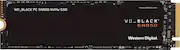
Rating 4.8 out of 5 stars with 51 reviews
4.8- Speed (30)
- Performance (12)
- Installation (5)
- Compatibility (3)
- Price (3)
- Temperature (7)
- Heatsink (5)
- Storage (3)
Customer Images
The vast majority of our reviews come from verified purchases. Reviews from customers may include My Best Buy members, employees, and Tech Insider Network members (as tagged). Select reviewers may receive discounted products, promotional considerations or entries into drawings for honest, helpful reviews.
- Rated 5 out of 5 stars
Excellent SW tools & Gen4x4 MB/s but iffy thermals
Okay, if you're already considering the WD_Black NVMe for your own build, there probably isn't a lot I can say to dissuade you from your selection as the SN850 is largely regarded as one of the fastest SSDs around for the newer PCIe Gen 4x4 motherboards. And, in my synthetic benchmark tests on a Gen4x4-capable machine, I did indeed achieve near-advertised read (a few MB/s slower) and write (a few MB/s faster) speeds. In practice, of course, it's a whole different ball game. Make no mistake, my rig definitely felt snappier and quicker, and game loads definitely FELT like they flew by a bit faster than usual, but I can't say as I noticed that Windows was opening or operating wholly twice as fast as it did when using the Gen3x4 SSD this unit replaced, despite the SN850 posting nearly twice the read numbers and roughly 1.5 times the write numbers of that last-gen NVMe stick. But that's not really the point, is it? If you're willing to shell out the bank for the best and the fastest hardware in your own rig, the SN850 will definitely deliver the speed and time savings you're going to need to enjoy even more of your life (or a few more seconds of game time before that next snack or bathroom break). With that said, here are a few items of note (and cautions) during my time with the SN850 that may be relevant to your purchasing decision: 1) Despite its outstanding Gen4x4 performance, this drive is not a very good value for PCIe Gen3x4 applications - I tried the SN850 in my i7 (9th gen) HP Omen gaming laptop and my custom i7 (10th gen)/Z490 gaming rig and the SN850's benchmark scores were bested by both a Dell Micron 2300 and Samsung 970 EVO Plus (by quite a wide margin in the case of the latter drive). For Gen3x4 applications, the SN850's price premium probably isn't worth it as you can definitely find better (or at least the same) performance for less money...stick to PCIe Gen4x4 applications! 2) If you plan to use WD's "gaming mode" (this setting is available in the WD Dashboard application) to try wringing even the TINIEST bit more performance out of the SN850, you might want to ensure you have some serious system cooling on tap...and maybe even reconsider your choice if you're using a laptop - In general, this drive gets pretty warm during use, and there is no heatsink included at all. But when loaded in my Omen laptop with WD's gaming mode set to 'On', even with the fans set to full and wide-open underside vents (courtesy of an absurdly large laptop stand), running the SN850 at load was consistently pushing drive temperatures into WD Dashboard's own "red zone" (I recorded temps of 72-76 C) indicating a danger of overheating and the start of thermal throttling to keep temperatures in check. With gaming mode set to 'Off,' even under load, I was only seeing highs of 65-68 C...and that was with a normal fan curve that didn't make it sound like my laptop was about to taxi down a runway. I would surmise that this drive will fare much better in a desktop application with a stout heatsink and/or very competent airflow management. 3) The WD Dashboard app may be useful for tweakers and OCD system monitors, but is probably not essential for everyday use - The first time I fired up the Dashboard app, it reported and installed a new firmware update for the SN850. The dashboard also provides handy overviews and graphs of drive performance and thermals, secure erase options, application settings, and various drive optimization, write-caching, and information/vitals retrieval all in one place (I've included screen grabs for each of the Dashboard's main pages below). Now, in truth, many of these settings, and much of this information, is also available natively in various locations throughout Windows--the Dashboard simply puts them all in one convenient and somewhat compelling (if not "gamerish-looking") place. If you're already fairly conversant in system/SSD optimization and maintenance, you might not need WD Dashboard for anything but an occasional firmware update. 4) The included Acronis True Image for WD software DOES provide you an easy upgrade path to migrate your existing Windows installation to the new drive - Forget Internet tutorials and trial/freeware versions of EaseUS, Macrium, DiskGenius, etc...your SN850 comes with a free copy of Acronis True Image. Along with some very powerful backup and recovery capabilities and scheduling features, as well as active protection against ransomware or illicit cryptomining, one of the tools available in Acronis is "Clone Disk." This simple-to-use application features a Clone Disk Wizard that steps you through a few graphical options on your way to cloning/migrating an existing Windows disk (or any disk for that matter) onto your new SN850 drive. Acronis Clone Disk will intelligently copy and resize your partitions (to include preservation of hidden and recovery partitions) depending on whether your destination disk is larger or smaller than your source drive. Better still, you can use the Clone Disk feature to clone any drive you want to any drive you want, even if the source or destination drive is NOT the WD SN850! So long as your WD drive is detected on your system, you have full access to all of the Acronis tools--a nice step up from Samsung Magician's Data Migration app which only lets you move Windows one-way to a new Samsung drive.
Posted by WyldeBlue
- Rated 5 out of 5 stars
Lightning fast, easy to install/set up
This WD Black SN850 is replacing an NVMe PCIe 3.0 m.2 QLC SSD that I’ve been using, and after the switch, the performance improvement was very noticeable. Set up was super simple; I just popped the WD Black into an available NVMe m.2 slot on my motherboard, then initialized, partitioned, and formatted the drive in Windows. The WD dashboard software indicated new firmware was available and the update took only a few seconds to complete. The dashboard also allows you to enable “gaming mode” which disables low power mode to keep the drive running at peak performance, though it requires a restart of your computer each time it is enabled or disabled. Cloning my primary boot drive over to the new WD Black took less than 5 minutes with the recommended Acronis True Image software. When benchmarking the drive, it comes pretty close to the advertised theoretical max speeds for both read and write (6800MB/s and 5100 MB/s respectively). Large files copy to and from the drive in just a few seconds and loading up source files like video and RAW images for content creation in Adobe Premiere, Photoshop, and 3D modeling software is super fast. The only thing to keep in mind is that you’ll need a relatively current motherboard and processor to ensure you have PCIe 4.0 capability (e.g. 11th Gen Intel Core or AMD Ryzen 5000 Series CPU). However, since this SSD is backwards compatible, it will still function fine in a PCIe 3.0 slot, albeit at the previous generation’s speed. The other thing to note is that this model is just the bare m.2 drive (there’s a separate version with a heat sink attached for desktops only). With its 2280 dimensions and slim form factor, it’s able to fit into thinner systems like laptops as well as desktops, though if you’ve got the space for it, you can add a thermal pad to lower the operating temps and extend the life of the drive. Typical operating temps under heavy load were around 67 °C. Overall, I’m very happy with its performance and it made for a really quick and simple upgrade to my system.
Posted by ReviewedByPhil
- Rated 5 out of 5 stars
Amazing Speed, SN850 is twice as fast as SN750
Incredible. I remember when I upgraded to the WD SN750. The SN850 blows that out of the water. It's twice as fast as the SN750. The Gen 4 Western Digital SN850 NVMe SSD literally smokes the SN750. If you're coming from a factory standard NVMe SSD that shipped with your laptop (or a budget SSD) then you will get 4x the speed which is AMAZING. My recommendation is to buy this. You will NOT be disappointed. If you're doing video work, gaming, or just want the best speed possible you can't go wrong with the SN850. I have include benchmark scores for both the SN750 and the SN850. FYI. This doesn't come with a heatsink. This doesn't bother me, as my motherboard has built-in heatsinks for the NVMe drives. General tips. Cloning your old NVMe SSD: I used the free version of Macrium to clone my SN750 to the SN850. It took about 2.5 hours to clone. Worth it, as I could just slot in the SN850 and be ready to go without having to reinstall Windows, etc. Cloning the drive is absolutely the way to go. Western Digital Firmware/Diagnostics: There was no need to update firmware, etc. after installing. Western Digital does make a free app called the "Western Digital Dashboard" but it's not really needed. You can find it here: https://support-en.wd.com/app/products/product-detail/p/1457#WD_downloads
Posted by teasten
- Rated 5 out of 5 stars
Holy Cow. Wicked fast.
I am a hard core gamer/computer user. Installation was a pretty easy if you know what you are doing. Word of advise. If you don't know how to install this yourself got to Geek Squad and have them do it for you or you will screw up your PC. Also make sure your settings is good do not use compression or else it will slow down transfer speeds. Instant 1 TB after installing in tandem with my existing 500 GB. Yes.... Transfer speeds are instantaneous. Crazy wicked fast..... Transferred 2 GB in a blink of an eye from 1 HD to another. Playing rainbow six and saving game data is no big deal and no delays during game play. I also own WD Black 1 TB portable hard drive and this compliments this product as well with transferring data and large amount of files. Highly recommend this this product. Nicely done WD. Game on.
Posted by PhillipB
- Rated 5 out of 5 stars
Easy and Fast Upgrade!
The Western Digital WD_BLACK SN850 is an easy and fast upgrade to any computer but is almost required for any gaming PC. It also has a ton of overhead since it is a Gen 4 x 4. If you get a new gaming rig/laptop you will probably get even better performance out of the memory in the new system. I have the relatively brand new ASUS ROG Zephyrus G15 which just came out a few months ago and it only supports Gen 3, so I only got half as much speed as this memory is capable of. Even with that, it is still a nice upgrade since my G15 only had 1TB on board before. Now I have lots of extra room for more games! Seriously, this one is a no-brainer. Great speed and storage at a good price point. You'll be able to use this SSD for years!
Posted by Wraith