Rating 4.7 out of 5 stars with 61 reviews
4.7- Storage (23)
- Transfer Speed (21)
- Size (11)
- Performance (8)
- Portability (7)
- Compatibility (6)
Customer Images
The vast majority of our reviews come from verified purchases. Reviews from customers may include My Best Buy members, employees, and Tech Insider Network members (as tagged). Select reviewers may receive discounted products, promotional considerations or entries into drawings for honest, helpful reviews.
- Rated 5 out of 5 stars
Great Expansion Drive For Xbox X
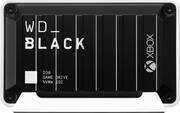
This Western Digital_Black D30 is a great addition to your Xbox storage. The drive itself is very small, it kind of looks like a little container box. It is so small it will fit in the palm of your hand. It can feel a little bit bulky due to its width but overall is relatively small. Now don’t be fooled by its size because this thing performs like a champ. This is a 1TB gaming SSD drive with NVMe technology rated up to 900MB/s designed for Xbox including the X/S . It connects via USB-C and the other end that goes to the console is USB-A. This a simple plug and play solution but it was required for the drive to be formatted by the console to be used for gaming. I can honestly say I did not notice any difference in the loading time compared to the internal drive. I played Cyberpunk and Overwatch without a hinch. Overwatch took about 4 seconds until I saw the first logo. The quick resume with the Cyberpunk was almost instantly from this drive. Once you plugin to the Xbox you can set it up to be the default installation drive. I did get an error with the Latest Call of Duty Black Ops “This game cannot be played from external drive”. I was not able to play this game from this drive. There are also few games that will display a warning banner stating the “newer games need faster storage” when you try to install them directly from the store. Most were series X/S games. Maybe that’s why I wasn't able to play the COD my version is X/S. i also noticed when I transferred the COD 130GB to the drive it took approx 30 min when initially said about 7 min and half. When I transferred it back to the console it took about 8 min. Overall this is a great expansion storage for your Xbox and the loading time I will say is on par with the internal drive. It is very portable, fast and with the 1TB capacity you can install a decent library of games. In the box you get the drive, USB-C cable, stand, manuals and a month free of Xbox game pass code.
Posted by Wishkid
- Rated 5 out of 5 stars
Solid HDD for Series X
This WD NVME SSD is an excellent companion to the Series X. Super small footprint and plenty of storage for your media and games. Inside the package you get the Hard Drive, USB A to C cord, Stand and the usual paperwork. This HDD is small! I placed it next to my PC mouse for reference. Setting up was a breeze. HDD "clips" securely to the stand and just plug in the USB-C to the SSD and USB A to the Series X/S. The console immediately recognized the storage device for me and prompted me to format it for use. Performance is great. I freed up my internal storage of all my Game Pass games by moving it straight to the WD Black. Though, when I moved CoD to the HDD, I couldn't play it. It would tell me Game can't be played so I ended up moving it back to internal storage. Seems like newer Series X/S games must be played off the internal drive though can xfer to the WD if you need to free up space for later use. Every other game I DLed from Game Pass played perfectly without a hitch. Loading times seems exactly the same as it was being played from the internal drive itself. If you need extra storage space for your downloaded games, this WD Black is awesome. Highly would recommend for your digital library. Transfer times are FAST depending on the size of your files.
Posted by Woo151
- Rated 4 out of 5 stars
Portable and easy to set up
Out of the box - well made and solid. I was impressed with the size and how portability of the drive and not to mention that it is a 1TB SSD. I have the XBOX version - the set up was easy however when in use there was some lag but I would not say it would be a deal breaker. The price for an external 1TB SSD from WD is reasonable and this drive looks really cool. Overall, its a cool set up and look for a gaming station. Portable and well made. The speed can be better for an SSD and if you are not concerned with look you can go with something thinner and faster. This is the reason for 4 stars.
Posted by Olive
- Rated 5 out of 5 stars
Happy with it
Does exactly what i bought it for - I have a Xbox Series S and out the box there wasn’t enough storage space on the console to download not only the games it came with, but also games i wanted to purchase and all the free game pass content. Call of Duty was 150GB in itself and that’s without having downloaded the campaign, just multiplayer and zombies. This is the best option if you don’t want to buy an overpriced expansion card! An external gaming SSD is a much more efficient option than an external gaming hard drive because it reads and writes much faster, and it’s not a disk motor so you can leave it plugged up to the system without worrying about it overheating & affecting performance. Okay so basically, i can download all my games on this as my default instillation location and can play games off of this and they run smoothly BUT let’s say i buy a game that is optimized for Series X|S and instead of downloading it to the internal storage (console) i elect to download it to this instead, currently you cannot play Series X|S games on an external SSD or HDD so what i do is download that same game to this and when I’m ready to play it just transfer it to the internal storage. It’s super quick. Call of Duty might take 6-7 minutes to transfer. That’s wayyy faster than having to uninstall and reinstall games and it’s two times as fast as an external hard drive. Not to mention a fraction of the price of an expansion card. With Xbox One and Xbox 360 games you don’t have to transfer em, you can just play them off the SSD and they run smoothly. I bought the 1TB SSD and have 30 games installed between both the console and SSD and still have 210GB free. It’s affordable and it aesthetically looks nice. Lightweight and smaller than i thought it would be.
Posted by Jordan
- Rated 5 out of 5 stars
Speed Worth Your Time
--- SETUP --- The WD Black SSD drive for Xbox is quick to install but requires formatting prior to your first use. After turning on your Xbox, it will ask you if you want to use it for: media storage or for Xbox games. Choose Xbox Games and you’ll be set in about 1 minute or less. --- FEATURES --- This SSD features 10 Gbps for quick transfer of large files, a USB-C interface, 1 TB of storage, fast load times, and a mini-dock. It includes one month of Xbox Game Pass --- EXPECTATIONS --- - Saves Xbox Series X/S games but you can’t play them from the WD SSD drive. - Saves Xbox One X games and provides faster load times. - Can transfer games very fast from SSD to Xbox Internal storage. --- PERFORMANCE --- You can install Xbox Series X/S games, but they can’t be played off of the WD SSD drive. Only games installed on the Xbox Series X/S internal storage or in an official Xbox expansion card can play Series X/S games. The load times will be faster than using an external HDD, but not as fast as the internal Xbox storage. You also won’t get the benefits of optimized games Fallout 4 which now support 120 FPS. That being said, it is still great to have this external NVMe SSD storage because the Xbox’s internal storage is also NVMe. This means that the transfer speed between the two is amazingly fast. I was able to transfer 20 gigs of data (Vampyr game) in 2 minutes and 40 seconds. I set this SSD as my default installation for new downloads. This way, I can download or preload games that will be released soon and I can transfer them back and forth as needed. If you have fast internet speed, your game will download faster because it will be installed to the drive at a faster rate. Another great and undersold feature of this device is that, once formatted for Xbox, you can use it on any Xbox that you encounter. As a recent example, my friends invited us to game night at his house. He has an Xbox but doesn’t own the games I do, like all 7 Jack Box Party Pack games. Instead of carrying my Xbox or redownloading all 7 games to his, I just took the WD SSD and plugged it in his Xbox. We were ready to play faster than having to download the games. Essentially, this is now my travel companion for game nights. --- VALUE --- For the storage, speed, and portability, this is a great get. --- APPROVAL --- If you transfer games back and forth from your Xbox’s internal storage to an external one, it would be best to do it with this SSD which will improve your transfer speeds dramatically. If you plan to take your game to several Xbox’s, this is a mostly hassle-free solution.
Posted by Trobadour