Rating 4.7 out of 5 stars with 8921 reviews
4.7- Storage (2629)
- Ease of use (2530)
- Reliability (918)
- Size (730)
- Price (479)
- Software (27)
- Data Loss (14)
Customer Images
The vast majority of our reviews come from verified purchases. Reviews from customers may include My Best Buy members, employees, and Tech Insider Network members (as tagged). Select reviewers may receive discounted products, promotional considerations or entries into drawings for honest, helpful reviews.
- Rated 5 out of 5 stars
Functional and Attractive Portable Hard Drive
I really like my new portable hard drive, a My Passport 1 TB storage device from Western Digital. 1 TB is a whole lot of storage, and the drive is quite small, and thin as well. I bought the blue model for a great price, and I am glad I did. The read and write speeds are really fast - it's 3.0 USB technology. And even better: my wife likes it.
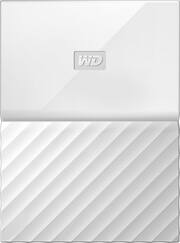
This review is from WD - My Passport 1TB External USB 3.0 Portable Hard Drive - Blue
Posted by Sparky
- Rated 5 out of 5 stars
Great drive for storage and backup solution
I purchased this drive as a backup solution for all of the laptops in our home. This drive works perfectly for that. After plugging it in directly to our WiFi cable modem router via the USB port, I configured the drive for backups over our wireless network using the router's built-in backup/restore application. This drive is now backing up all of our laptops automatically directly over our home network. This drive includes its own backup/restore application and utilities, but I chose to use the router's backup/restore application instead (my preference, that's all).
This review is from WD - My Passport 1TB External USB 3.0 Portable Hard Drive - Blue
Posted by KC2018
- Rated 5 out of 5 stars
Western Digital is the way to go!
I buy nothing but WD these days. I never had one fail yet. I had about four Seagate drives die on me over the years. They work just like they should I only buy the 1TB models because it seems these are the most reliable but I'm probably just paranoid. I will be buying more. I love how they have many color options it makes it easy for me to organize my files. It was smaller then expected and the software makes backing up my data a breeze.
This review is from WD - My Passport 1TB External USB 3.0 Portable Hard Drive - Red
Posted by Vince
- Rated 5 out of 5 stars
I LOVE this external hard drive!
I no longer have to worry about losing (or leaving in a classroom USB port) the numerous flash drives that I am now retiring -- thanks to this device. I especially like the color (although purple is my favorite) and the size of the Passport because it is less likely to be forgotten when I leave work or left in a classroom (or my office) USB port.
This review is from WD - My Passport 1TB External USB 3.0 Portable Hard Drive - Blue
Posted by Bumble
- Rated 5 out of 5 stars
Great external disk back up
The external back is small, has a large capacity, receives it power from the USB port, eliminating the need for a separate signal cable, is compact making it easy to use and store. It works perfectly. I have owned several external disk back, this one is very fast and convient.
This review is from WD - My Passport 1TB External USB 3.0 Portable Hard Drive - Black
Posted by Jack