Appliances Presidents’ Day SaleEnds 2/25. Limited quantities. No rainchecks.Shop now

Main Content
product image

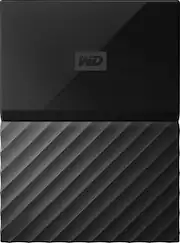
WD - My Passport 4TB External USB 3.0 Portable Hard Drive - Black

Model: WDBYFT0040BBK-WESN
SKU: 5605533
This item is no longer available in new condition. See similar items below
  • Key Specs
    • Storage Drive Type: HDD (Traditional, mechanical hard disk drives are the most common type of storage because they're relatively inexpensive and offer huge capacities. However, they also generate both noise and heat. Solid state drives, also known as SSDs, are many times faster than hard disk drives and have no moving parts to wear out, but typically offer less capacity for the same price.)
    • Interface(s): USB 3.0 (Refers to the types of connections that devices use to interact and communicate with each other.)
  • General
    • Brand: WD
    • Model Number: WDBYFT0040BBK-WESN
    • Product Name: My Passport 4TB External USB 3.0 Portable Hard Drive
    • Color: Black
  • Performance
    • Storage Drive Type: HDD (Traditional, mechanical hard disk drives are the most common type of storage because they're relatively inexpensive and offer huge capacities. However, they also generate both noise and heat. Solid state drives, also known as SSDs, are many times faster than hard disk drives and have no moving parts to wear out, but typically offer less capacity for the same price.)
  • Compatibility
    • Internal Or External: External
    • External Hard Drive Type: Portable (Physical characteristics of the hard drive, including size, weight and how you connect to your device.)
    • Interface(s): USB 3.0 (Refers to the types of connections that devices use to interact and communicate with each other.)
    • Minimum System Requirements: Microsoft Windows 7 / 8 / 10
  • Features
    • Security Features: Password Protection
    • Data Encryption: true
    • Encryption Algorithm: 256-bit AES (The algorithm standard used to encrypt data on a device.)
  • Power
    • Power Source: USB port
  • Dimensions
    • Product Height: 0.8 inches (The out of box height of the item. Height is measured as the vertical distance from the bottom of the item to the top as it would be primarily used or placed.)
    • Product Width: 4.3 inches (The out of box width of the item. Width is measured as the horizontal distance from one side of the item to the other as it would be primarily used or placed.)
    • Product Weight: 8.8 ounces (The out of box weight of the item.)
  • Included
    • Included Software: WD Security, WD Drive Utilities, WD Backup
  • Other
    • UPC: 718037846910

Free up space on your computer with this Western Digital My Passport portable hard drive. This 4TB drive can handle full system backups, or you can use it to transfer a few select files between computers. The slim design of this Western Digital My Passport portable hard drive makes it easy to carry in a backpack, briefcase or purse.

Drives and Storage Buying Guide

  • 4TB storage capacity: Provides ample space for storing documents, photos, music and more.
  • USB 3.0 interface: Offers an easy-to-use connection to devices. Backward compatible with USB 2.0 for simple connection to your computer.
  • Data transfer rates up to 5 Gbps with USB 3.0: Enable a rapid response when updating files.
  • Automatic backup options: Allow you to use compatible software to back up your files to the server.
  • Password protection and 256-bit AES hardware encryption: Help keep your files secure.
  • Portable design: Lets you take your data on the go.
  • *500GB of WD2go® cloud storage PLUS FILERECOVERY® software included FREE! Only @ BBY: One year cloud storage & Filerecovery license with included WD Discovery software.
  • 4TB storage capacity: Provides ample space for storing documents, photos, music and more.
  • USB 3.0 interface: Offers an easy-to-use connection to devices. Backward compatible with USB 2.0 for simple connection to your computer.
  • Data transfer rates up to 5 Gbps with USB 3.0: Enable a rapid response when updating files.
  • Automatic backup options: Allow you to use compatible software to back up your files to the server.
  • Password protection and 256-bit AES hardware encryption: Help keep your files secure.
  • Portable design: Lets you take your data on the go.
  • *500GB of WD2go® cloud storage PLUS FILERECOVERY® software included FREE! Only @ BBY: One year cloud storage & Filerecovery license with included WD Discovery software.
Whats Included
  • Portable hard drive
  • Quick install guide
  • USB 3.0 cable
  • WD Discovery™ software with WD Backup™, WD Security™ and WD Drive Utilities™
  • Portable hard drive
  • Quick install guide
  • USB 3.0 cable
  • WD Discovery™ software with WD Backup™, WD Security™ and WD Drive Utilities™

Q: Does this work well with Xbox One?

A: This item works great with the Xbox One. Simply plug it in while the system is on and the Xbox One will handle the rest. No noticeable lag in game load times at all. In fact, it may be a little faster. Best of all, plenty of room for games - load all you want for some time to come.

Q: Can this drive be used instead of USB drive. Has the same flexibility as a USB to copy, send and retrieve files and data?

A: Affirm, it has the same functions as a USB drive, is a bit larger though, but not too large to prevent easy handling

Q: Do you need to buy a special backup software program. Does it work well with Windows 10 PRO and Windows 10 Home versions?

A: No extra backup program needed. It comes with a company program, I personally don't use this program. Works very well with Windows 10

Q: is this product works with mac mook pro?

A: Yes but you have to format it first. So far it's working great.

Q: does it require anything extra to install this on laptop

A: No, this can be plugged in and used directly on a Windows 7 / 8 / 10 PC that has a USB 2 or 3 port.

Q: it shows drive E:/ how do you change it. Need drive F:/

A: 1. Close all the files you have open on the drive. 2. Right click on the My Computer (or This PC on Win10) icon and select mange. 3. Once that window comes up go to Disk Management on the left side. 4. Right click on the drive letter (should be listed at the top). 5. There is an option there to change the drive letter and paths. 6. Select the drive, click change, select the desired drive letter and then hit OK. Another way to get the Computer Management screen up is hold down the windows key and hit R to open a run prompt. enter in "compmgmt.msc" without the quotes and hit enter. Then pick up from step 3 above.

Reviews