Rating 4.9 out of 5 stars with 35 reviews
4.9- Ease of use (9)
- Setup (7)
- Range (6)
- Speed (6)
- Coverage (5)
Customer Images
The vast majority of our reviews come from verified purchases. Reviews from customers may include My Best Buy members, employees, and Tech Insider Network members (as tagged). Select reviewers may receive discounted products, promotional considerations or entries into drawings for honest, helpful reviews.
- Rated 4 out of 5 stars
Neat/Fast little devices
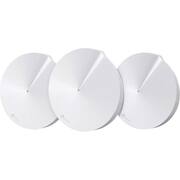
This is a review of a free product received from TP-Link as part of the review program. The Deco M5 what is this? Are they smoke detectors? Hockey pucks? No, what they are is basically a home router with range extenders built in. This is done to cover you home the best it can and eliminate dead spots. I would like to call out something right away if you like to customize your network the Deco isn’t for you. However, if you want to quickly and simply cover your home in an umbrella of Wi-Fi goodness this is for you. Each device is packed with some cool features I especially like the parental controls which allow me to select devices to place controls on. You can also set time limits and even set bedtimes which is cool. There is also an antivirus feature which can stop some malicious sites and pick off viruses before they are downloaded. However, this is not a replacement for AV on your computer but it’s a nice extra layer for the hostile internet. The setup of each device is pretty painless, plug it in, wait, hit connect on the app and pick your settings, on the remainder of the devices you just basically hit next a few times and move on. The nice part about the app is no matter where you are you can check on your network. You also get notifications when a new device joins your network. There is also the ability to have a guest network isolated from your home network. This is great alternative to giving friends or relatives your Wi-Fi password or saying “no” like I do which always causes someone to whine. The app also allows you to share your Wi-Fi password via anything your phone will share which is neat. I will never have to repeat my guest password again as they never get it right the first time. As far as speed goes they are pretty speedy, I have seen faster and I have seen much much slower devices. I would put the speed at the high middle level. The bad about the Deco is the lack of customization, you cannot control the DHCP server so you cannot select your IP address, which for the layman is a good thing. It was recently updated to add features too it has an AP mode so you can use this as a basic extender but you lose some of the functionality like AV and parental controls which makes sense because the device is no longer the central point for access. But still nice to have the choice. All in all, this is an easy setup and go type of package. So far, I have to say it’s a pretty neat product and I can’t wait to see what features get added in the future.
Posted by Chris1433
- Rated 5 out of 5 stars
Wonderful Wi-Fi System!
All right, let’s first get this out of the way. Yes, the Deco units do look like a stylish smoke detector, right? Now that I have put that in your head, let’s get on with the mini review below. Setting Up Your Deco M5 Wi-Fi System To set up your Deco M5 Wi-Fi system, you will need an Android or iOS smartphone or tablet, with bluetooth capability. You will also need to install the free Deco app for setting up and maintaining the system. The Deco app will walk you through the setup process, with text and graphics, along the way. Setting them up is easy to do, and you will be up and running in just a short amount of time. As of now, the Deco app is the only way to set them up and maintain them. There is no web-based management page for you to log into, like you would typically do with a router. This may not be that big of a deal for most these days, but if you do not own a smartphone or tablet, you can’t set the system up. And for this reason, I would like to see TP-Link add the ability to set up the system with a web-based page, soon. Why not? Now about the Deco app. The Deco app menu system is laid out nicely, all the settings are easy to find and navigate. I think Tp-Link did a nice job with the Deco app. Below are the system requirements for your Android or iOS device: Android 4.3 or later iOS 8.0 or later Bluetooth 4.0 or later And of course, there are a set of parental controls for those of you with kids, which are easily setup within the Deco app. You are able to restrict websites based on age and content ratings, as well as by categories. And if you do not want a child spending too much time online, you will be able to set time limits for their devices that connect to the internet. There are several more settings as well, but that should give you a basic idea of the Parental controls. Performance The Deco M5 whole-home Wi-Fi system is powered by a quad-core processor, is a dual-band AC1300 system capable of throughput speeds of 400 Mbps on the 2.4GHz band and 867Mbps on the 5GHz band, and it supports MU-MIMO. It also automatically optimizes Wi-Fi connections for each of your devices. According to the specifications, each Deco unit covers 1,500 to 1,800 square feet. When using all 3 included Deco units, the range expands up to 4,500 square feet. That’s fantastic wireless coverage! I live in a smallish 4 bedroom home with a large yard, and the Deco M5 system provides excellent coverage in and around my home. I am getting nearly the same Speed Test results using the Deco M5 system, as I do when connected to my main AC router. And so far, I haven’t experienced a single issue while streaming HD content on multiple devices at once. Everything has played nicely. I haven’t had a chance to test out online gaming with the Deco system yet, but I feel confident it will handle the job very well, as the wireless coverage has been strong and reliable for everything else. And for those devices that require an Ethernet cable to connect to your network, no need to worry, each Deco unit has 2 Gigabit ports to connect them to. So not only can you connect devices wirelessly, but with an Ethernet cable as well. I am happy to see Tp-link include these Gigabit ports, as there are older devices that do not have wireless capability. Also, If you have a very large home or office, and wish to expand the system for even greater coverage, you can add up to seven more Deco units to the initial three. Up to 10 Deco units can be used on the same network. Final Thoughts Don’t let their small size fool you, there is some serious technology packed inside the Deco M5 Wi-Fi system. And you do not have to be a computer wiz to set it up. It’s super easy to get it set up and running, and once setup, provides excellent wireless coverage. And having the 3-year built-in antivirus and malware protection, ensures that all of your connected devices are protected on the network. The build quality of the Deco units is solid. And I do like how they look. They should blend into any home or office setting nicely. They are also small and won’t take up much space, wherever you decide to place them. Just make sure to place them out in the open, as each Deco unit has vent-holes located on the bottom for heat dissipation. You don’t want to place them inside of an enclosure, or anywhere that will trap heat. The Deco M5 system has a lot to like about it, but unfortunately, it’s not cheap. Currently set at $300 US dollars, this is an expensive system. I wish you the best in setting up your network!
Posted by TechOnDeck
- Rated 5 out of 5 stars
There is WiFi literally everywhere in my home.
I'm typing this review from a remote corner of my home, where previous to installing the TP-Link Deco M5, I had about 1 bar of WiFi signal. To stream video from this room, I had to buy an HDMI extender cable to dangle the Amazon FireTV stick near the ceiling, where it's able to catch a better signal from the router that's situated upstairs. I am now staring at full-strength signal, 55mbps download speed (57 when I'm standing next to the Deco unit that's connected to my router). The FireTV Stick is now plugged directly into the TV (no more extender! hooray!), streaming with no buffering at all. Setup was as easy as download an app, and waiting for the tiny LED light on each Deco unit to change after being plugged in. I started with unit 1 plugged directly into my modem in the master bedroom, then connected unit 2 in the living room placed directly underneath where unit 1 is sitting. No signal loss at all. From there I placed unit 3 in the den which had poor signal before, about two rooms away from unit 2. The whole process took about half an hour total, including the prompted firmware updates from the app. I'd noticed some overall improvements as well. The Yi Home security cameras that we have peppered around the house are connecting instantaneously rather than taking 2-3 seconds to load. Faster speeds when connecting to the Synology NAS, less buffering when retrieving HD recordings from HDHomeRun. The included 3 Deco units covers my entire two-level home, with some access in the basement. Looks like it'll be easy enough to pick up additional Deco units if I want to expand the network, or create a guest network. Lastly - LOVE the night mode!! Submitted as part of a free sample program.
Posted by lagumorph
- Rated 5 out of 5 stars
quick setup, good parental control
Loving how quick setup was. And how much more wi-fi range my 3000 sq ft house is getting. We have a couple wi-fi lag spots in our house and these 4 cute Deco extenders more than made up for them (pic 01). NOTE that you have to download the Deco App on your phone to get these setup & working. The Deco app is great for not-so-tech-savvy people like me. It gives step by step instructions with large letters & buttons (see pic 02). So I got it all setup & working in 15 mins. Not bad at all. Love that I can limit the time my kids' wi-fi use and its anti-virus software. Definitely adding internet safety in my household. Highly recommended. Submitted as part of free sample program.
Posted by RomReader
- Rated 5 out of 5 stars
excellent well priced mesh WiFi system.
I tried 3 other mesh systems before the TP link Deco. All of the others were significantly more expensive, slightly harder to set up and simply did not work as well. An article from PC Mag was what turned me on to the Deco. I have an old home and WiFi does not go far and have tried various expensive WiFi routers and extenders. The Deco has covered the entire house, and most of the yard! If have no drop spots and the far edges of the home finally get a good signal. The units are about the size of a smoke detector. Set-up was about 15 minutes for all 3 units and most of that was walking around looking for an outlet in the right area. The app is easy and has signal intensity monitor as we as the ability to see who is connected, and disconnect individual devices. I liked it so much I bought one for my parents!
Posted by jacktowndoc