Rating 4.8 out of 5 stars with 506 reviews
4.8- Speed (211)
- Performance (102)
- Price (68)
- Ease of use (50)
- Storage (34)
- Heat (35)
- Compatibility (6)
Customer Images
The vast majority of our reviews come from verified purchases. Reviews from customers may include My Best Buy members, employees, and Tech Insider Network members (as tagged). Select reviewers may receive discounted products, promotional considerations or entries into drawings for honest, helpful reviews.
- Rated 5 out of 5 stars
A 'crucial' m.2 to have in your system
This thing has been beast mode for almost 2 years now. Never had any crashes, and speeds are constant. I have no intention on upgrading anytime soon.
Posted by jn1123
- Rated 5 out of 5 stars
Great price, great performance, and great warranty
Great price, great performance, and great warranty. In comparison to other nvme drives with commensurate specs, this one is hard to pass up. This drive can utilize proprietary micron software - found on in the user manual - to further bolster performance (enhance speed, enhance longevity, etc.). If you're looking for an nvme drive that delivers on performance at a reasonable price, then look no further.
Posted by Sammy1
- Rated 5 out of 5 stars
Speedy little drive. Good value.
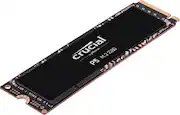
*Summary: The Crucial P5 NVME drive lived up to its marketing claims and delivered great performance on my Windows 10 PC. Everything was sped up, like video-editing, gaming, and transferring large files. The 5-year warranty is awesome and the price is competitive and reasonable. It's a win! _____ *Pros: -Fast for gaming, editing work, and file transfers. -Easy install on my Win10 PC. -Good pricing and value. -5-year warranty. _____ *Neutral: -The drive runs a bit warm and could benefit from an aftermarket heatsink. _____ Cons: -None. The P5 was my first experience using a drive from Crucial (Micron) and my experience with it has been all positive. I usually get Samsung drives because they're rated tops most of the time but the P5 from Crucial have changed my perspective and I'm glad to see other companies bringing down the heat on the competition. The installation of the P5 was a simple affair. Since my motherboard's two M.2 NVME slots were already occupied, I used a PCI Express NVME adapter card and installed it to the secondary x16 PCIe slot on the motherboard underneath my graphics card. At first, Windows 10 didn't recognize the drive but I got it to show up by going into Computer Management -> Disk Management, and initializing the drive. Soon after, it was available as a 931.50 GB NTFS drive ready to go. Because I know NVME drives are great for gaming and video editing, I began installing some games onto it, as well as transferring large 4K@60fps files from my GoPro Hero 8 and Autel Evo 4K drone. Not surprisingly, the games installed really fast and file transfers completed in mere seconds. The games I played on the P5 include Red Dead Redemption 2, Horizon Zero Dawn, and Resident Evil 3 Remake. In all cases, the loading times were kept short and noticeably faster than when playing the same games on my older non-NVME Samsung SSD that runs on the SATA-3 interface. It's not a huge difference but still tangible and appreciated. I noticed a bigger improvement when performing video editing work on the P5 NVME than on the non-NVME drive on my PC with an Intel Core i7 9900 (8-core) and 32GB of RAM. I use CyberLink PowerDirector 18 and encode my videos in H.265. The time I saved per video project averaged about 15%; it's not a mind-blowing improvement but appreciated nonetheless. The final render times got shortened by only a little bit but the editing process was improved with less dropped frames and smoother playback during previews. I benchmarked the P5 with CrystalDiskMark 7.0.0 and the results were excellent (see pic). At a queue depth of 8, I got a sequential read speed of 3,444.42MB/s and a sequential write speed of 3,207.74MB/s. Among all the drives I own, the P5 performed the best in CrystalDiskMark and beat out even my slightly older (and more expensive) Samsung Evo 970 Plus NVME by a few percentage points. When it comes to thermals, the P5 ran a bit warm but not worryingly so. At idle, the P5 reported 52 C in a room with a 77 F ambient temperature. My other NVME drive, a WD SN720 NVME, idled at 49 C. During load, the P5 went up to 60 C, well under the drive's warning temperature threshold of 78 C and the critical temperature threshold of 81 C. How hot the P5 gets will depend on the airflow configuration of your desktop or laptop system. In my case, the P5 is installed in a large ATX case with one 200mm front fan, one 120mm rear fan, and a 240mm AIO watercooler from Corsair. In the near future, I'll be applying a heatsink to the P5 to bring down the temperature a bit more. To manage the P5 from Win10, I downloaded the Crucial Storage Executive app and I liked it for its clean interface and ability to perform firmware updates. === Is it a good buy? === Absolutely. You're getting cutting-edge performance from a big brand-name company with a 5-year warranty.
Posted by optimummind
- Rated 5 out of 5 stars
Fast.
I run this for my steam files and use one as an Adobe flash drive. Fast.
Posted by Senn
- Rated 4 out of 5 stars
Great Value for the Storage Size !
I recently have been looking for a upgrade to my 500gb nvme hdd in my computer due to lack of space when playing games ! I could not be happier with this purchase , considering the cost !! I was a little hesitant on Crucial Brand , but so far I will say it has been just as good as my western digital black NVME
Posted by Daygoman8