Rating 4.6 out of 5 stars with 174 reviews
4.6- Brightness (40)
- Ease of use (31)
- Setup (8)
- Compatibility (5)
- App Integration (3)
- Price (16)
- Length (7)
- Connectivity (5)
- Stickiness (3)
Customer Images
The vast majority of our reviews come from verified purchases. Reviews from customers may include My Best Buy members, employees, and Tech Insider Network members (as tagged). Select reviewers may receive discounted products, promotional considerations or entries into drawings for honest, helpful reviews.
- Rated 5 out of 5 stars
Helpful extender to the LIFX Z TV
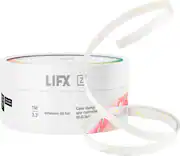
I’m a fan of LIFX. It works well with my Apple HomeKit setup. I have 7 LIFX bulbs of various types and now the Z strip lighting for the back of my LG OLED 65” LED TV for home theater lighting—as they packaging says “create a cinematic glow for your TV. It really does seem to relieve eye strain when watching TV in an otherwise dark room. It’s nice that you don’t need a bridge (though I have an Apple TV and two HomePods that can act as bridges. I’m also a fan of Best Buy where I buy most of my electronics. I frequent my local Best Buy store when they carry what I need and order other items from the Best Buy online store. That said, if I could do it over, there are a few things I’d do differently—despite internet research, I did not find much specific and helpful information for sizing and placement of the strip on the back of the TV and I hope this review helps others with regard to planning, purchasing and execution to achieve optimal results. I found three online videos that discussed specifically LIFX Z Lightstrip application to the back of a TV, but two did not show the back of the TV application and the one that did ran the lights very low on the TV which turned out to be bad advise. Originally I bought model number LZTV1MUS LIFX Z TV Smart LED Backlighting which is 39” long and comes with the wi-if controller and power supply AC Adapter (U.S. Plug Type A). The packaging (and copy on Best Buy’s online store) says: “Suits TVs 46” and above.” It is unclear if the “size reference of 46” or above” is TV Length or the typical diagonal measurement reference to TV size. Not on the Best Buy website, but on the back of the box is a line art depiction of the back of a TV with the strip running along the top of the TV showing the length of the strip as 39” (1M) and indicating “Position top or bottom for preferred lighting effect”. My goal was to project back lighting on the top and sides of the TV. After receiving the LED strip branded for TVs, I realized it would only run along the top (the LG 65” OLED TV to which I was applying is about 57” in length. The strip is 39”. My goal was to create an upside down U with the strip running across the top and down the sides of the TV. It was quickly obvious what I ordered wasn’t long enough. If I could do again, I would have ordered the longer version (that doesn’t have reference to “TV” use but is the same thing, just longer). So I suggest if you have a 65” or larger TV (with a length of 57” or more inches), you buy Model# LZHC2M1USUC07 (Best Buy SKU: 5935610) LIFX Z Wi-Fi LED Starter Kit 6.6’ - Multicolor for $89. This will allow you to run the strip along one side, across the top and down the other side of your TV. There is also a 9.8’ size strip for $99.99, if you have a HUGE TV. I was happy to find the LIFX Z LED Lightstrip Extension Kit 3.3’ ($29.99) which I added to the LIFX - Z TV SMart LED Backlighting to get the necessary length. But might be easier (and $10 less expensive) to just have had the single longer strip in the first place. Application of the strip: The peal-off 3M tape adheres very well, once on, it’s not coming off! It will pull off, but will leave the glue residue, so be careful to apply where you want it. My TV is mounted to the wall and the mounting bracket allows me to pull out a bit and tilt in any direction. Tight quarters to apply the tape, but doing alone so pulling it off the wall was not an option. I ran the electrical cord from Surge Protector strip into the wall (LeGrand - In-Wall Power Kit was already in place to accommodate this wire). I started the strip on the bottom side of the TV next to the section that bumps out 5”’ from the side edge of the TV and ran above the horizontal “bump out” 5” above. If I could do it again, I’d placed the strip higher on the top of the TV (maybe 5” from the top and 5” from the inside, however this would have required about another 16” of length to achieve and the extender strips come in lengths of 39”, so I think I arrived at the best solution for my situation. While the light strip is 5” from the sides of the TV, it is 13” from the top. The good news is the lights are pretty forgiving and while they are brighter on the sides (which I might be able to control), the top has a longer light run and the top/sides together look nice (like movie theater lighting) when lit. If making an upside down “U” as I did, you will have to carefully curve the light strip to a rough right angle to go the new direction. This “corner” portion will lift off the TV surface, but the rest of the fore & after run will keep it in place just fine. Happy with the purchase, just be sure to think through the length you need and buy the right length from the beginning and measure and practice the placement (I used masking tape and electrical tape to hold in place while I decided on exact application location. I had no trouble with the LIFX application. Be sure to update the firmware first thing. I did have some difficulty getting Apple HomeKit to recognize and add the device. Took multiple attempts before it finally took, but is working great now. I’d recommend—provides great ambient lighting for movies and mood. Happy to see a quality item that works with Apple HomeKit.
Posted by Scott
- Rated 5 out of 5 stars
Expensive but mostly worth it...
I've purchased a lot of LED strips as my home computer setup evolved. None of them really provided the brightness or saturation I wanted. I avoided LIFX strips due to their cost even though I've seen very positive reviews online. I decided I would finally give these a try and I am 100% satisfied with the results. I've never seen another LED strip come anywhere close to the brightness and saturation that these deliver. I spend a LOT of time at my desk and it's important to me that the environment is bright when I want it and chill when I want it. I use these strips for monitor bias lighting and desk accent lighting. I'm super-happy with the results and they've been a long time coming. In addition to the quality of the LEDs, the strips themselves are very high quality. There are two downsides to these strips. First, they're expensive. Second, they're not easy to get the exact length you want. You can cut them to length but it's extremely difficult to run them the way I did on my desk. I was able to cut and solder two strips together but that's not for the faint of heart. I could have made it work without the soldering but I would have ended up wasting about 75% of one strip. In my experience, the Govee light strips are a good, lower-cost alternative. They are not nearly as bright or saturated but the value is great. Both of these strips can be controlled by Alexa and other smart devices. If you have the budget and want the best quality, go with these LIFX strips.
Posted by JonD
- Rated 5 out of 5 stars
lifx office
Recent added extension to my lifx office set up. Now my new desk is complete. Super bright, great app with lots of options plus smart home integration. A little expensive compared to other products. But, you tend to pay more for great product and quality.
Posted by valdeslo
- Rated 5 out of 5 stars
Outstanding!!
These lifx z strips are amazing, they blow the competition away. They work seamlessly with my Apple home, the color is so bright and brilliant. I love the app. I’ve already ordered more.
Posted by Jras
- Rated 5 out of 5 stars
Love it!
I have been buying LIFX products ever since they came out and they are fantastic! This strip in particular is awesome! So easy to install.
Posted by Sebastian