“Ist warranty is valid world wide??i bought it from USA ..I used only for a day not it’s not getting charged”
Answer This Question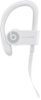
1-2 of 2 Answers
Please try to reset and charge with original charger/usb
Sorry, there was a problem. Please try again later.It looks like you have a question about warranty and support for your Powerbeats Pro earphones.If you are having trouble charging your Powerbeats Pro, first make sure that your earbuds are seated properly in your case. Charge your case if it doesn’t have power.You can also try to use a different lightning connector cable or another power source. Clean your earbuds and make sure they are completely dry. You can also try to reset them. If you still need help, contact Apple Support.You can always contact Apple Support if you have questions about repairing or replacing lost or stolen earbuds. If you lose your Powerbeats Pro earbuds or charging case, or if they are damaged, find your serial number, then contact Apple Support. If you have the original packaging for your Beats product, you might see the serial number next to the barcode. You might also find the serial number on the original product receipt or invoice. Product support will vary by customer. Contact Apple Support: https://www.beatsbydre.com/support/service-warranty
Sorry, there was a problem. Please try again later.