“Can I connect my AirPods to this microphone to listen to myself as I record song covers? If so, how?”
Answer This Question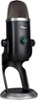
1-1 of 1 Answer
There is a way to connect AirPods to a Yeti X but there is a noticeable delay when doing so. You'll want to connect everything to your computer normally, so pairing the AirPods with your computer and plugging your mic in via USB. Then right click your sound icon, on the taskbar, over by the time. Then select "Recording Devices". This will open a window with your sound input devices. Select your mic and double click it. There will be tabs at the top and the second will be "Listen". Select the tab and check the box for "Listen to this device". Then select which output you want to be able to listen to it on, which should be your headphones. The best way to not get delay is to have a wired pair of headphones or earbuds and plug them directly into the mic.
Sorry, there was a problem. Please try again later.