“How do I turn the lights off on the actual desktop?”
Answer This Question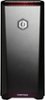
1-4 of 4 Answers
All you have to do is press and hold the LED color changing button for about 5 secs and it will turn off the lights
Sorry, there was a problem. Please try again later.Here is how you change light colors: KEYBOARD - there is a key that looks like a headlamp. The key is between the "ALT" and "CTRL" keys to the right of the spacebar. You can cycle through the various colors by repeatedly pushing the button. You can turn off the keyboard light completely. TOWER - there are two buttons underneath a lip that protrudes from the top of the tower. The button to the left, as you face the tower, changes the color of the LEDs inside the case. you can cycle through the various colors by repeatedly pushing the button. There does not appear to be a way to turn off the LED light altogether. NOTE: The other button underneath the lip puts the computer to sleep. I hope this helps.
Sorry, there was a problem. Please try again later.On my pc, there are two buttons under the lip near the power button, one resets the computer, the other adjusts the lights in the pc.
Sorry, there was a problem. Please try again later.Hmm, not really sure. Never have tried that or even looked to turn off. I am sure there is a power connection to unplug on mb somewhere or possibly doing it. in BIOS. As said, never have looked for it. Not much help. Sry
Sorry, there was a problem. Please try again later.