“Can I add the 1 tb hdd from my old dell easily. Does this come with a drive cage like my older dell?”
Answer This Question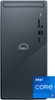
1-3 of 3 Answers
No, the Dell Inspiron 3020 will not support your old hard disk easily -- but it is probably possible if you are willing to work at it. The PC comes with an M.2 storage device and a read/write DVD drive. In case you're not familiar with it, the M.2 device is a chip which is attached to the motherboard. In addition to those devices, there are power and data cables for two more devices, so it looks like you could attached your hard drive if you wanted. However, there is no hard drive cage. There is space for the drive in the cabinet, but you would have to figure out how to mount it. It looks like you would need a proprietary bracket of some kind, but so far I haven't figured out how to buy one. If you are buying a new computer anyway, you can get a 1TB SSD device for relatively little money. You could copy your files from the hard drive (HDD) to the SSD. Then at the worst you could attach the SSD to the inside of the Inspiron cabinet with double-sided tape. See the attached pictures for more details.
Sorry, there was a problem. Please try again later.This desktop supports one of the following storage configurations: ● One 2.5-inch or 3.5-inch hard drive + one M.2 2230/2280 solid-state drive ● One M.2 2230/2280 solid-state drive. This desktop does not support connecting two 2.5-inch or 3.5-inch hard drives at a time.
Sorry, there was a problem. Please try again later.Since you bought a unit w/o the HDD, you can add on at the front with the mounting point, unfortunately, it doesn't have a cage for multiple drives though.
Sorry, there was a problem. Please try again later.


