Questions & Answers
- Model:
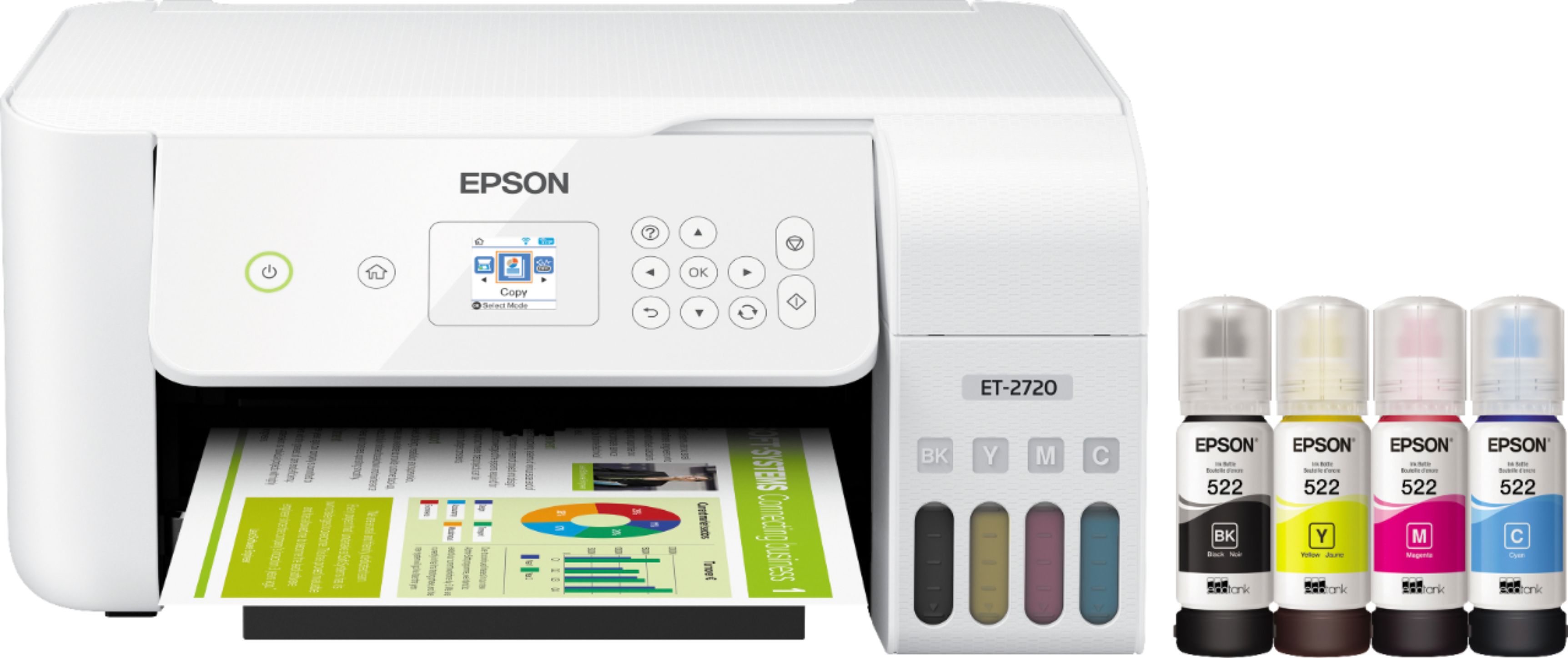
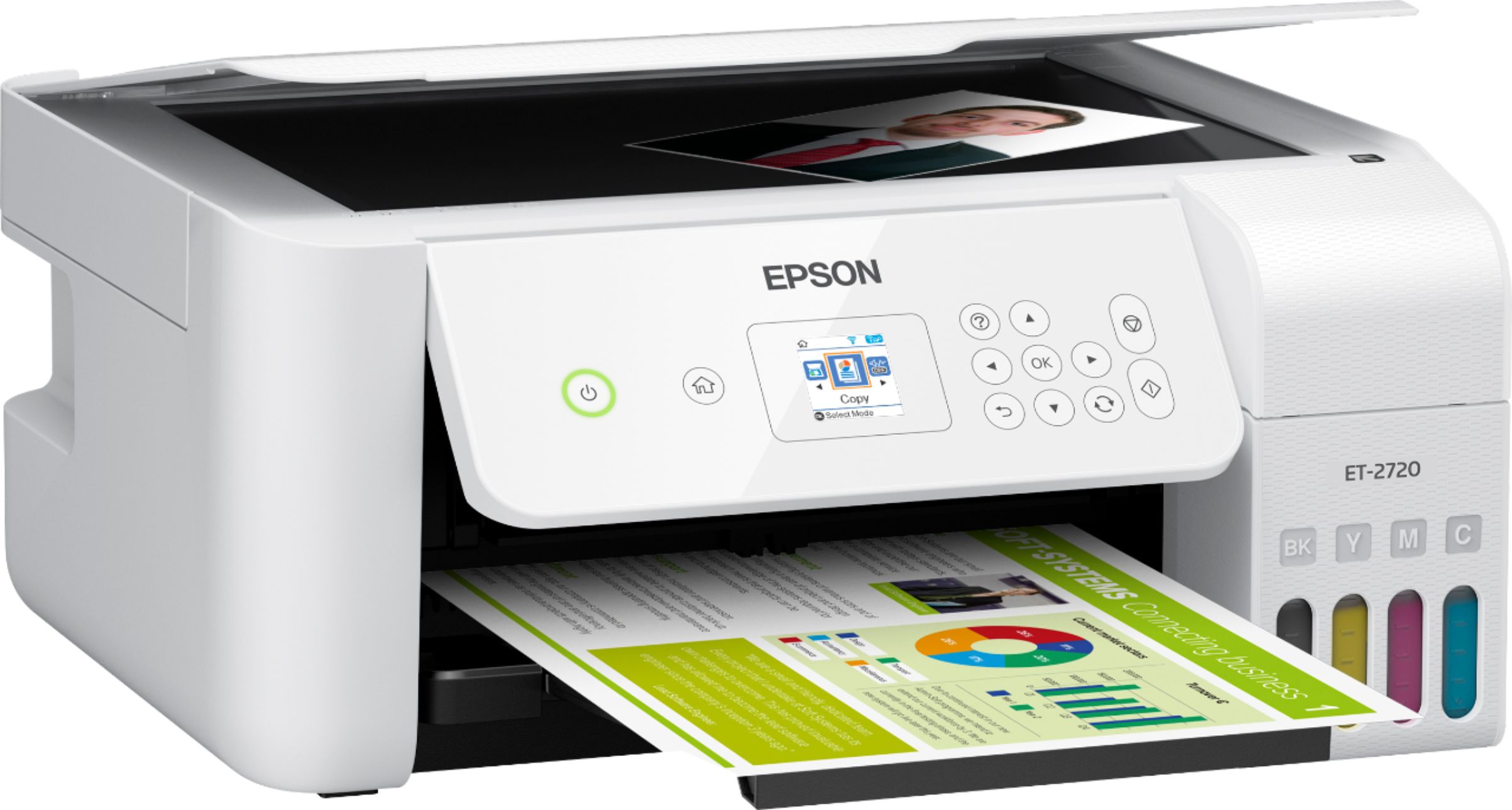
- ECOTANK ET-2720 PRINTER C11CH4
- |
- SKU:
- 6347454
Highly rated by customers for: Print Quality, Ease of use, Size
Page Showing 161-180 of 527 questions
Q: QuestionCan this scan?
Asked by Noble.
- A:Answer Hi Noble. Yes, the EcoTank ET-2720 was designed with a scanner. Regards, Bobby - The Epson Team.
Answered by Epson

Q: QuestionHow many actual pages does this printer print on one ink fill up?
Asked by Gayle.
- A:Answer Hi Gayle, 4,500 pages. Replacement and included ink bottle yields for the ET-2720 are based on the ISO/IEC 24712 pattern with Epson’s methodology. Actual ink yields will vary considerably for reasons including images printed, print settings, temperature and humidity. Yields may be lower when printing infrequently or predominantly with one ink color. All ink colors are used for printing and printer maintenance, and all colors must be available for printing. For more information, visit the Epson support site for the ET-2720. Regards, Mark - The Epson Team.
Answered by Epson

Q: QuestionCan I send material from an Android phone to this printer? - Both photos and documents?
Asked by MNVic.
- A:Answer Hi MNVic, Yes, you can print from your Android phone, as long as your phone and the ET-2720 are both connected to the same 2,4 GHz Wi-Fi network.
Answered by Epson

Q: QuestionI want to use my printer for crafting. I bought a Cricut I want to print waterslides, decals, sticker paper and permanent printable vinyl and ink transfers can this printer handle those papers? And are the images clear and crisp?
Asked by JoanieR.
- A:Answer Hi Joanie, Sorry, we do not test the ET-2720 with third-party media so cannot guarantee the print quality. For a full list of media guaranteed to be compatible, visit the Epson support site for the ET-2720. Regards, Mark - The Epson Team.
Answered by Epson

Q: QuestionIs this a copier or just a printer?
Asked by Anonymous.
- A:Answer Hi. Yes, the Epson EcoTank ET-2720 can function as a standalone copier. Regards, Bobby - The Epson Team.
Answered by Epson

Q: QuestionCan this print on Cricut’s Permanant Premium Printable Vinyl?
Asked by JoanieR.
- A:Answer Hi Joanie. The Epson EcoTank ET-2720 does not support printing on Cricut’s Permanent Premium Printable Vinyl. Regards, Bobby - The Epson Team.
Answered by Epson

Q: QuestionMy computer (Lenovo) doesn't have a disc drive. Can I download the software from the internet for tihe Epson ET-2720?
Asked by Jerry.
- A:Answer Yes it will download automaticity
Answered by Garyjf
Q: QuestionCan I use 11x24 paper on this printer
Asked by Anonymous.
- A:Answer Hi. No. the Epson EcoTank ET-2720 supports printing on paper sizes up to 8.5" x 14" (Legal). Regards, Bobby - The Epson Team.
Answered by Epson

Q: Questioncan this printer be used as a copier?
Asked by Webs.
- A:Answer Hi Webs. Yes, the Epson EcoTank ET-2720 can function as a standalone copier. Regards, Bobby - The Epson Team.
Answered by Epson

Q: QuestionCan I print from a MacBook laptop?
Asked by MSH.
- A:Answer Hi MSH. The Epson EcoTank ET-2720 is compatible with computers running the MAC OS 10.6.x - 11.x operating systems. If you need more information, visit the official Epson Support website. Regards, Bobby - The Epson Team.
Answered by Epson

Q: Questiondoes this printer have a scanner and fax ability?
Asked by Anonymous.
- A:Answer Hi. The Epson EcoTank ET-2720 was not designed with Faxing capabilities. However, this printer was built with a scanner and can function as a standalone copier. Regards, Bobby - The Epson Team.
Answered by Epson

Q: Questionwhat is the biggest this printer will print?
Asked by shannia.
- A:Answer Hi shannia, The largest paper you can print using the EcoTank ET-2720 is 8.5" x 14". Regards, Mark - The Epson Team.

Answered by Epson

Q: QuestionWhat are the dimensions WxLxHt of this printer?
Asked by Pami.
- A:Answer Hi Pami, When the EcoTank ET-2720's dimensions are 14.8" x 22.8" x 10.0" (W x D x H) with all trays open for printing and 14.8" x 13.7" x 7.0" (W x D x H) when all trays are closed for storage. Regards, Mark - The Epson Team.

Answered by Epson

Q: QuestionIs this printer Chromebook compatible, without using the cloud, which has been canceled?
Asked by kbur6.
- A:Answer Hi kbur6. The Epson EcoTank ET-2720 supports printing directly from the Chrome OS via a Wi-Fi connection. Regards, Bobby - The Epson Team.

Answered by Epson

Q: QuestionCan you fax with this printer?
Asked by Danap73.
- A:Answer Hi Danap73. The Epson EcoTank ET-2720 was not designed with a Fax. Regards, Bobby - The Epson Team.

Answered by Epson

Q: QuestionCan I use blank business cards to print on?
Asked by Brooke.
- A:Answer Hello Brooke. The smallest size sheet that can be fed through the Epson EcoTank ET-2720 is 2.13 x 3.39 inches or 54 x 86 mm (width x height). Regards, Bobby - The Epson Team.

Answered by Epson

Q: Questiondo you have to download or load special software or is it plug and go
Asked by tom.
- A:Answer Hi tom. If you're connecting the EcoTank ET-2720 to a Windows or macOS computer, you'll need to download and install the printer driver, scanner driver, and Epson Scan 2 Utility. Please visit the official Epson Support website for more information. Regards, Bobby - The Epson Team.

Answered by Epson

Q: QuestionDoes this printer also have scanning function?
Asked by Jimmy.
- A:Answer Hi Jimmy. Yes, the Epson EcoTank ET-2720 was designed with a scanner. This printer can also function as a standalone (PC-free) copier. Regards, Bobby - The Epson Team.

Answered by Epson

Top Rated
- $329.99$329.99The price was $469.99
- Ultimate Deal$139.99$139.99
- $121.99$121.99The price was $129.99
- Ultimate Deal$299.99$299.99
- Ultimate Deal$1,099.99$1,099.99