Main Content

Questions & Answers

Page Showing 61-80 of 87 questions
  • QuestionHow would we print from it? Also I'm assuming it can be used on WiFi.

    Asked by Patty.

    • Answer Hello! Thank you for your question, Patty! You would print the same way you do on a Windows machine. You will be able to install your printer by going to the system settings and "Printers" or by downloading the HP Smart APP onto your system from the Google Play store if you have an HP printer.

      Answered by HP Team

  • QuestionIs it touchscreen?

    Asked by hfbvtfhj.

    • Answer Thank you for the question. Apologies, the 14a-na0010nr Chromebook does not have a touch screen.

      Answered by HP Team

  • QuestionIs it touchscreen?

    Asked by Sara.

    • Answer Hi Sara, thank you for the question. Apologies, the 14a-na0020nr Chromebook does not have a touch screen.

      Answered by HP Team

  • QuestionDoes this laptop run on a 5G bandwidth ?

    Asked by Ro.

    • Answer Thank you for your question about the 14a-na0010nr Chromebook. Yes, the laptop complies with 802.11ac (5G) and other wireless standards - 802.11a/b/g/n/ac.

      Answered by HP Team

  • Questiondoes it come with windows 10 ?

    Asked by nick.

    • Answer Hi, thank you for the question. The HP 14a-na0010nr Chromebook is only compatible with Google Chrome OS and it can not run Windows 10 operating system.

      Answered by HP Team

  • QuestionThanks for the quick response but don't have any smart tv's but can it be casr to a Google chromecast?

    Asked by Blay.

    • Answer Thank you for reaching out again. The TV needs to have an HDMI port. You can connect to a TV or external monitor that has an HDMI IN port using an adapter cable. You'll want to get a USB Type-C to HDMI adapter. See more here: https://www.lifewire.com/how-to-connect-chromebook-to-your-tv-4842585

      Answered by HP Team

  • QuestionIs this an i5 computer

    Asked by Dj.

    • Answer Hello Dj. Thank you for your question. This HP Chromebook - 14a-na0010nr system comes with an Intel® Celeron® Processor N4000 with up to 2.60 GHz speed. You can find more specifications about this processor here: ***https://ark.intel.com/content/www/us/en/ark/products/128988/intel-celeron-processor-n4000-4m-cache-up-to-2-60-ghz.html*** Thank you for choosing Intel!

      Answered by Intel team

  • QuestionNot even sure if this needs to be asked but does this laptop have the ability to cast on a tv or mirror sharing? Thanks

    Asked by Blay.

    • Answer Thank you for the question. Yes, you can cast from this Chromebook to your Smart TV.

      Answered by HP Team

  • QuestionDoes this laptop have a lighted keyboard?

    Asked by Keyboard.

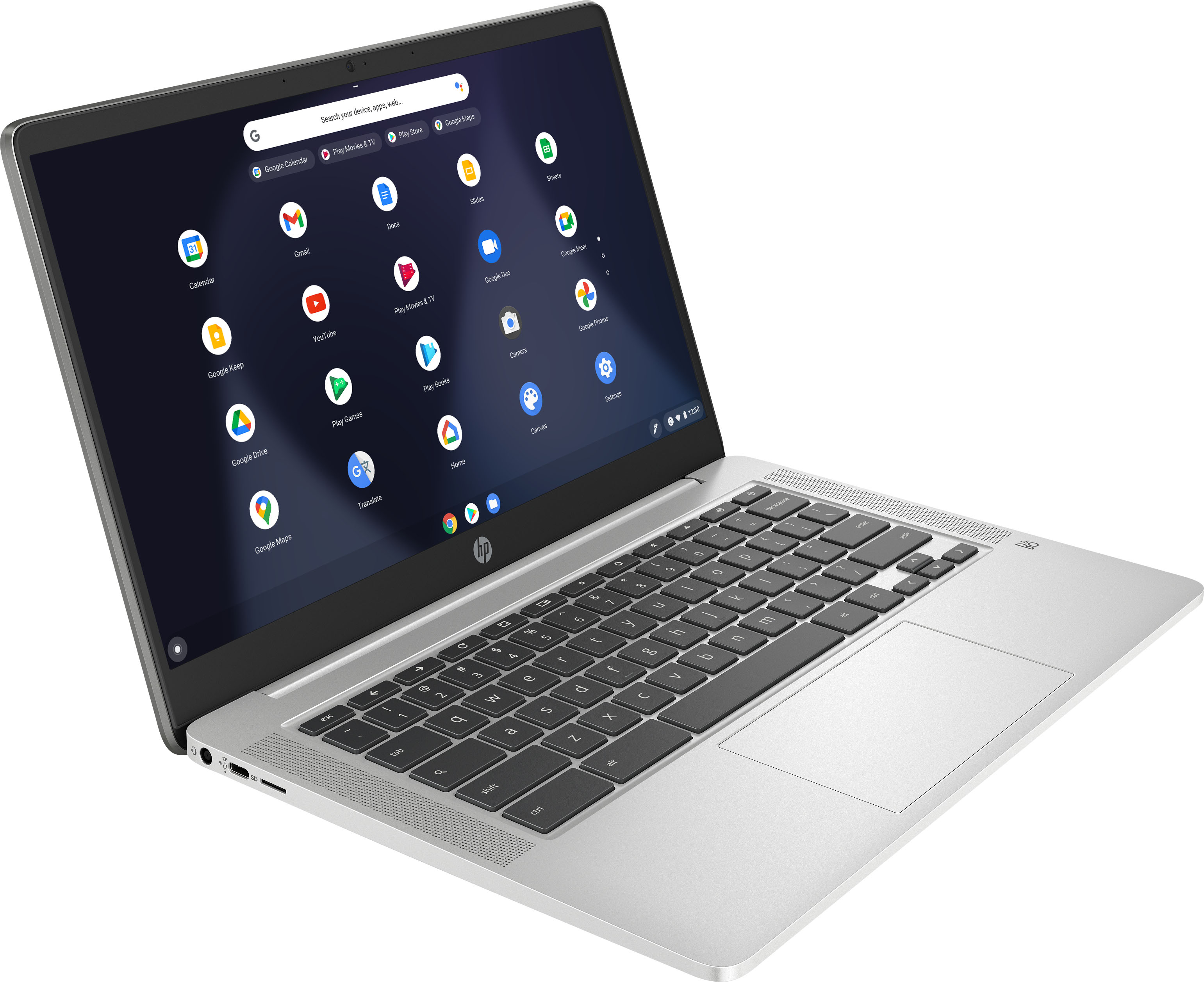
    • Answer Hello, yes, this laptop does come with a lighted keyboard. Thank you for being an HP customer!

      Answered by HP Team

  • QuestionIs this virtual background capable?

    Asked by Dehz.

    • Answer You can use Virtual backgrounds on this laptop.

      Answered by HP Team

  • QuestionDose it come with a charger when you order it online?

    Asked by Anonymous.

    • Answer Hello. Yes, this HP Chromebook comes with a charger/power cable included.

      Answered by HP Team

  • QuestionI have spaon 420 printer is it compatible.

    Asked by Rich.

    • Answer Hi Rich and thanks for your question! I am not certain what printer you are asking about. Please visit the manufacturer of your printer to ensure Chromebook compatibility.

      Answered by HP Team

  • QuestionDoes this Chromebook include a port for an ethernet adapter so it can be used with a wire instead of WIFI?

    Asked by Billy.

    • Answer No, this Chromebook does not include an ethernet port.

      Answered by HP Team

  • QuestionDOES THIS LAP TOP HAVE A CAMERA

    Asked by Anonymous.

    • Answer Hi, thank you for the question. The HP 14a-na0020nr laptop does have a built-in webcam.

      Answered by HP Team

  • QuestionWill I be able to download any games with no issues?

    Asked by Tee.

    • Answer Hi Tee, thank you for the question. Chromebooks use the Chrome OS, and games are available from the Play Store. For leisure gaming with little system demand, you might have a good experience. We recommend that you browse apps in the Play Store or review the system requirements of games you'd like to play to discover if they will work with Chrome. If you're an avid gamer, you might find that a Windows 10 computer with a dedicated graphics card suits you better.

      Answered by HP Team

  • QuestionDoes it come in S mode?

    Asked by Tee.

    • Answer S mode is a simplified version of Windows 10. The HP 14A-NA0010NR is a Chromebook which uses a completely different operating system. So no, it doesn't come in S mode.

      Answered by Donovan

  • QuestionWould this laptop be good for doing stocks?

    Asked by Bj.

    • Answer Less than ideal Works great But for that kind of use. it may not be secure enough.

      Answered by KenP

  • QuestionCan Zoom be downloaded in this device?

    Asked by MBu.

    • Answer Thanks for your question! Zoom can be used on Chromebooks via the installed Chrome browser. Please visit the Google Play store for the latest information on Zoom availability for Chromebooks.

      Answered by HP Team

  • Questionneeding a cheaper but reliable laptop for the use of mostly just Excel. Would this be one of my better options?

    Asked by anonymous.

    • Answer Thank you for asking. Chromebook laptops are very reliable, however, the system works with apps - Microsoft 365, for example. You would be viewing and editing your documents and saving them online, or to a flash drive used in the USB port (or even an SD card), due to the limited storage capacity. An alternative to Microsoft 365 is Google Docs, a free suite that mirrors Microsoft 365 in functionality - you can open and edit Excel files in Google Sheets. With either app, you'll be able to call up and work with your documents.
      Answered by HP Team

  • Questioncan this laptop insert games like the sims

    Asked by annie.

    • Answer Hello Annie. As per Sims website, the device needs to have at least 4GB RAM, 15 GB storage, NVIDIA GeForce 6600 as GPU (minimum), and a 3.00 GHz processor. In this particular case, the laptop does not meet all game requirements. You can find a detailed view of SIMS system requirements below: https://www.ea.com/games/the-sims/the-sims-4/pc/system-requirements Thank you for choosing Intel.

      Answered by Intel team