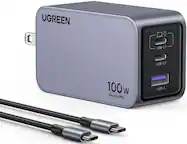
User rating, 4.3 out of 5 stars with 4650 reviews.
User rating, 4.8 out of 5 stars with 5449 reviews.
User rating, 5 out of 5 stars with 39 reviews.
User rating, 5 out of 5 stars with 2 reviews.
User rating, 5 out of 5 stars with 3 reviews.
User rating, 4.6 out of 5 stars with 3821 reviews.
User rating, 4.8 out of 5 stars with 11198 reviews.
User rating, 4.9 out of 5 stars with 1599 reviews.
User rating, 4.8 out of 5 stars with 4141 reviews.
User rating, 4.9 out of 5 stars with 1579 reviews.
User rating, 4.9 out of 5 stars with 18471 reviews.
User rating, 4.9 out of 5 stars with 190 reviews.
User rating, 4.8 out of 5 stars with 2604 reviews.
User rating, 5 out of 5 stars with 1 review.
User rating, 4.8 out of 5 stars with 2415 reviews.
User rating, 4.8 out of 5 stars with 35 reviews.
User rating, 4.7 out of 5 stars with 553 reviews.
User rating, 4.6 out of 5 stars with 65 reviews.
User rating, 4.7 out of 5 stars with 11008 reviews.
User rating, 4.6 out of 5 stars with 1316 reviews.
User rating, 4.6 out of 5 stars with 180 reviews.