A:AnswerHi Joe, to access the user manual for the Insignia™ - 24" Class F20 Series LED Full HD Smart Fire TV, please follow this link: https://www.bestbuy.com/site/insignia-24-class-f20-series-led-full-hd-smart-fire-tv/6490138.p?skuId=6490138. Once on the page, scroll down to view the features, then continue scrolling until you see the Manual & Guides section where you can download the User Manual. Patricia | Insignia Support https://www.bestbuy.com/site/insignia-24-class-f20-series-led-full-hd-smart-fire-tv/6490138.p?skuId=6490138
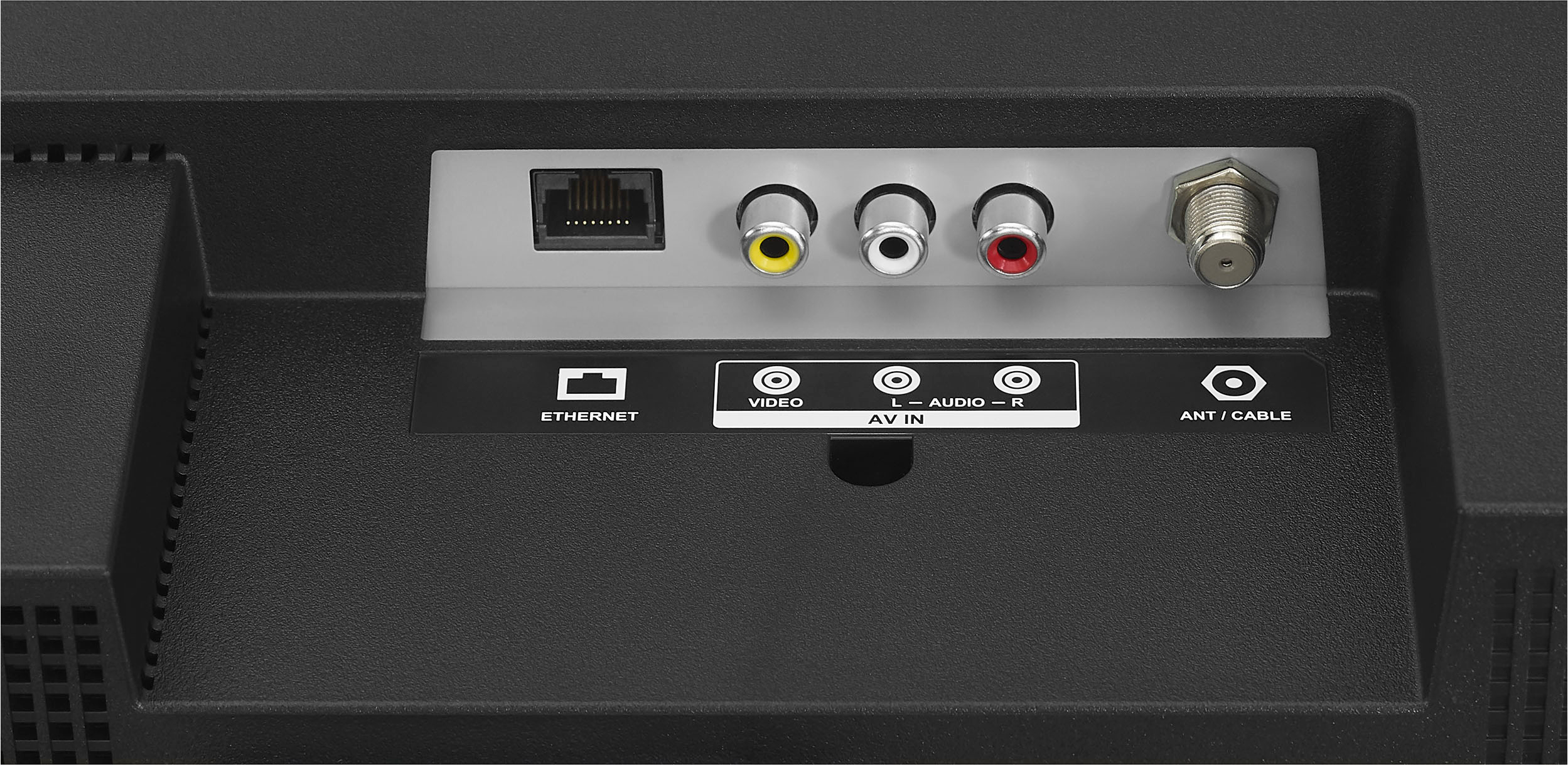
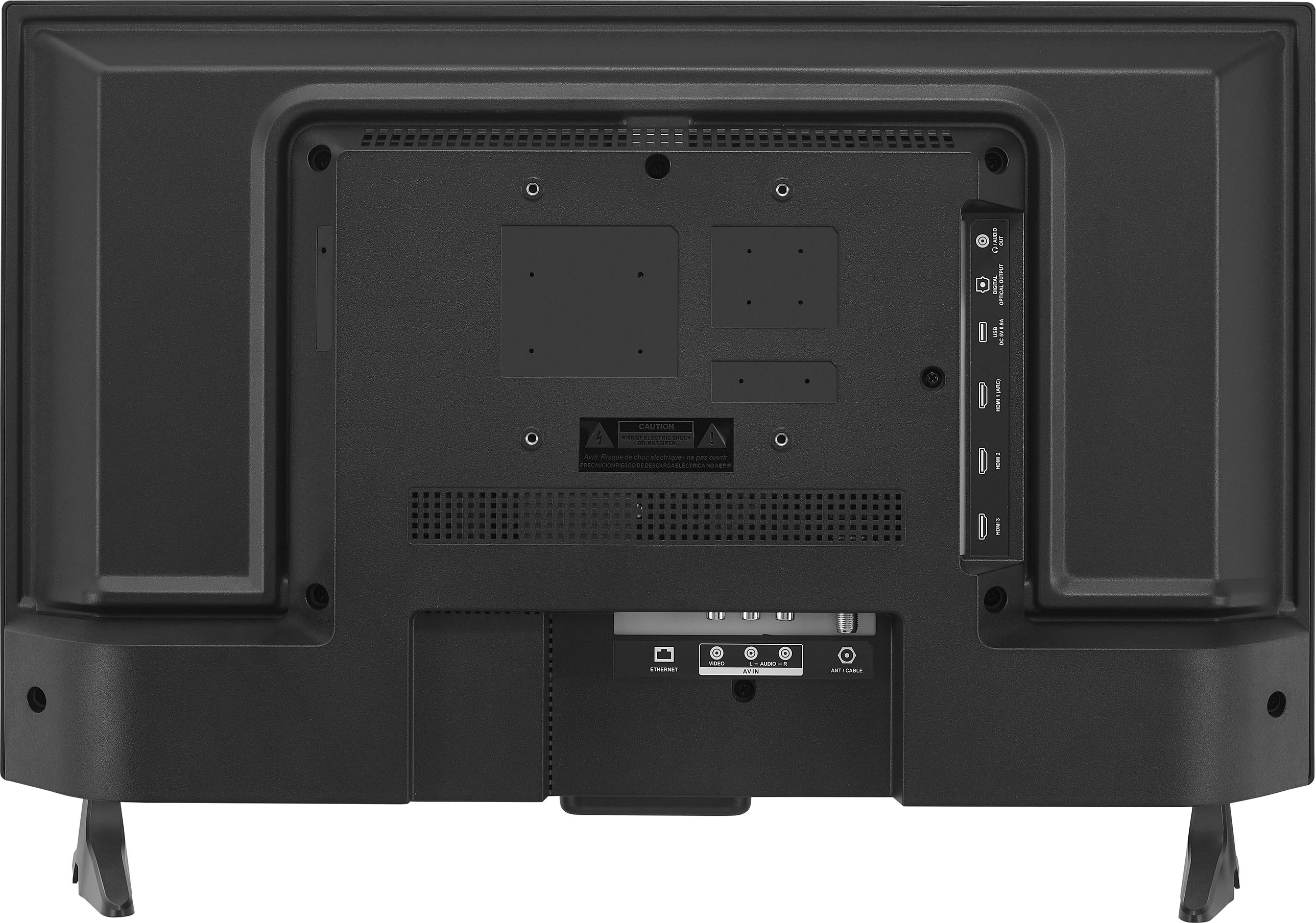
A:AnswerHi Natalie! The Insignia™ - 24" Class F20 Series LED Full HD Smart Fire TV does have a coaxial cable connection. This can be used to connect an antenna or cable directly to the TV. However, this TV supports 110V AC only. For more product information, please check the link below. |Angelica| Insignia Support| https://www.bestbuy.com/site/insignia-24-class-f20-series-led-full-hd-smart-fire-tv/6490138.p?skuId=6490138
A:AnswerThank you for your inquiry! Yes, you can stream content from your Samsung Android phone to the Insignia™ - 24" Class F20 Series LED Full HD Smart Fire TV. To begin, ensure both devices are connected to the same Wi-Fi network. On your Insignia Smart Fire TV, navigate to Settings > Display & Sounds and enable Display Mirroring (or Screen Mirroring). On your Samsung Android phone, access the Quick Settings panel by swiping down from the top of the screen, then tap on "Smart View" or "Screen Mirroring" and select your Insignia TV from the list of available devices. Once connected, your phone's screen will mirror on the TV, allowing you to navigate apps, play videos, or display photos directly on the larger screen. Alternatively, certain apps like YouTube and Netflix may offer built-in casting options, enabling you to stream content to the TV without mirroring the entire screen. This setup provides flexibility and convenience for enjoying multimedia content from your Samsung Android phone on the Insignia Smart Fire TV. Keith | insignia Support https://www.bestbuy.com/site/insignia-24-class-f20-series-led-full-hd-smart-fire-tv/6490138.p?skuId=6490138
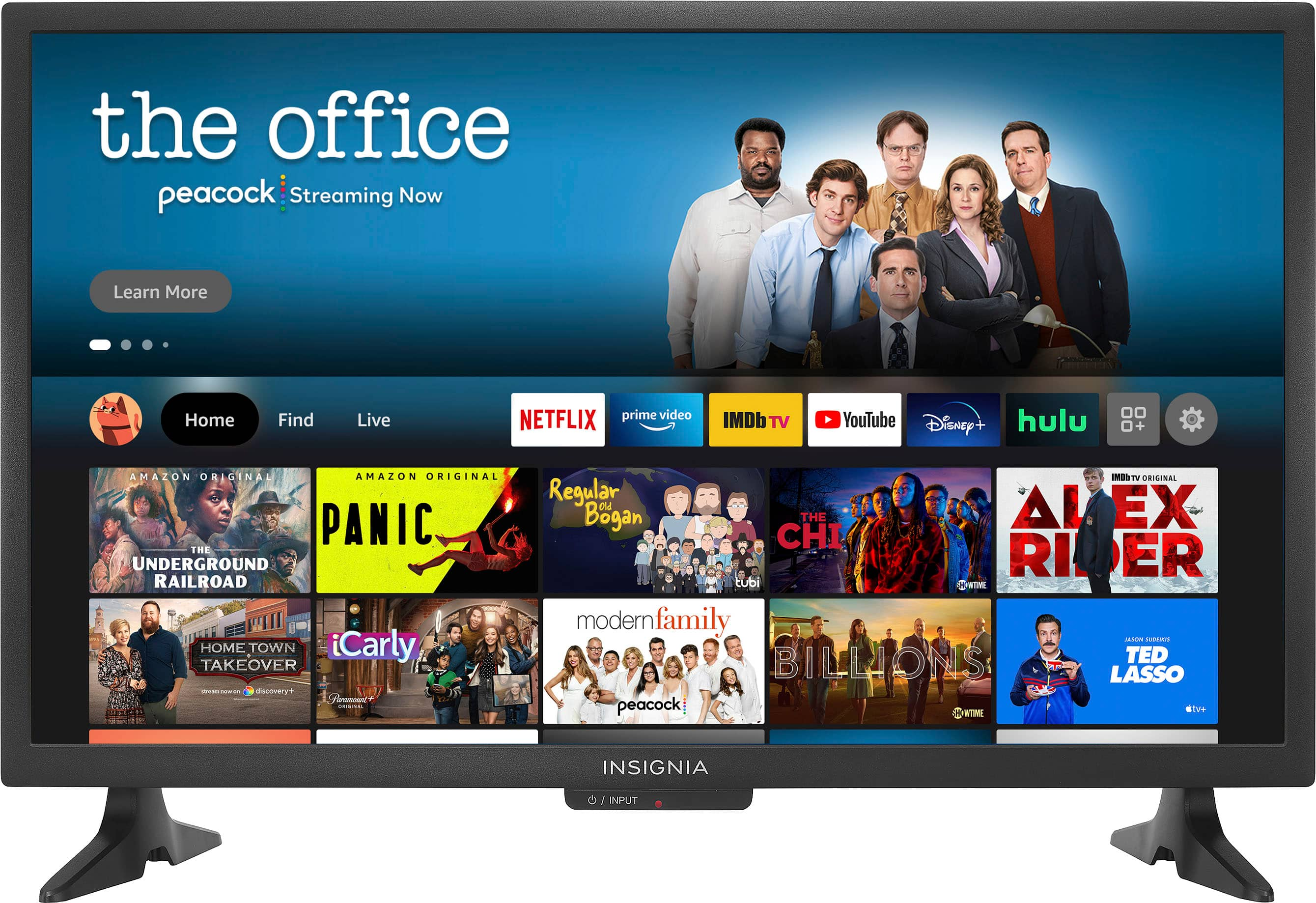
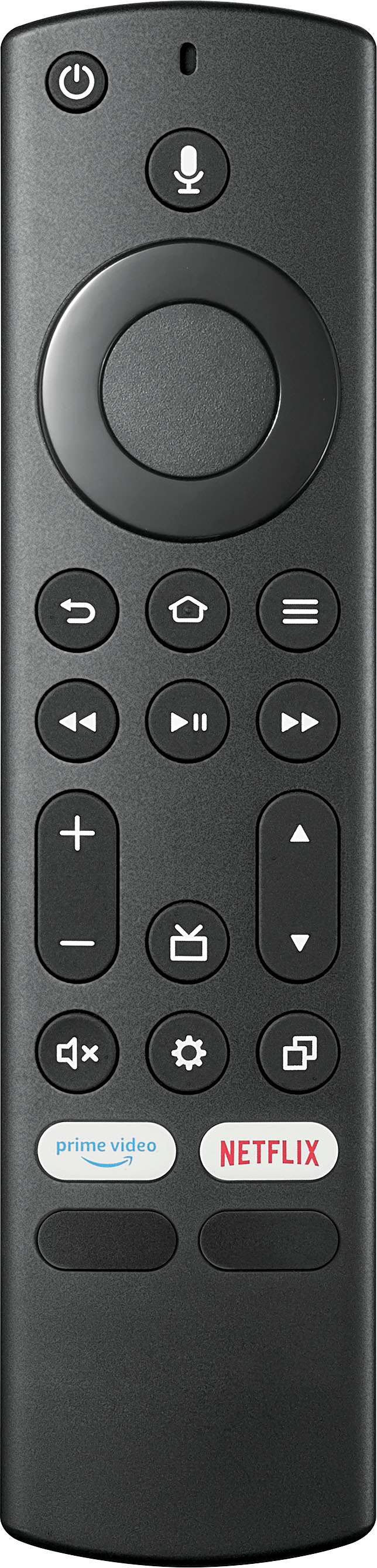
A:AnswerHi there! To answer your question, remapping is not possible because the following apps are all built-in system features and function on the remote. For more product information, please visit the link below. |Angelica| Insignia Support| https://www.bestbuy.com/site/insignia-24-class-f20-series-led-full-hd-smart-fire-tv/6490138.p?skuId=6490138
A:AnswerThank you for your inquiry! Yes, the Insignia™ 24" Class F20 Series LED Full HD Smart Fire TV can be mounted to a wall hook. Make sure to use the appropriate wall mount kit that is compatible with the TV and follow the manufacturer's instructions for installation. It is also recommended to have the TV mounted by a professional to ensure it is securely and safely attached to the wall. Keith | Insignia Support https://www.bestbuy.com/site/insignia-24-class-f20-series-led-full-hd-smart-fire-tv/6490138.p?skuId=6490138
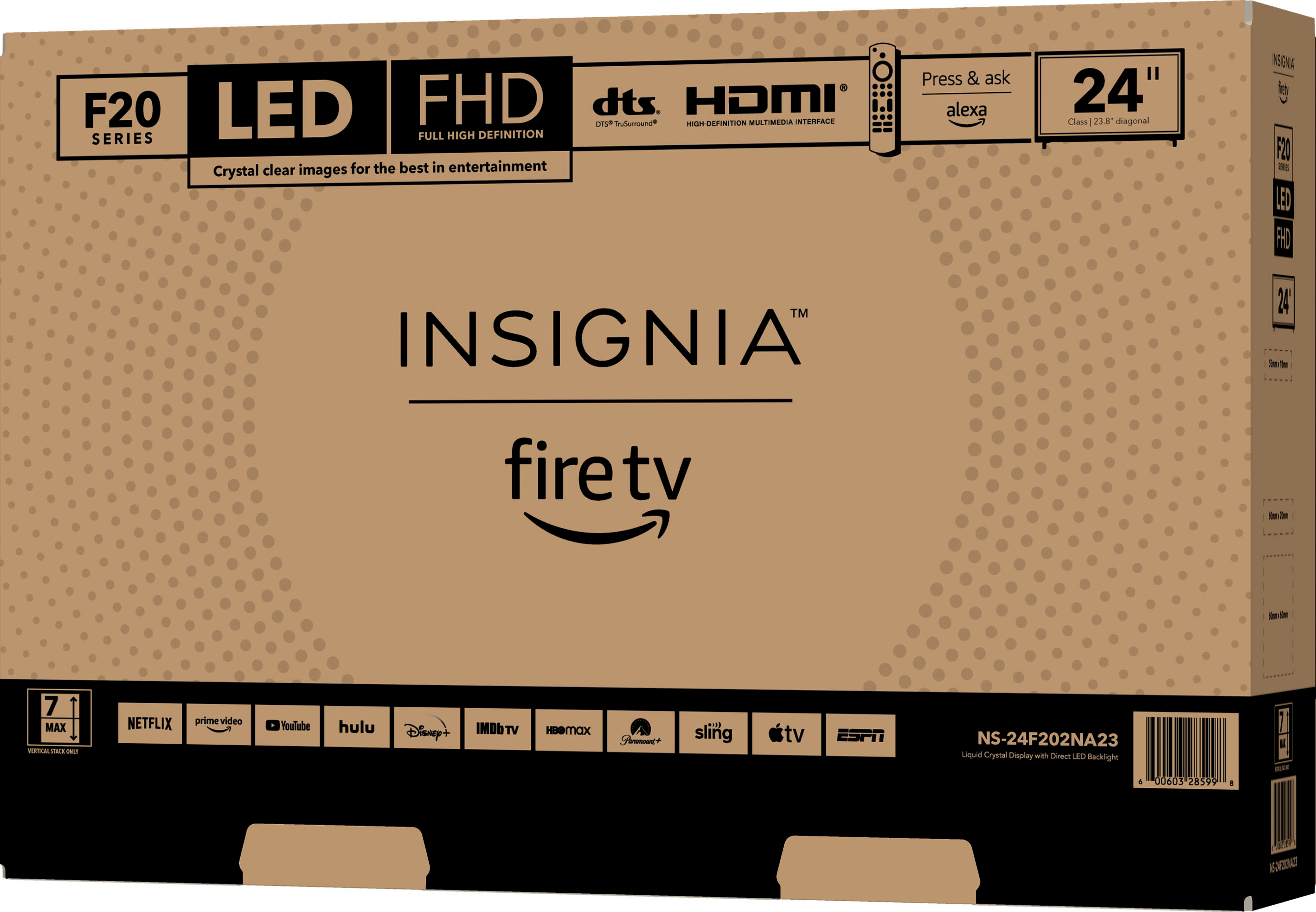
A:AnswerHi ChevelleTom, thank you for your inquiry! The Insignia - 24" Class F20 Series LED Full HD Smart Fire TV (Model: NS-24F202NA23) is designed to work with Amazon’s Fire TV software, not Roku. It comes with built-in voice control via Amazon’s Alexa. If you specifically want to use Roku, you’ll need a separate Roku device (such as a Roku stick) connected to the TV. Keep in mind that the Insignia TV is optimized for the Fire TV experience, so using a Roku stick may not provide the same seamless integration. For more information about this product, you may click this link: https://www.bestbuy.com/site/insignia-24-class-f20-series-led-full-hd-smart-fire-tv/6490138.p?skuId=6490138. Carlo | Insignia Products
A:AnswerHello Scott, thank you for bringing this issue to our attention. Unfortunately, casting via Bluetooth is not supported for the Insignia™ - 24" Class F20 Series LED Full HD Smart Fire TV. We recommend using the same Wi-Fi connection for both your cellphone and the television to enable casting. Let us know if there is anything we can do to help. Patricia | Insignia Support https://www.bestbuy.com/site/insignia-24-class-f20-series-led-full-hd-smart-fire-tv/6490138.p?skuId=6490138
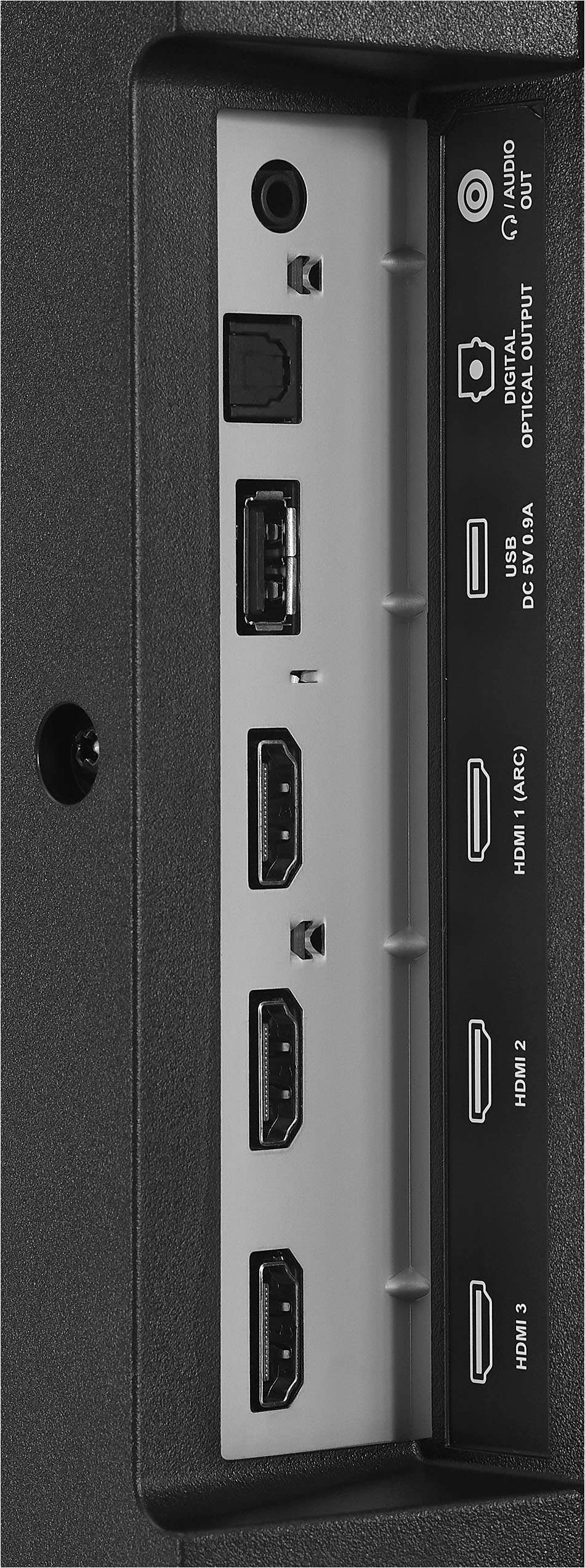
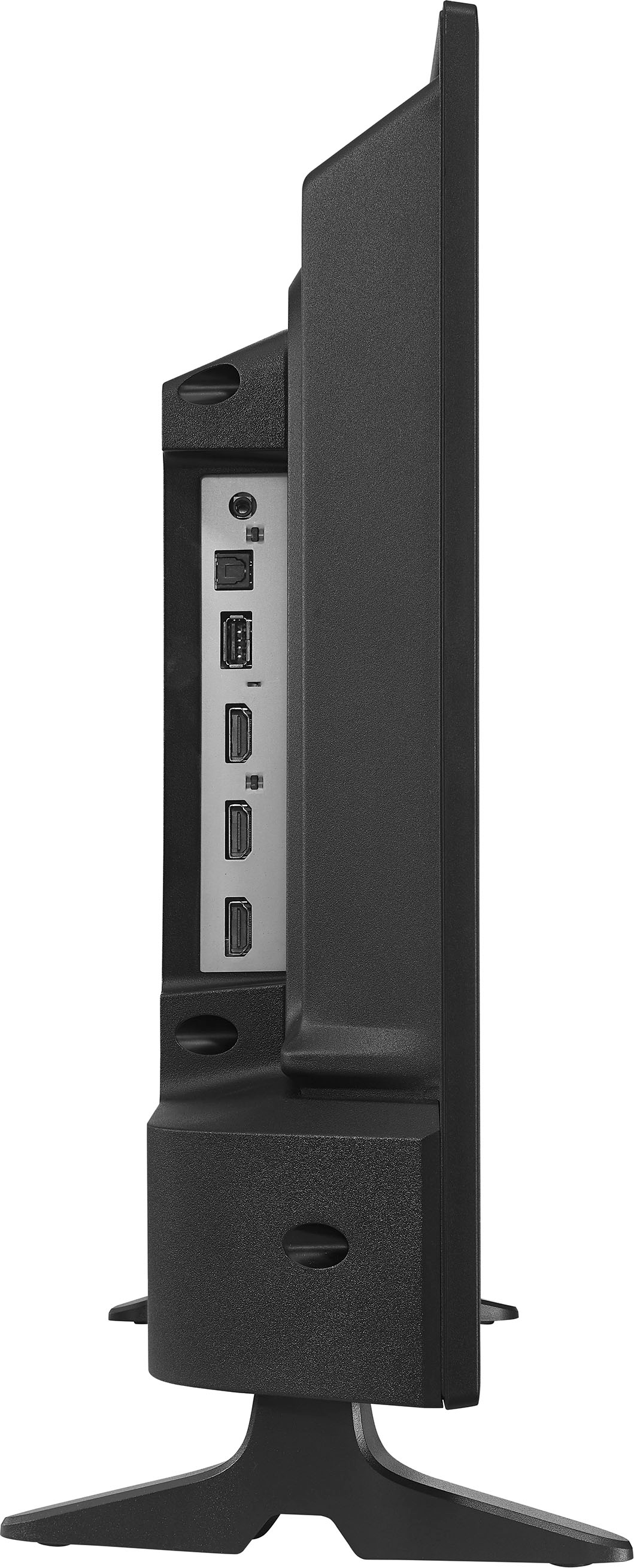
A:AnswerThank you for your inquiry! Yes, the Insignia 24" Class F20 Series LED Full HD Smart Fire TV has an optical output. Keith | Insignia Support https://www.bestbuy.com/site/insignia-24-class-f20-series-led-full-hd-smart-fire-tv/6490138.p?skuId=6490138
A:AnswerUnfortunately, screen mirroring only works over WIFI connection. --Ed | Insignia Support |
https://www.bestbuy.com/site/brands/best-buy-brands/pcmcat1596746025285.c?id=pcmcat1596746025285
A:AnswerHi Alexa. Thank you for your inquiry! The Insignia™ 24" Class F20 Series LED Full HD Smart Fire TV doesn't support an "always listening" mode. To use Alexa, you need to press and hold the microphone button on the remote to activate voice commands. Once activated, you can speak your commands, and Alexa will respond accordingly. Keith | Insignia Support https://www.bestbuy.com/site/insignia-24-class-f20-series-led-full-hd-smart-fire-tv/6490138.p?skuId=6490138
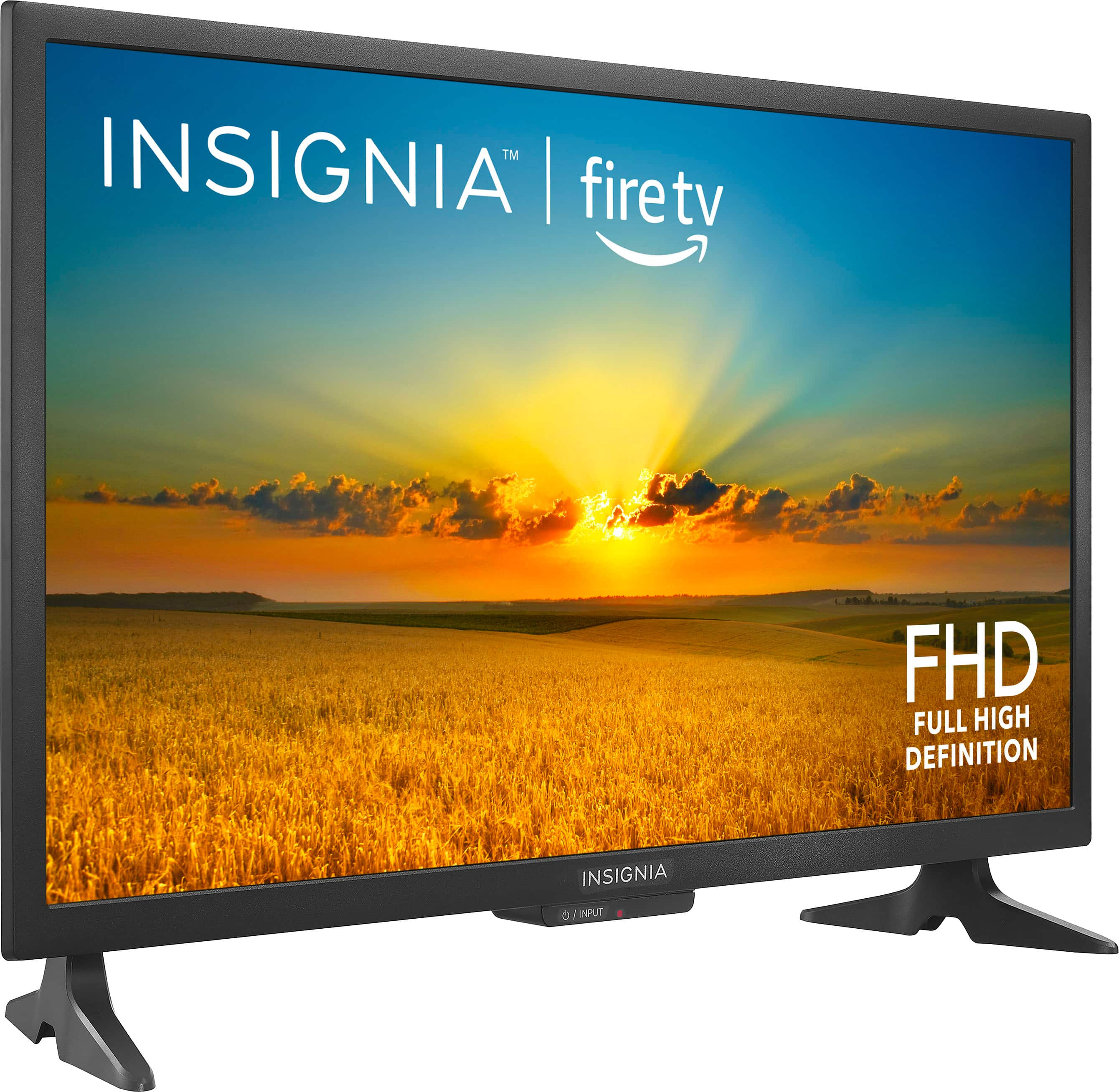
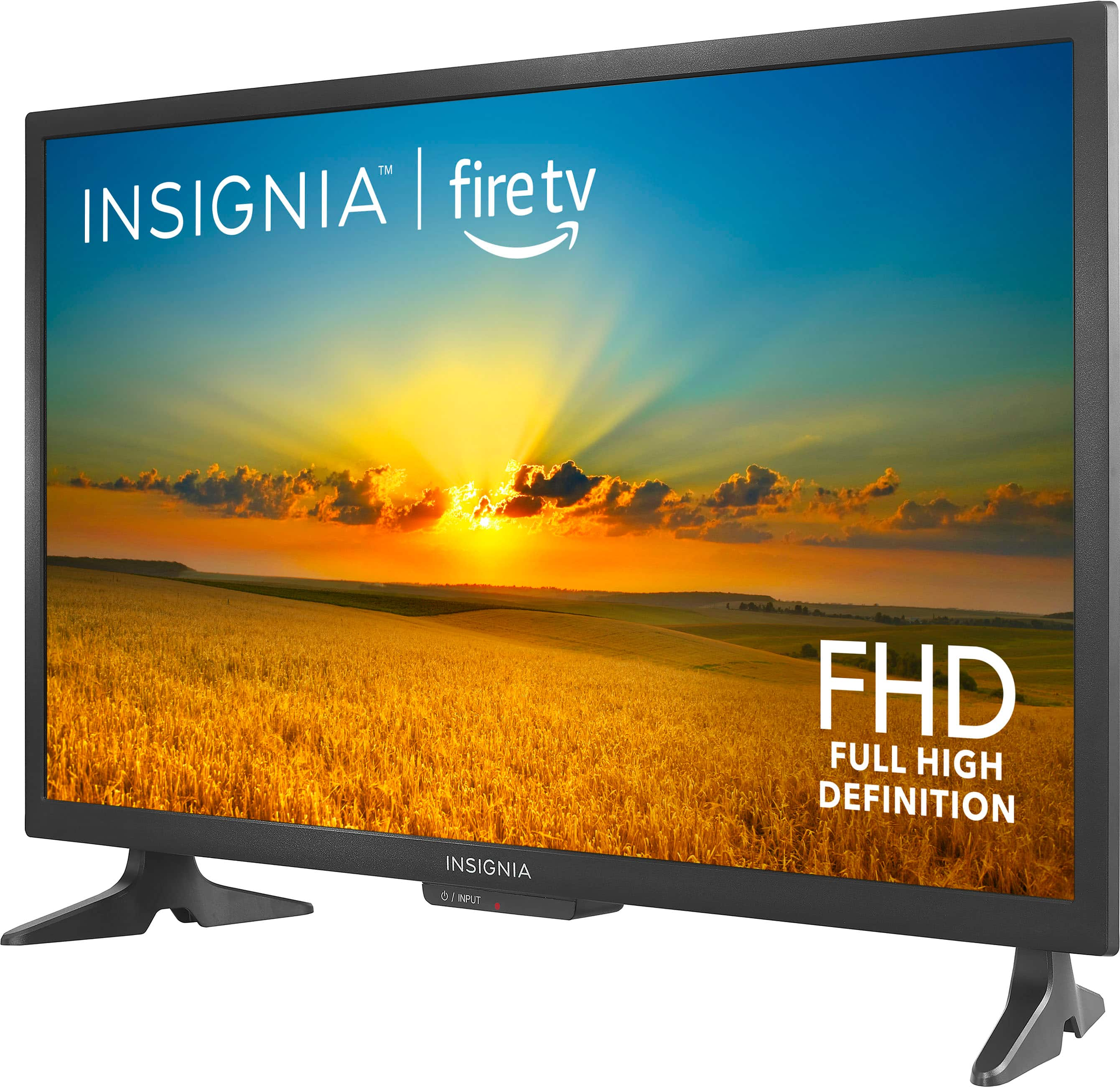
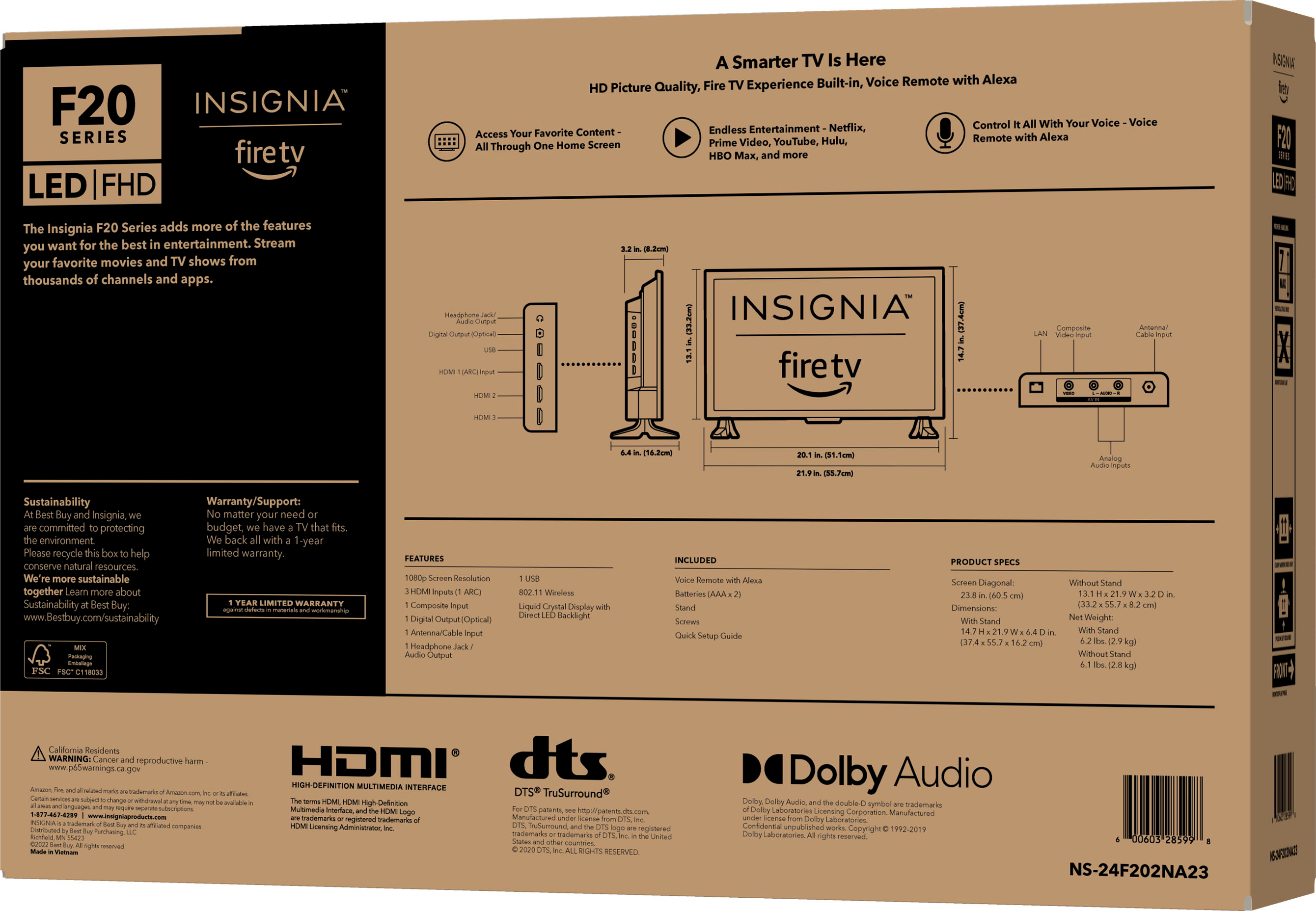
A:AnswerHi Djohnsx2, we wanted to provide you with the dimensions of the TV. The height of the TV is 13.1 inches, and with the stand, it measures 14.7 inches. Additionally, the width of the TV is 21.9 inches. We hope this information helps you. Patricia | Insignia Support https://www.bestbuy.com/site/insignia-24-class-f20-series-led-full-hd-smart-fire-tv/6490138.p?skuId=6490138
A:AnswerHi Bob, thank you for showing interest on our product. The distance between the mounting holes is 100m x 100 m. Let us know if there is anything we can do to help. Have a great day! Patricia | Insignia Support https://www.bestbuy.com/site/insignia-24-class-f20-series-led-full-hd-smart-fire-tv/6490138.p?skuId=6490138
A:AnswerHi Insignia Customer! Thank you for purchasing our Insignia™ - 24" Class F20 Series LED Full HD Smart Fire TV. Sorry for the inconvenience, there might be a problem with the pairing of the remote. In order to fully assist you, you may contact us via phone: 877-467-4289; or email: [email protected]. Thank you for your support and we look forward to getting in touch with you! - James | Insignia Support | https://www.bestbuy.com/site/brands/best-buy-brands/pcmcat1596746025285.c?id=pcmcat1596746025285
A:AnswerHi RayMo! Thank you for inquiring about our Insignia™ - 24" Class F20 Series LED Full HD Smart Fire TV. The width of the TV is 21.9" and the distance between 1 foot to another is 20.1". You may refer to the provided pictures for reference. If you need further assistance, don't hesitate to reach out. Have a nice day! - James | Insignia Support | https://www.bestbuy.com/site/brands/best-buy-brands/pcmcat1596746025285.c?id=pcmcat1596746025285