1-2 of 2 Answers
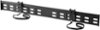
There is not a set wall mount for this model. This model is compatible with VESA mount 200mm x 200mm.
Sorry, there was a problem. Please try again later.Hello Best Buy customer Bill320! Even though you submitted this question through this website nearly six (6) months ago and you "probably" have found an acceptable solution to your wall mount issue, an attempt to address this topic may help a lot of other Best Buy customers who are thinking about wall mounting their TV--for things like saving space and to optimize their TV program viewing experience. Procedurally speaking, an important piece of advice across the board seems to be that, at least, two (2) people should be involved in the process of wall mounting a TV. Next, as others have already stated, this Insignia 43" television has a VESA wall mount standard of 200mm X 200mm. You will need to decide on whether you want a "fixed" wall mount or a TV wall mount that can swivel and/or tilt. The "moveable" TV wall mounnts usually seem to cost more. If you want a "fixed" wall mount for this 43" Insignia TV, I would personally think about purchasing the Insignia Brand Model: NS-HTVMF0C (Best Buy SKU: 5088700). The regular price of the item is $59.99 and it is for meant to accommodate most 40" to 70" TVs. There are so very many "other" brands of TV wall mount stands on the Best Buy website; however, I know from past experience how important it is to have access to "live" phone guidance and detailed/user friendly owner's manuals when I need them. In the process of answering this question for you and others Bill320, I went on the InsigniaProducts.com website and I entered the above model number (i.e., NS-HTVMF0C) and then I clicked onto "support & downloads" and I was able to see that the "FULL" user manual was available Online. It would appear that on page 4 of that user's guide that this particular Insignia Brand wall mount comes with what is referred to as a TV "hardware" bag. Apparently, among other things, it should have the four screws necessary to attach this wall mount stand to your TV. Please select the right size/length screw for your model of Insignia TV. The FULL user guide is not available for this 43" Insignia TV model on the InsigniaProducts.com website; however, if you phone the toll free tech support number below they can forward it to you via E-mail. I gave a cursory review of this Insignia Brand wall mount's user manual; however, I was able to see that the Online user guide tells you what tools will be needed and so many other details involved in the set up. This Insignia product's Online user manual is quick to encourage the purchasers of their product to phone them at 1-877-467-4289 between the hours 8:00 A.M. and 9:00 P.M. central time if live technical support is needed. I did not stop there! I went on YouTube.com and I entered the search term=> "how to wall mount an Insignia 43" TV." There were lots of instructional videos concerning this subject on YouTube.com. Most were not "specific" to the Insignia Products brand of TV wall mounts. Among all of the other set up details to think about, don't forget that they encourage you to screw the actual wall mount into a stud (i.e., "solid" piece of wood beam located behind the drywall); however, other suggestions are made on how to secure the TV wall mount bracket. Your local home improvement center might be able to offer some guidance on a safe way to do this. I am sure that your concerns regarding how to wall mount this great TV were long since addressed Bill320; however, I hope that my attempt to answer "your" question helps other Best Buy customers in the future as well.
I would recommend:
Sorry, there was a problem. Please try again later.