“Just purchased this wonderful device and am quite pleased. Except for one thing. The wi-fi keeps going out. I end up having to do a factory reset over and over. Help!”
Answer This Question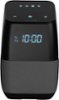
1-1 of 1 Answer
This may, or may not work... really depends on your router type. If you have a "Dual Band" Router this could be your fix. If not, this isn't going to help. Assuming you have a "Dual Band" Router you'll always have a choice of bands (2.4GHz or 5.0GHz) when setting up a new WiFi device, right? Okay, it's this simple... the phone or tablet you're using to control your Insignia Speaker should both be using the same band. For example, I'm using the 5.0GHz band on my smartphone so I have my Insignia Speaker setup on the 5.0GHz band also. From my research, I've read this many times as a fix for your problem. So if you have a "Dual Band" Router check and see if they're on the same or opposite bands. Hope this helps!
Sorry, there was a problem. Please try again later.