“In one of my two units the degree symbol is blinking constantly. Is this happening with somebody else?”
Answer This Question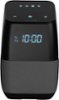
1-1 of 1 Answer
I was able to solve this issue only through the GoogleHome app on Android (should work on iphones also). Select "devices," then select your device and click the 3 dots to bring up the settings, and disable the setting "let others control your cast media" and the ° symbol will no longer blink. I am unsure why this works, but that is what works for me. You can then reenable the setting if you wish.
Sorry, there was a problem. Please try again later.