“I am ignorant on wireless multiple speakers... what do I need to connect create 2 or 3 separate rooms with stereo from the same source in each room? Can you please help me with and describe the basic hookup for each room.... Keep in mind i am a dummy...”
Answer This Question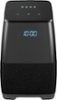
1-3 of 3 Answers
https://support.google.com/googlehome/answer/7174267?hl=en Follow the steps to set up groups
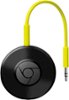
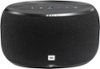
Sorry, there was a problem. Please try again later.There is one really sweet way to accomplish this that I just figured out the other day via the help on Google's site about Smart Speakers! You are going to need at least one Google Home (regular base product or Mini), Chromecast (regular base product, Ultra, or Audio), or third-party speaker with Google Assistant on it (like this Insignia one) in each room in which you would like to hear the music. To use any of these devices effectively, you will need the Google Home app on your smartphone. Once each device is set up individually (follow the setup instructions within each device's packaging), follow the instructions on this page ( https://support.google.com/googlehome/answer/7174267?hl=en ) to make the magic happen!
I would recommend:
Sorry, there was a problem. Please try again later.Hi there, Once the speaker is set-up, the menu under device control will show a group setting – allowing multiple devices to be tied together. For more details about this feature check your Google Application. Arely R. - Insignia Support
Sorry, there was a problem. Please try again later.