“My jbl pulse 4 light is not glowing on the down part of it how can it be fix’s”
Answer This Question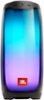
1-2 of 2 Answers
never lit
Sorry, there was a problem. Please try again later.The intensity of the light show is dependent on the amount of audio signal being sent into the unit. So, if you have the Pulse 4 set to maximum volume or close to it, but the volume on your device is set at a low level, the light show will show little to no effect. All you have to do is reverse it. Turn up the volume on the device to the maximum and set the Pulse 4 to the desired volume. This will send the correct level to the speaker and the light show will show plenty of effect. This also benefits the sonic quality as well. Therefore, we recommend always having the volume on your device turned up to a high level and then adjusting the volume level on the speaker itself. This way you'll be able to enjoy the light show while also getting good audio quality. Or, if possible, setup your device for Bluetooth Absolute Volume. BLUETOOTH ABSOLUTE VOLUME: Most phones/tablets/devices now use Bluetooth Absolute Volume (a.k.a. volume sync) by default. This is a feature that synchronizes the volumes of the device and the speaker, and allows the speaker volume to be controlled by changing the volume on either the device or the speaker. The volume being sent from the device is fixed at full volume.
Sorry, there was a problem. Please try again later.