1-1 of 1 Answer
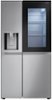
Hello, there! Thank you for sharing your question with us about the LG Refrigerator (LRSOS2706S). To adjust the temperature on your LG Refrigerator (LRSOS2706S): • Unlock the control panel if needed by holding the Lock button for 3 seconds. • Then press the Refrigerator button repeatedly to cycle through temperatures from 33°F to 43°F — with 37°F being the recommended setting. • After making changes, allow about 24 hours for the interior temperature to stabilize. For reference, you can check this link: https://www.lg.com/us/support/help-library/lg-refrigerator-temperature-how-do-i-adjust-the-refrigerator-and-freezer-temperature--20155027705932?srsltid=AfmBOoq1mpc98AVe8fkTbu0ZntfVTf5mnPMF0bK6__zicuAsQWNHSkPW. For the freezer, press the Freezer button to adjust within the range of -7°F to 5°F, depending on your storage needs. You can explore the full feature list and support details here: https://www.bestbuy.com/product/lg-36-in-wide-27-1-cu-ft-side-by-side-smart-refrigerator-with-craft-ice-stainless-steel/JJ8VPZS938. If you’d like help reviewing your setup or troubleshooting further, feel free to email us at lgdigitalcare@lg.sprinklrsupport.com. — Avril
Sorry, there was a problem. Please try again later.