Questions & Answers
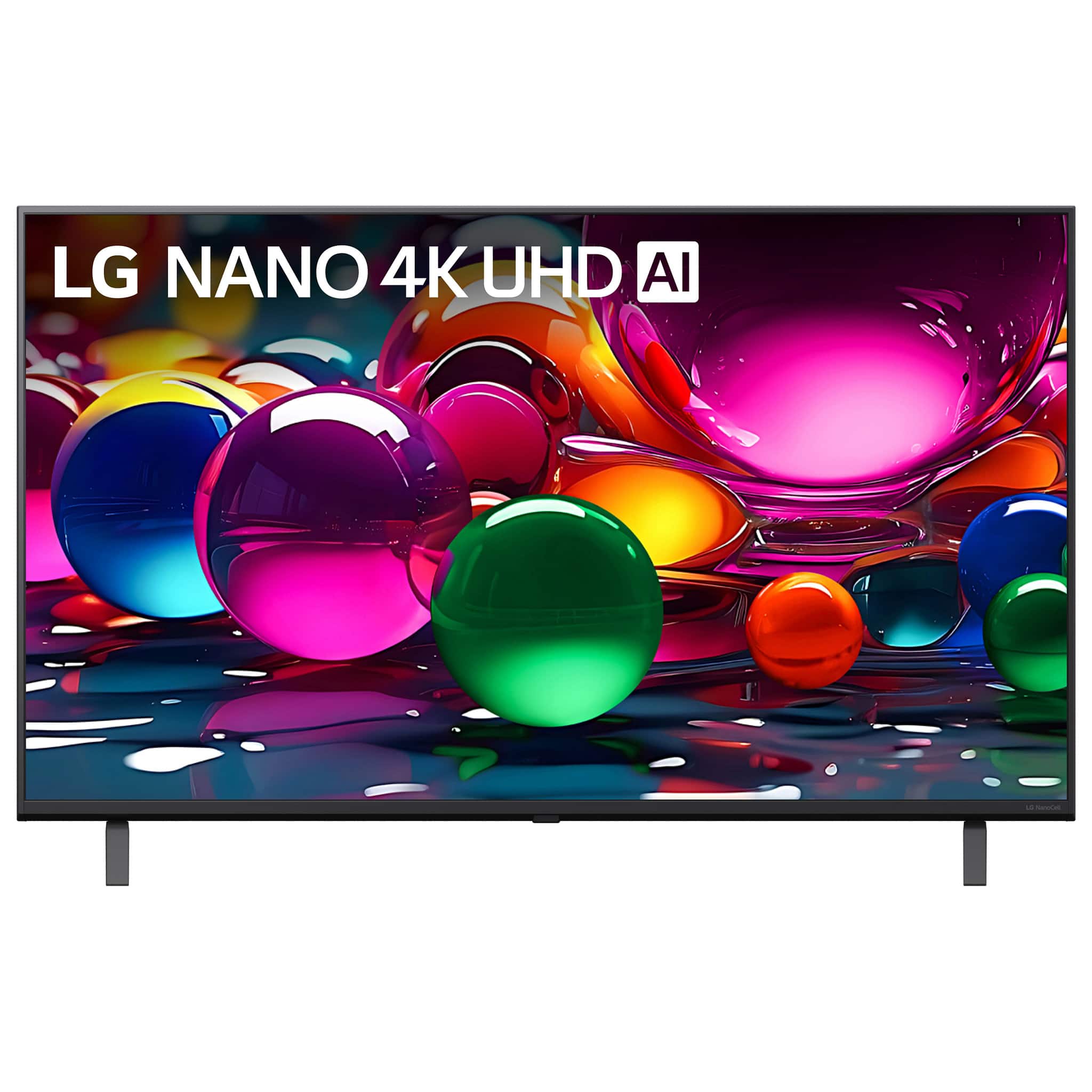


- Model:
- 43NU700BPUC
- |
- SKU:
- 6675538
Q: Questionhow do I get a manual for this tv especially the remote
Asked by LG2020.
- A:Answer The LG 43” Class NU700B Series LED Nano AI 4K UHD Smart webOS TV (2026), Model # 43NU700BPUC features a built-in electronic user guide (E-Manual) accessible directly through the webOS platform. While the TV ships with a standard physical remote control, detailed button descriptions and operational instructions for the remote are included inside the on-screen E-Manual and the downloadable support documentation. The E-Manual can be found right inside the TV's system settings under support or AI services. Basic functions for the standard remote that comes with the TV, like power, volume, channel changing, and input switching are outlined in the quick start paper guide and detailed fully within the on-screen E-Manual...^Ivan.
Answered by LG Digital Customer Care
Q: QuestionWhat is consumption in watts?
Asked by Stubaby.
- A:Answer Hello, Erbie! Thank you for sharing your question to us about the LG TV (43NU700BPUC). The LG 43NU700BPUC television has an active power consumption of 59 watts, making it efficient for a 43‑inch UHD display. This level of consumption is typical during normal operation and helps balance performance with energy savings. You can explore the full feature list and support details here: https://www.bestbuy.com/product/lg-43-class-nu700b-series-led-nano-ai-4k-uhd-smart-webos-tv-2026/JJ8VPZZSCY. If you’d like further assistance in managing energy settings or optimizing performance, please email us at lgdigitalcare@lg.sprinklrsupport.com and we’ll be glad to help. — Avril
Answered by LG Digital Customer Care
Q: QuestionHOW WIDE IS THE STAND ON THE L 43 CLASS NU700B?
Asked by FROGIE.
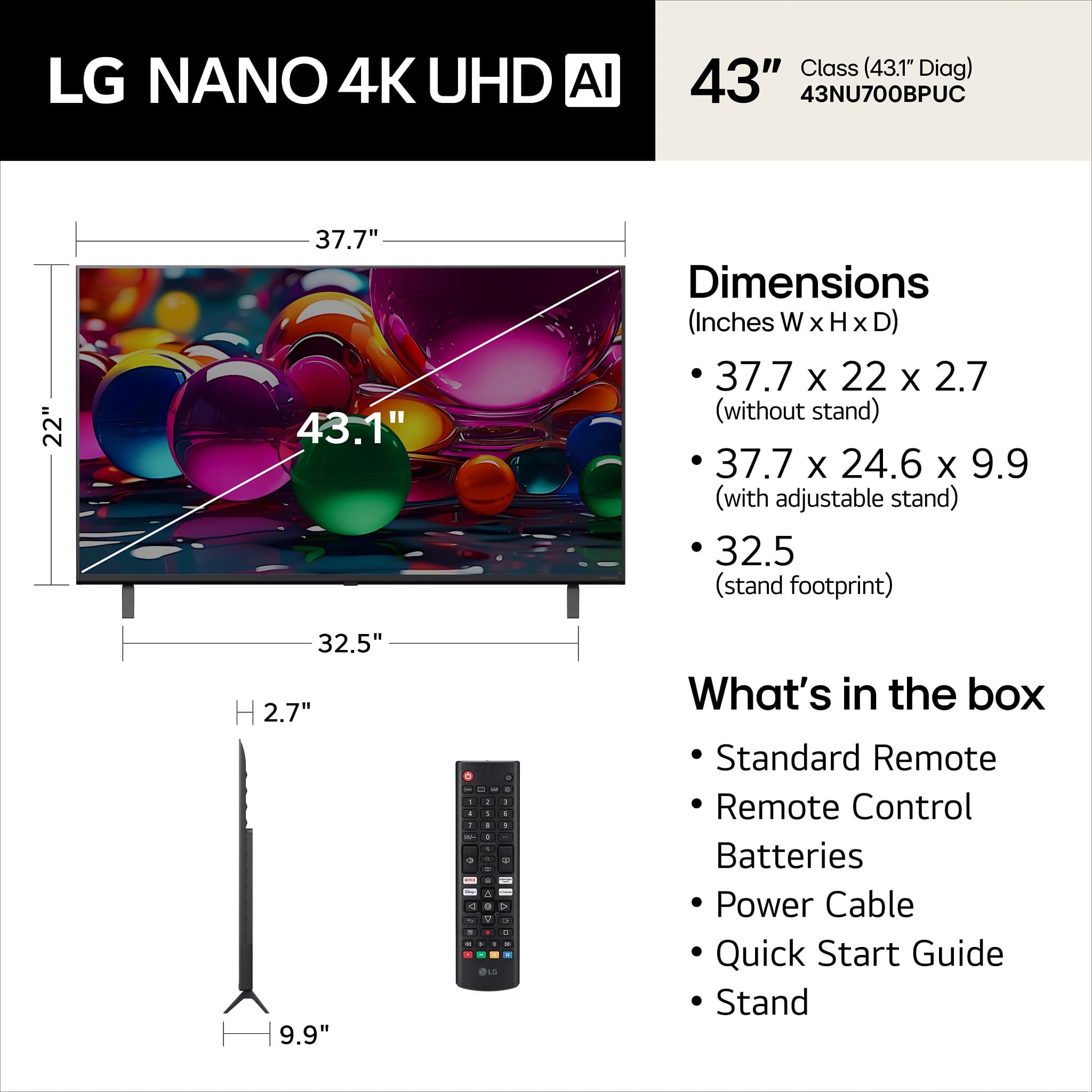
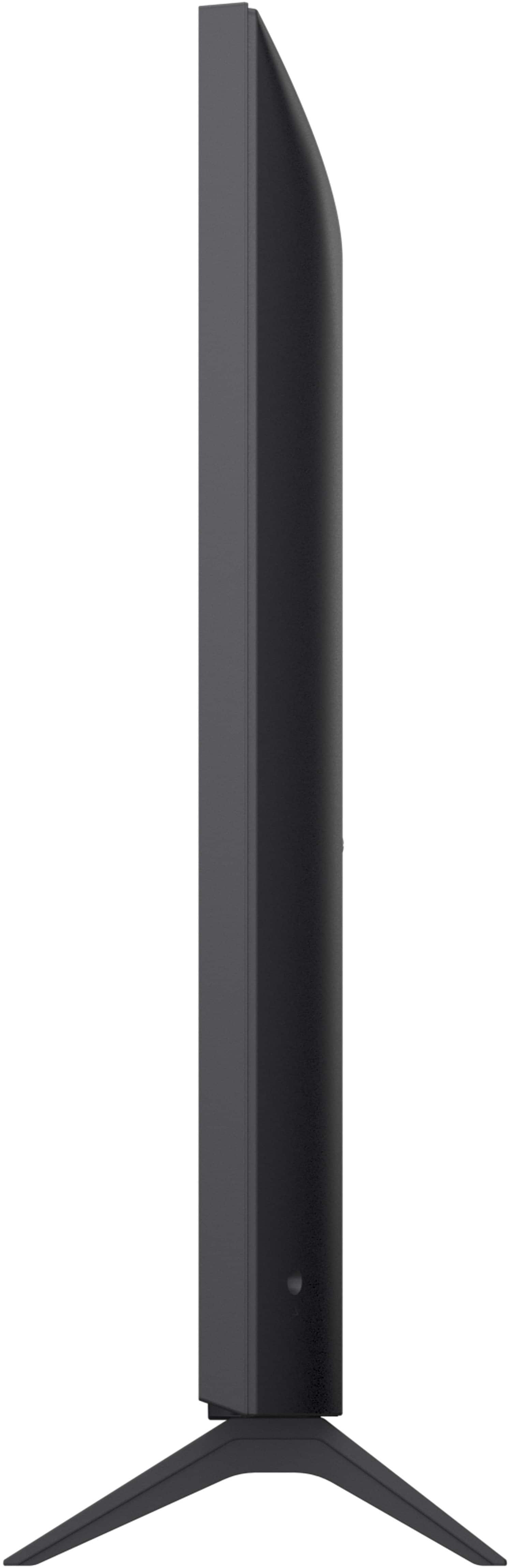
- A:Answer If you hover your mouse over the third thumbnail image from the top to the left of the main image for the LG 43” Class NU700B Series LED Nano AI 4K UHD Smart webOS TV (2026), Model # 43NU700BPUC, or click on it, or click on specifications and scroll down to 'Dimensions', the Stand Width is listed as 32.5"...^Ivan.
Answered by LG Digital Customer Care
Q: Questionhi...is this a google tv?
Asked by RG.
- A:Answer LG TVs are NOT Google TVs. The LG 43" Class 75B Series QNED AI Mini LED 4K Smart webOS TV (2026), Model # 43QNED75BUA, like all other LG Smart TVs, runs on LG's webOS TV Platform. Google apps (or the Google Play Store) cannot be directly downloaded on an LG webOS TV. LG smart TVs run on webOS, a completely different operating system from Google's Android TV, and applications are limited to those available in the official LG Content Store...^Ivan.
Answered by LG Digital Customer Care
Q: QuestionDoes this tv have bluetooth capable
Asked by allende.
- A:Answer Hi, Allende! Thank you for sharing your question to us about the LG TV (43NU700BPUC). Yes, this television is Bluetooth capable and features Bluetooth version 5.3 support, allowing you to connect compatible wireless devices such as headphones, speakers, or soundbars directly to the TV. You can explore the full feature list and support details here: https://www.bestbuy.com/product/lg-43-class-nu700b-series-led-nano-ai-4k-uhd-smart-webos-tv-2026/JJ8VPZZSCY. If you’d like us to walk you through additional setup steps or confirm compatibility with specific accessories, please email us at lgdigitalcare@lg.sprinklrsupport.com and we’ll be glad to help. — Avril
Answered by LG Digital Customer Care
Q: Questioncan can i connect tis to a cable box or antenna ? i connect this to a cable box
Asked by woodpecker.
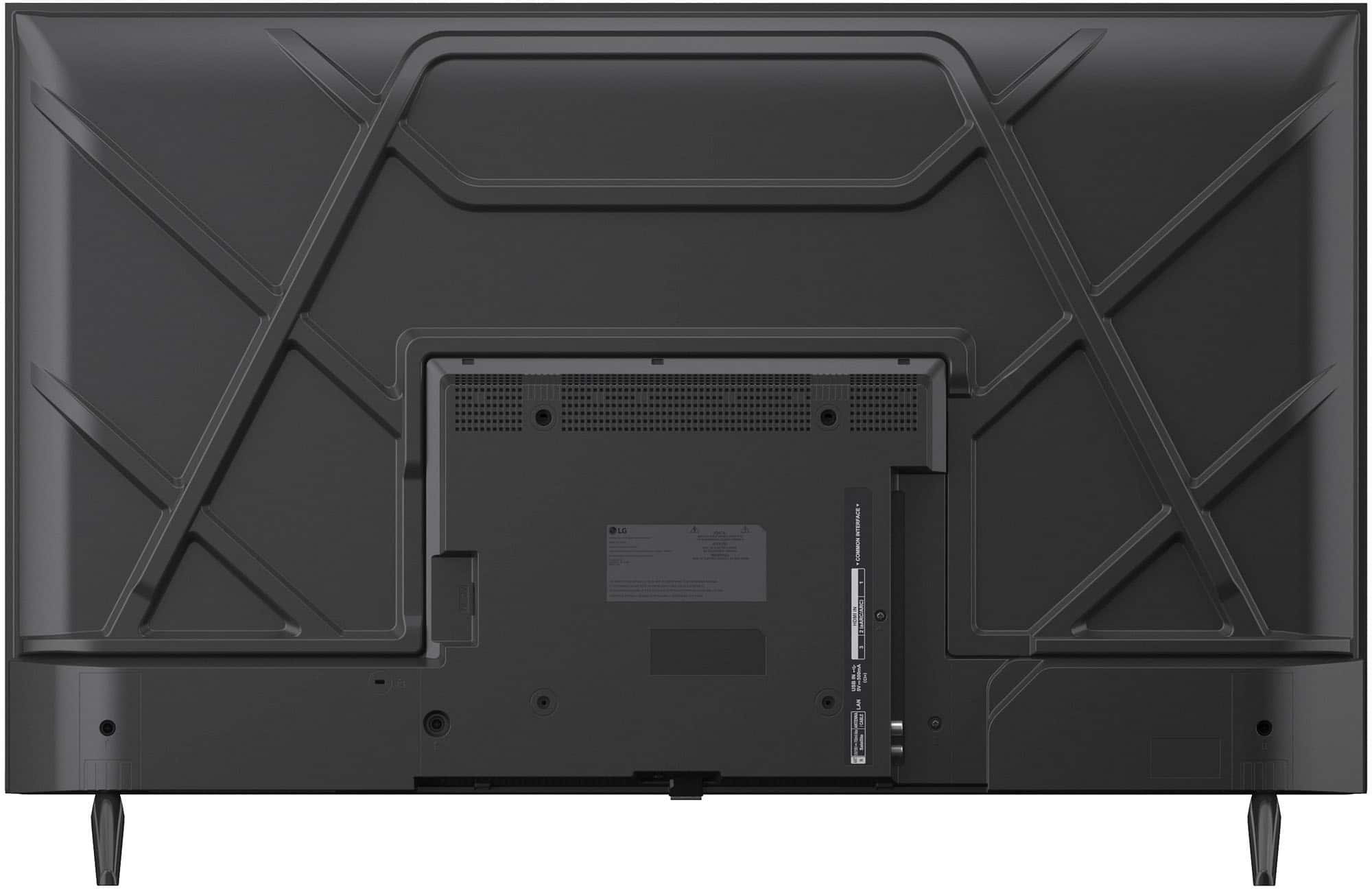
- A:Answer Hi, there! Thank you for sharing your question to us about the LG TV (43NU700BPUC), Yes, this TV can connect to both a cable box and an antenna. If you’re using a cable box, simply run the HDMI cable from the box to the TV for the best quality. If you’d like to use an antenna, connect it to the RF coaxial input on the back of the TV and run the channel scan from the settings menu to pick up available broadcast channels. You can explore the full feature list and support details here: https://www.bestbuy.com/product/lg-43-class-nu700b-series-led-nano-ai-4k-uhd-smart-webos-tv-2026/JJ8VPZZSCY. If you’d like help reviewing your setup or need more guidance, feel free to reach us at lgdigitalcare@lg.sprinklrsupport.com — we’re always here to support you. — Avril
Answered by LG Digital Customer Care
Q: QuestionCan a wireless keyboard be connected to this tv?
Asked by cblaase.
- A:Answer A wireless Bluetooth Keyboard can be paired with the LG 43” Class NU700B Series LED Nano AI 4K UHD Smart webOS TV (2026), Model # 43NU700BPUC. LG recommends using the Logitech K360, Logitech K400, or Logitech K750 keyboards that have been tested for compatibility with LG TVs. You can also connect a wired keyboard to the USB port on the TV...^Ivan.
Answered by LG Digital Customer Care
Q: QuestionCan you use a Roku remote to select streaming services and adjust volume?
Asked by GeezerTechie.
- A:Answer A Roku remote can select streaming apps and adjust the volume, but only when paired with a Roku streaming device or Roku TV and properly programmed to match your specific TV brand. It will not function as a universal remote for streaming apps on non-Roku smart TVs, like this LG 43” Class NU700B Series LED Nano AI 4K UHD Smart webOS TV (2026), Model # 43NU700BPUC, which is not a Roku TV...^Ivan.
Answered by LG Digital Customer Care
Q: QuestionHow can I use my $100 certificate
Asked by Jordan.
- A:Answer What type of certificate do you have? Is your certificate a rewards certificate or a gift card? You can use a $100 certificate (whether a gift card, promotional certificate, or My Best Buy reward certificate) to purchase a TV at Best Buy. You can apply the certificate during checkout on Best Buy Online or hand it to the associate in a physical retail store. If the TV costs more than $100, you must pay the remaining balance with another accepted payment method. If you need further assistance with your certificate, please contact Best Buy's Customer Support...^Ivan.
Answered by LG Digital Customer Care
Q: QuestionIs the tv sold with the remote included?
Asked by Grace.
- A:Answer The LG 43” Class NU700B Series LED Nano AI 4K UHD Smart webOS TV (2026) Model # 43NU700BPUC, like ALL other LG TVs, comes with an included remote control...^Ivan.
Answered by LG Digital Customer Care
Q: QuestionDoes this tv allow video casting from a phone?
Asked by Anonymous.
- A:Answer You can video cast to the LG 43” Class NU700B Series LED Nano AI 4K UHD Smart webOS TV (2026), Model # 43NU700BPUC. It features built-in Google Cast and Apple AirPlay 2 support for wireless streaming from your devices. Ensure both your phone or computer and the TV are connected to the same Wi-Fi network...^Ivan.
Answered by LG Digital Customer Care
Q: QuestionCan this tv still use Google, Roku or other streaming devices?
Asked by Antenna.
- A:Answer Google, Roku, and other media streaming devices (like Apple TV or Amazon Fire TV), are completely brand-agnostic, and they will work with any brand of TV. As long as your television has an available HDMI port to plug the device into, it will deliver all its smart features and apps. The LG 43” Class NU700B Series LED Nano AI 4K UHD Smart webOS TV (2026), Model ## 43NU700BPUC, features two HDMI ports, but HDMI 2 is an HDMI eARC port that is designed specifically for audio transmission. It allows your TV to send high-quality sound (like uncompressed 7.1 and Dolby Atmos) directly back to a soundbar or AV receiver through a single HDMI cable and will not transmit video signals, so HDMI 1 is the only port you can use with media streaming devices...^Ivan.
Answered by LG Digital Customer Care
Q: QuestionDoes this tv have an optical port?
Asked by Anonymous.
- A:Answer Hello, there! Thank you for sharing your question to us about the LG TV (43NU700BPUC). Yes, this TV does include an optical digital audio output (TOSLINK) port, which allows you to connect it to soundbars or home theater receivers that support optical input. This is a convenient option if you prefer a wired digital audio connection instead of HDMI ARC/eARC. You can explore the full feature list and support details here: https://www.bestbuy.com/product/lg-43-class-nu700b-series-led-nano-ai-4k-uhd-smart-webos-tv-2026/JJ8VPZZSCY. If you’d like more guidance on setup or compatible audio accessories, please email us at lgdigitalcare@lg.sprinklrsupport.com and we’ll be glad to assist further. — Avril
Answered by LG Digital Customer Care
Q: QuestionCan this tv be wall mounted?
Asked by Riddler.
- A:Answer The LG 43” Class NU700B Series LED Nano AI 4K UHD Smart webOS TV (2026), Model # 43NU700BPUC, is a VESA-Compliant display with a 200 x 200 mm VESA Mount Pattern...^Ivan.
Answered by LG Digital Customer Care
Q: QuestionDoes this tv have a timer that can be set to turn on the tv and turn off the tv at specific times of the day ( 9:00am on. 8pm off)
Asked by Anonymous.
- A:Answer As with other LG Nano AI 4K UHD Smart webOS TVs and other LG Smart TVs, the LG 43” Class NU700B Series LED Nano AI 4K UHD Smart webOS TV (2026), Model # 43NU700BPUC, features Power On, Power Off, and Sleep timers. These can be easily accessed and configured directly from the TV's settings menu to automate when your screen turns on, turns off, or goes to sleep. To set any of these timers, you will need to first ensure that the TV's internal clock is set correctly. Once the time is right, you can navigate to the timers using the following path: • Press the Settings button on your remote control • Select All Settings -> General • Choose System (or Time & Timer) • Select Timers The Sleep Timer allows you to set a specific countdown duration (typically ranging from 10 minutes to 4 hours) after which the TV will automatically turn off. The Power Off Timer lets you schedule a precise time and repetition schedule for the TV to shut itself down daily or on specific days. The Power On Timer functions as a scheduled wake-up timer, letting you program an exact time for the TV to turn itself on. With the Power On Timer, the Timer Repeat (Schedule) lets you set a repetitive schedule. It lets you select the exact days of the week you want the timer to run (e.g., weekdays only, weekends, daily, or just a single specific day). The Input Mode lets you choose which source the TV defaults to when booting up, such as an HDMI port, Live TV, or specific apps. With the Channel Selection, if you set the Input Mode to "TV" or "Live TV", you can pre-select the exact over-the-air channel you want to display upon turning on. Note: If you use an external cable or satellite box connected via HDMI, you cannot change its channels through the TV menu. With the Volume Level, you can program a specific default volume number. This prevents the TV from blasting at a loud volume if it was turned off at a high level the night before. If you use the Power On timer, the TV includes a safety feature that will turn itself back off after 2 to 4 hours if no buttons are pressed on the remote during that time. You can navigate to Navigate to Settings -> All Settings -> General -> System -> Time & Timer -> Timers. • Click on Power On Timer and switch it to On. • Scroll through the sub-menu to adjust your Time, Timer Repeat, Input, Channel, and Volume...^Ivan.
Answered by LG Digital Customer Care
Q: QuestionDoes this model have the Hulu app?
Asked by Marina.
- A:Answer Hello, Marina! Thank you for sharing your question to us about the LG TV (43NU700BPUC). Yes, the LG 43NU700BPUC smart TV supports the Hulu app. Because this model runs on the LG webOS platform, you can access and download Hulu directly from the LG Content Store and start streaming once you sign in with your account. Here's a quick step: • Press the Home button on your remote. • Open the LG Content Store. • Search for the app you want, and click Install. For reference, you can check this link: https://www.lg.com/us/support/help-library/lg-tv-how-to-download-smart-apps--20153174119431. Also, you can explore the full feature list and support details here: https://www.bestbuy.com/product/lg-43-class-nu700b-series-led-nano-ai-4k-uhd-smart-webos-tv-2026/JJ8VPZZSCY. If you’d like further assistance with warranty or repair support, please email us at lgdigitalcare@lg.sprinklrsupport.com so we can help directly. — Avril
Answered by LG Digital Customer Care
Q: QuestionAny issues connecting a Bose 300 soundbar?
Asked by Anonymous.
- A:Answer Hi, there! Thank you for sharing your question to us about the LG TV (43NU700BPUC). Both models should connect properly using standard audio connections, and you can expect them to work together without issues when using HDMI ARC or optical. Make sure the TV’s ARC port is used if you choose HDMI, enable SIMPLINK (CEC), set Sound Out to HDMI ARC or Optical, and confirm the soundbar is on the correct input with its latest updates installed. You can explore the full feature list and support details here: https://www.bestbuy.com/product/lg-43-class-nu700b-series-led-nano-ai-4k-uhd-smart-webos-tv-2026/JJ8VPZZSCY. If you’d like help walking through the setup step by step, feel free to email us at lgdigitalcare@lg.sprinklrsupport.com. — Avril
Answered by LG Digital Customer Care
Q: QuestionDoes this model come with a magic remote?
Asked by KathrynC.
- A:Answer Hi there, Kat! Thank you for sharing your question to us about the LG TV (43NU700BPUC). No, this model does not come with a Magic Remote. It includes the standard LG remote that supports all core TV functions. You can explore the full feature list and support details here: https://www.bestbuy.com/product/lg-43-class-nu700b-series-led-nano-ai-4k-uhd-smart-webos-tv-2026/JJ8VPZZSCY. If you need more support, feel free to email us at lgdigitalcare@lg.sprinklrsupport.com. — Avril
Answered by LG Digital Customer Care
Q: QuestionCan you use the LG magic remote with this TV?
Asked by Anonymous.
- A:Answer Hi, there! Thank you for sharing your question to us about the LG TV (43NU700BPUC). Yes, this model does support the LG Magic Remote, so you can use a compatible Magic Remote to control the TV’s smart features and pointer functions. You can explore the full feature list and support details here: https://www.bestbuy.com/product/lg-43-class-nu700b-series-led-nano-ai-4k-uhd-smart-webos-tv-2026/JJ8VPZZSCY. If you need further support, feel free to email us at lgdigitalcare@lg.sprinklrsupport.com — Avril
Answered by LG Digital Customer Care
Q: QuestionHow easy to set up? Can you set up without the wifi?
Asked by Deb.
- A:Answer How easy it is to set up the LG 43” Class NU700B Series LED Nano AI 4K UHD Smart webOS TV (2026), Model # 43NU700BPUC, depends on your experience with setting up TVs and following the setup instructions. For this TV, it is highly straightforward.. The TV runs on LG's webOS smart platform, which has an on-screen guide that walks you through every step, from attaching the stand legs to connecting to your Wi0Fi and signing into your streaming apps. The initial configuration can be handled directly using your remote control. Basic preferences include selecting your language, country, and time zone, and signing into (or creating) an LG Account for full access to apps and developer options...^Ivan.
Answered by LG Digital Customer Care

Best-selling TVs
- $209.99$209.99The price was $399.99
- $79.99$79.99The price was $129.99
- $139.99$139.99The price was $229.99
- $379.99$379.99The price was $399.99
- $349.99$349.99The price was $449.99
- $329.99$329.99The price was $469.99
- $119.99$119.99The price was $169.99
- $149.99$149.99The price was $209.99
- $119.99$119.99The price was $149.99