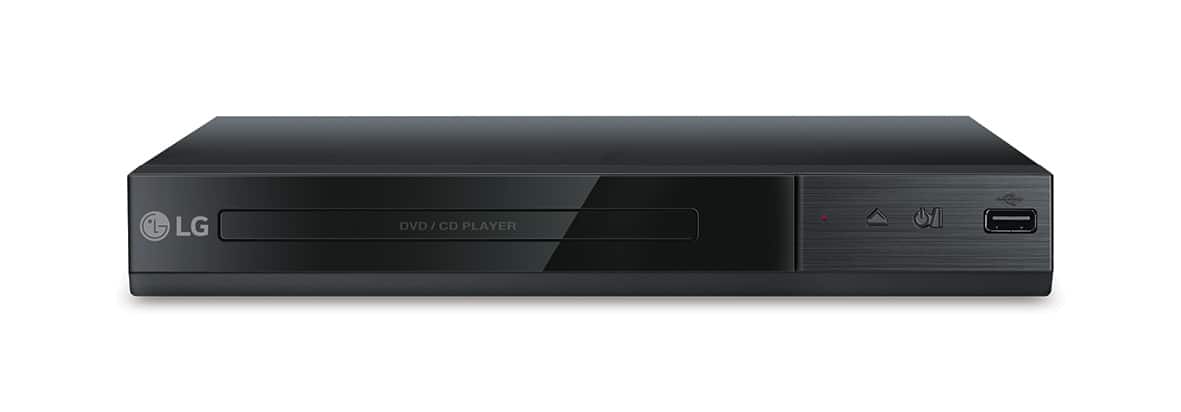
A:AnswerYou can do direct recording from the CD player to the USB drive on the LG - DVD Player with USB Direct Recording - Black, Model # DP132. The recording format is MP3 Files and the Encoding Bit rates are: 128 Kbps / 160 Kbps / 192 Kbps / 256 Kbps / 320 Kbps. Your only inputs for this unit are the RCA stereo ports (Red/White) and the Video (Yellow). You cannot convert VHS to MP3 Files or DVD, nor are you able to record TV Programs to the Flash drive. ^CP
A:Answerou can do direct recording from the CD player to the USB drive on the LG - DVD Player with USB Direct Recording - Black, Model # DP132. The recording format is MP3 Files and the Encoding Bit rates are: 128 Kbps / 160 Kbps / 192 Kbps / 256 Kbps / 320 Kbps. Your only inputs for this unit are the RCA stereo ports (Red/White) and the Video (Yellow). You cannot convert VHS to MP3 Files or DVD, nor are you able to record TV Programs to the Flash drive. ^CP
A:AnswerThe LG DVD Player with USB Direct Recording, Model # DP132 will play Audio CD/CD-R/CD-RW discs, Dual Disc (DVD+CD) and DVD-ROM/DVD±R/DVD±RW discs...^IFV
A:AnswerThis device will not work with a computer. It is designed to work with audio/ video components. Get an external DVD drive to work with a computer.
A:AnswerYou can do direct recording from the CD player to the USB drive on the LG - DVD Player with USB Direct Recording - Black, Model # DP132. The recording format is MP3 Files and the Encoding Bit rates are: 128 Kbps / 160 Kbps / 192 Kbps / 256 Kbps / 320 Kbps. Your only inputs for this unit are the RCA stereo ports (Red/White) and the Video (Yellow). You cannot convert VHS to MP3 Files or DVD, nor are you able to record TV Programs to the Flash drive. ^CP
A:AnswerYou might want to link your dvr camera system to a personal computer and save the information on a CD then you can try retrieving information from your CD on to your DVD player.