“Does the LG - G8 ThinQ with 128GB Memory Cell Phone (Unlocked) support mirror cast?”
Answer This Question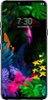
1-1 of 1 Answer
Hi SliverSanto. Android supported Miracast in Android 4.2 (KitKat) and Android 5 (Lollipop). However, Google dropped native Miracast support in Android 6 (Marshmallow) and later. If you want to mirror the display from a newer Android phone or tablet, you'll need to do so via Chromecast. The LG - G8 ThinQ with 128GB Memory Cell Phone (Unlocked) - Aurora Black does have a Screen Sharing feature that you can use to display its screen and play sound on a TV or other device that supports the Miracast function. On its settings screen, you can tap Connected Devices > Screen Sharing then activate that. You will then be able to select the device that you want to display your screen on and after connecting to the device, the device displays the phone's screen. Screen sharing turns off automatically if there is no sharing-compatible device in the vicinity...^IFV
Sorry, there was a problem. Please try again later.