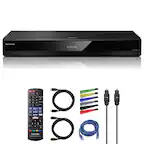
A:AnswerThe HDMI input on the unit is output thus allowing you to connect to HDMI In so you can play audio from the DVD Player the stereo. If you are in need of further assistance, please reach out to our support team on Twitter via @LGUSSupport or on Facebook at https://www.facebook.com/LGUSA or call at 800-243-0000. ^Daphane
A:AnswerNo, LG channels are on select LG Smart TVs only. Please see the link for recommended Smart Tvs with webOS that offer LG Channels. ^Daphane https://www.lg.com/us/tv-audio-video/lg-channels
A:AnswerAs long as your tv has HDMI hookup it will connect. Just hook up HDMI and turn it on. Then you can sign in to your accounts like Netflix, Amazon, Hulu etc. Works great. I attached one to all my non-smart tv's
A:AnswerThe 1080p video output frame rate may be automatically set to either 24 Hz or 60 Hz depending both on the capability and preference of the connected TV and based on the native video frame rate of the content on the BD-ROM disc. ^Daphane
A:AnswerThis unit has a regional code printed on the rear of the unit. This unit can play only BD-ROM or DVD
discs labelled same as the rear of the unit or “ALL”. ^Daphane
A:AnswerHi Digger. The Netflix and YouTube apps in the LG Blu-Ray Disc™ Player with Streaming Services and Built-in Wi-Fi®, Model # BP350 may need updating. Have you checked to see if there are any Network Updates you might have missed? From time to time, performance improvements and/or additional features or services may be made available to units that are connected to a broadband home network. If there is new software available and the unit is connected to a broadband home network, the player will inform you about the update. You can also contact our Support Center at (800) 243-0000 for some troubleshooting assistance...^IFV

A:AnswerThe LG Blu-Ray Disc™ Player with Streaming Services and Built-in Wi-Fi®, Model # BP350 is designed to be connected to any TV's HDMI Input ports through its HDMI Output port. Computers typically only have an HDMI Output put for connecting them to a display. You cannot connect one HDMI Output to a another HDMI Output. That will not work. So unless your Mac has an HDMI Input, this unit cannot be connected to your Mac...^IFV