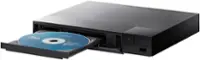
A:Answeryes, assuming your sound receiver has hdmi connections. this blue ray and standard dvd/cd player unit only comes with a power cord connection and hdmi out connection. connection to the internet is done wireless only.
A:AnswerI don't know the manufacturer's warranty, but I would recommend getting an extra protection plan for about $11-12 (2 years) If this unit stops working properly you are covered for a replacement. Thank goodness I had one when my other player stopped working. Otherwise you are out of luck
A:AnswerAs with the implementation of region codes for DVDs, Blu-ray Disc players sold in a specific geographical region are designed to play only discs authorized by the content provider for that region. The Blu-ray Disc Association, requires manufacturers to enforce regional coding on all Blu-ray Disc players and Blu-ray Disc-equipped computer systems .The LG Blu-ray Disc™ Player with Streaming Services is marketed and sold in the U.S. is region locked for A / 1 for Blu-ray discs and since it can also play DVDs, it is region locked for region 1 DVDs. However, content providers need not use region playback codes. Some current estimates suggest 70% of available [movie] Blu-ray Discs from the major studios are region-code-free and can, therefore, be played on any Blu-ray Disc player, in any region. Movie distributors have different region coding policies. Among major U.S. studios, Walt Disney Pictures, Warner Bros., Paramount Pictures, Universal Studios, and Sony Pictures have released most of their titles region-free. MGM and Lions Gate Entertainment have released a mix of region-free and region-coded titles, 20th Century Fox has released most of their titles region-coded, and Vintage film restoration and distribution company The Criterion Collection uses US region coding in all Blu-ray releases. ^CP

A:AnswerPlease contact LG Customer Support so that we can better investigate your issues and quickly assist you towards a resolution. You can contact our Customer Support by any of the below options:
Phone: 1-800-243-0000
Live Chat: https://www.lg.com/us/support/chatbot
Email: https://www.lg.com/us/support/email-appointment
Facebook Messenger: https://www.facebook.com/LGUSA/
Twitter: @LGUSSupport
The LG Community Forum is also a great resource for getting help from other LG customers: https://lgcommunity.us.com ^CP
A:AnswerOnly suggestions I would have are to be sure the firmware is current and that the blu-ray disk is clean. If it's happening on multiple Blu-ray disk, then I'd reach out to LG or bring it back to Best Buy for a replacement.
A:AnswerThe LG Blu-ray Disc™ Player with Streaming Services and Built-in Wi-Fi®, Model # BP350 has to be connected to the internet when you are streaming from the preinstalled apps in the player or to receive firmware updates. It does not always have to be connected to the internet if you are only playing Blu-ray discs...^IFV
A:AnswerYou cannot coinnect the LG Blu-ray Disc™ Player with Streaming Services and Built-in Wi-Fi®, Model # BP350 to your TV via Wi-Fi®, you can connect it to your TV using a HDMI cable (Type A, High Speed HDMI™ Cable)...^IFV