“my g502 hero SE i got in October and now it wont connect to my computer or turn on”
Answer This Question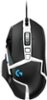
1-4 of 4 Answers
Make sure you're using the Logitech GHub software. Unplug and plug the mouse. Right click on the application and Run as Administrator. Worked for me.
Sorry, there was a problem. Please try again later.Try uninstalling it and reinstall it. If you haven't tried updating the drivers already.
Sorry, there was a problem. Please try again later.I think I would check to see if your USB port is working. I have NEVER had a problem with this mouse in any way on all the different computers I have. Check to see if another mouse will work. Also, you might try adding it as a new device. There is also a program that comes with it, to set all the buttons for shortcuts, see if you can adjust something there that might make a difference. If nothing works, contact Logitech and tell them your problem. I do hope you saved your receipt, as it does make replacement much easier. A file folder labeled Computer Stuff, works well to stick receipts into in case they are ever needed. Good Luck!
Sorry, there was a problem. Please try again later.Hello, we are sorry to hear that you are having issues with your G502 Hero SE. You may reach us for support by opening a Technical Support ticket here: https://support.logi.com/hc/en-us/requests/new?ticket_form_id=360000621393
Sorry, there was a problem. Please try again later.
