“How do you get this to get to connect to your laptop?”
Answer This Question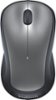
1-10 of 10 Answers
One connector to plug into a USB port and your done.
Sorry, there was a problem. Please try again later.This mouse comes with a small, separate USB item that plugs into a USB outlet on your laptop. It enables your laptop to communicate wirelessly with the mouse.
Sorry, there was a problem. Please try again later.It has a mini USB plug for wireless connection!
Sorry, there was a problem. Please try again later.The wireless mouse should have a USB plug in device that will automatically detect and connect the mouse to the laptop once the battery is installed and the switch on the mouse is turned on.
Sorry, there was a problem. Please try again later.Open the battery compartment and you will find the USB short plug stored there. Simply plug into one of your laptop's USB Ports and you are all set (you may have to restart so the laptop recognizes the new plug-in).
Sorry, there was a problem. Please try again later.Usb provided
Sorry, there was a problem. Please try again later.Just plug it in to a USB port and it will work that is all there is to it.
Sorry, there was a problem. Please try again later.No laptop, desktop.
Sorry, there was a problem. Please try again later.You need to plug the receiver into your computer.
Sorry, there was a problem. Please try again later.Plug the receiver into a USB port.
Sorry, there was a problem. Please try again later.
