“I just bought a home with Nest + Yale on door. Seller took their code off. How do I reset my code in there. I do not have any paperwork on the system. Do I need to download an app? Again I have no QR code or paperwork.”
Answer This Question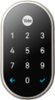
1-2 of 2 Answers
You’ll need to factory reset your device. Search “nest x Yale lock factory reset” on google and you should find detailed instructions. There is a QR code behind the battery cover you can get to by using a paper clip to pop open (look for a small circle at the top of the lock on the inside of the door)
Sorry, there was a problem. Please try again later.Yes. You will need to download the Nest app to set or change the passcode for your Nest x Yale Lock. Take a look at these links for more information: Factory reset the Nest × Yale Lock: https://support.google.com/googlenest/answer/9218474 Nest × Yale Lock installation and setup: https://support.google.com/googlenest/answer/9210317 How to set or change passcodes for Nest Secure and the Nest × Yale Lock: https://support.google.com/googlenest/answer/9207205
Sorry, there was a problem. Please try again later.