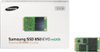
“I'm planning on putting a SSD in this computer, What size SSD should I get, I'm looking at a 2.5 in. one, would that fit?”
Answer This Question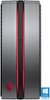
1-3 of 3 Answers
I believe there are 4 HD bays but didn't see a place to screw down a 2.5 in SSD, so you will need an adapter for 3.5 in bay. the bays are slide in and use the fat screw heads to keep the HD from moving. I chose a 120 GB for my OS only. I literally go from off to desktop in 10 seconds.
Sorry, there was a problem. Please try again later.There are four drive bays in the computer, and the manual has instructions on how to install new drives. However, there are only 3.5" drives, not 2.5" ones so you would need a 2.5" to 3.5" adapter. You also need a SATA cable with one right angle end and one straight end. To answer your question, an SSD will fit but you need an adapter.
Sorry, there was a problem. Please try again later.They would all fit, and best choice in my mind for the $$ is a Samsung 850 EVO model, 250GB. They make a pro model and 1TB model ($$$) but almost the same specs. The choice would be if you want to put it in an mSATA adapter and use the internal slot, or buy a NVMe adapter and place it directly on the motherboard via a PCI daughterboard. Look up all these words, I am using a simple adapter in the original HD slot with the mSATA 256 unit, but may shift to the faster direct connection. Either way, with the i7-7700 and maybe more RAM, this is a FAST machine. I also dropped in 2 regular WD Black HDs, 2TB each, but this who system is way overkill for my current needs. But it is fast, and I do video work, so no more issues. You may need to En\bay shop to get the extra adapter parts and pieces... The Samsung 850 EVO is the top SSD by far...maybe a newer something out there by now, but for the $$ to me was just fine. Also go download the USerBenchMark software and check all your speeds and efficiencies and you can also see other options.
I would recommend:
Sorry, there was a problem. Please try again later.