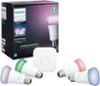
“Does this connect directly to the app? Or do you need the bridge? I only want 1 light bulb for my room.”
Answer This Question
1-8 of 8 Answers
For all Hue lights, you’ll need the bridge, which connects to your modem. If you’re only looking for one bulb, I’d recommend LIFX. Their products don’t require a hub, each has a direct WiFi connection to your network and you can add it and control it with the LIFX app.
Sorry, there was a problem. Please try again later.You need the hue bridge for this system to work even with only one bulb ,but the starter kits don’t cost that much.
Sorry, there was a problem. Please try again later.You need a bridge
Sorry, there was a problem. Please try again later.You need to have to bridge for any hue lights. Otherwise it's just a normal bulb.
Sorry, there was a problem. Please try again later.Still need the bridge. The app connects to the bridge. You should look into wifi lights instead, if you just want one.
Sorry, there was a problem. Please try again later.For the App, you need the Hub (Bridge). That is managed over the local network/wifi. You can use the bulbs with the dimmer switch only if that meets your needs, but you have less control over the lights.
Sorry, there was a problem. Please try again later.You need the bridge but the bridge connects up to 50 lights and makes set up so simple.
I would recommend:
Sorry, there was a problem. Please try again later.You need the Hue Bridge... I began with the "Starter Pack" that came with the hue bridge and 3 bulbs... I don't think it would be cheaper to by a bulb and a bridge separately.
Sorry, there was a problem. Please try again later.